Top 4 Trello Alternatives for Collaborative Planning 2026
Discover the top 4 Trello alternatives to help teams decide on the best collaborative project planning solution for their needs.

Managing collaborative project planning across teams often stalls when tools lock features, complicate integrations, or scatter information between functions. Many leading platforms make the process inflexible with rigid workflows, limited transparency, or hidden enterprise pricing that slows team adoption. This comparison covers transparent decision tracking, pricing, integrations, and workflow flexibility so teams can pick the right collaborative planning tool for their needs.
Table of Contents
SwarmStack
At a Glance
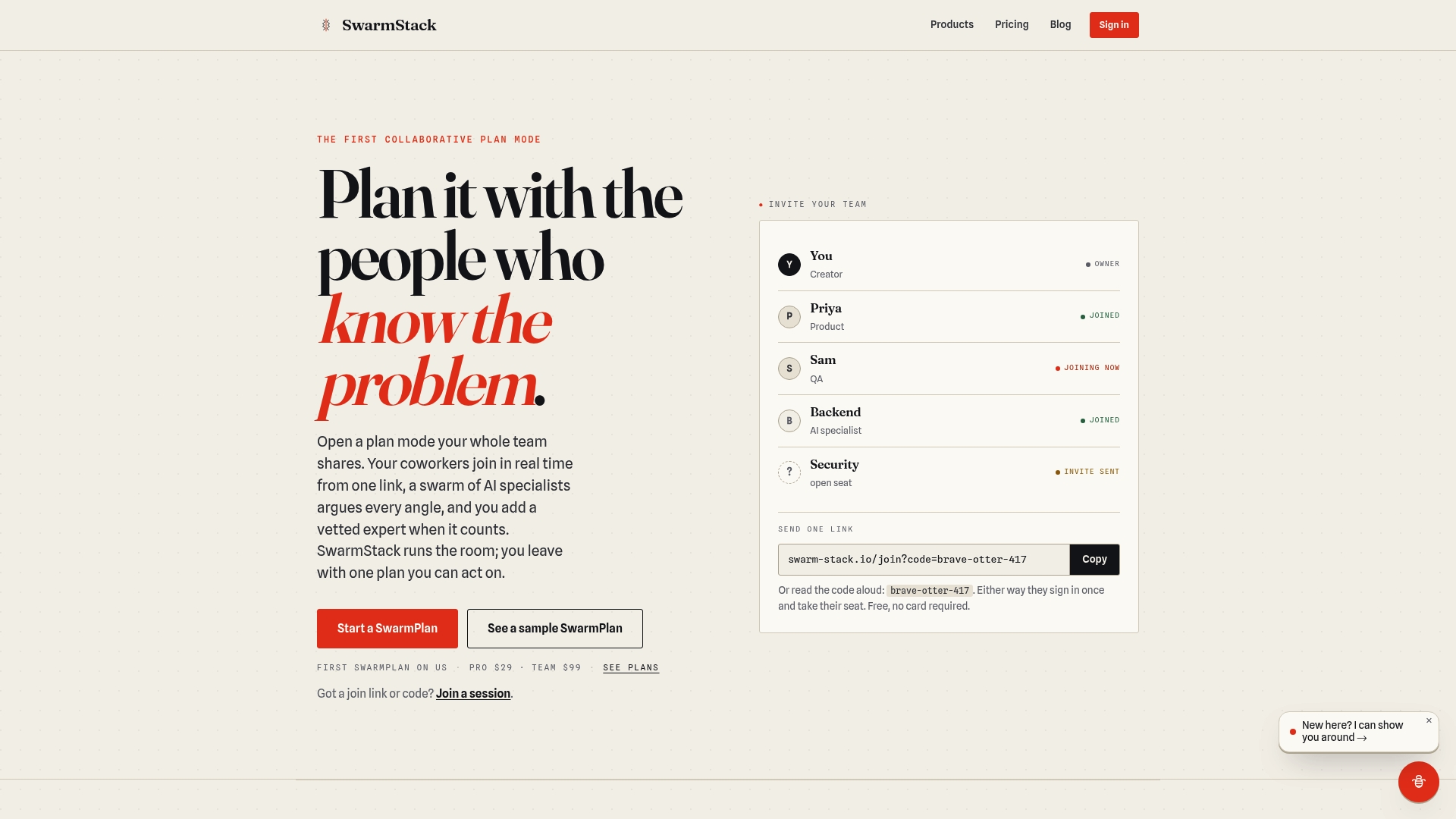
A room-based, contention-driven process produces versioned plans, RFPs, and surveys with recorded rationale and alternatives. The system captures those outcomes as Decision Records, so every choice has an auditable explanation. Teams can invite coworkers via a single link to join live rounds of argument and synthesis.
Core Features
SwarmStack runs real-time collaborative planning rooms where AI moderates rounds, contention, and synthesis to push discussions toward a decision. It keeps versioned plans, RFPs, and surveys so teams track changes and revert or compare iterations. The platform also offers a marketplace of vetted human experts who can join sessions for specialist input and tighter accountability.
Key Differentiator
Contentious, transparent, versioned decision-making combines AI orchestration with human experts to force arguments into documented outcomes. That structure builds a clear decision trail by design, not as an afterthought, so tradeoffs and alternatives remain visible. The result emphasizes documented rationale over informal consensus.
Pros
The process enforces accountability through recorded decision rationale and version history, which helps teams that must justify choices to stakeholders or audits. Integration of a vetted human expert marketplace brings domain knowledge into the room without scheduling extra meetings. Real-time rooms reduce asynchronous back-and-forth and produce deliverables that are already organized for handoff or implementation.
Cons
- Complex setup and process that may be overkill for small or simple tasks
Who It's For
Product teams, project managers, and organizational decision-makers who need structured, transparent deliberation and recorded outcomes will get the most value. Teams that run multi-stakeholder RFPs or require explicit tradeoff documentation match the workflow well. Small teams with simple task lists will likely find the process heavier than necessary.
Unique Value Proposition
AI orchestration of rounds, contention, and synthesis plus a marketplace for vetted human experts changes how decisions are produced and recorded. That combination shifts work from repeated meetings and fragmented notes to single collaborative sessions that generate implementable artifacts. For teams that must show how and why a decision happened, this reduces post-hoc reconstruction and shortens the path to execution.
Real World Use Case
A product team runs a SwarmPlan session to choose a technical approach. Engineers and product people present options while AI moderates contention and extracts alternatives. The session ends with a versioned requirements document and Decision Records that capture the rejected options and the rationale used to pick the winner.
Pricing
SwarmStack lists a Free tier alongside paid plans. The paid tiers are Pro at $29/month and Team at $99/month. Public reviews note limited detail about feature limits per tier, so teams should confirm seat counts and export rights before committing.
Website: https://swarm-stack.io
Planyway
At a Glance
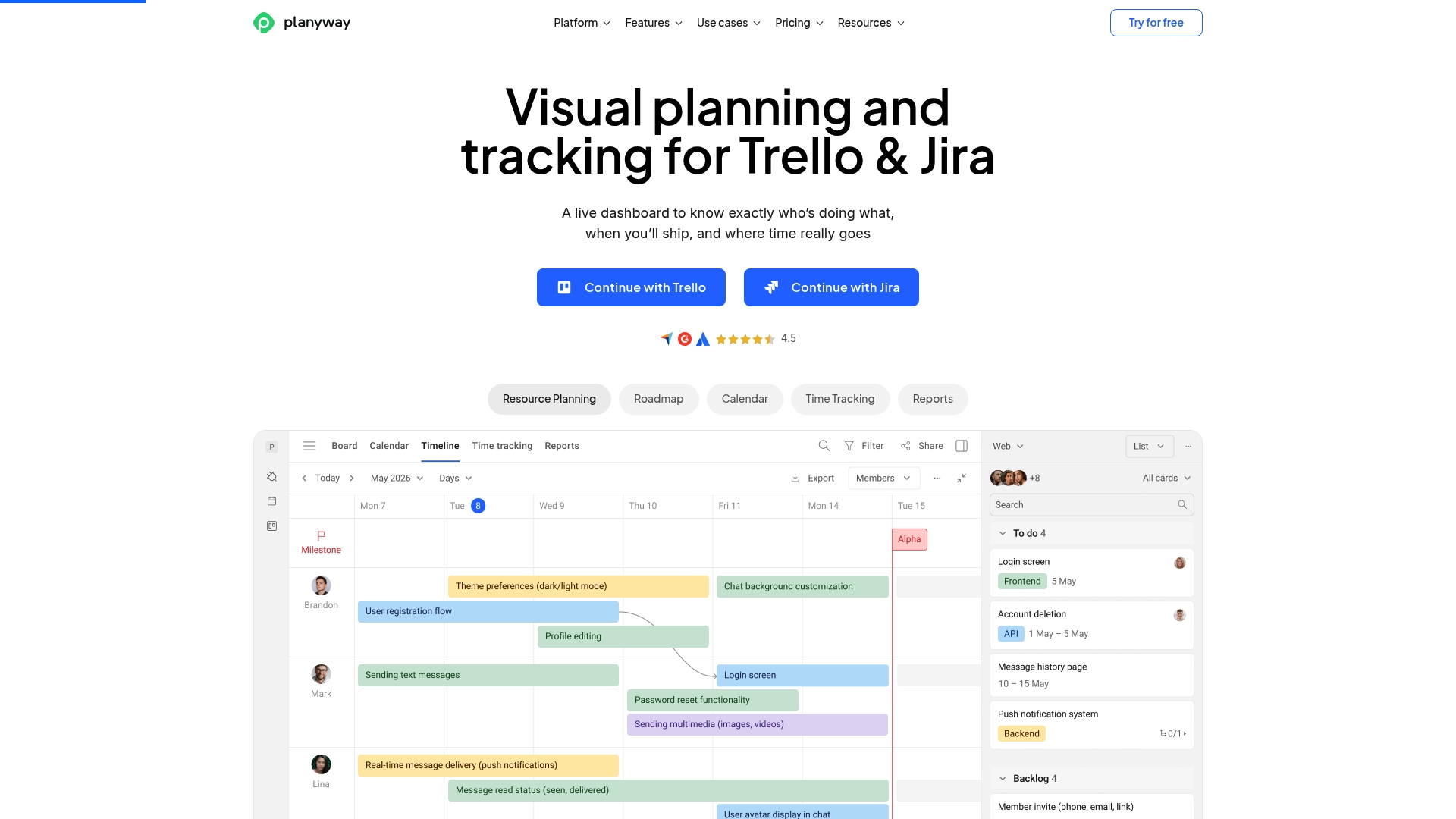
Planyway reports being trusted by over 35,000 teams including Netflix, Amazon, and Adobe. It centers on visual scheduling with timelines, workload views, calendars, and time tracking. The app links cards and issues across collaboration platforms to show roadmaps and resource loads in one interface.
Core Features
Planyway delivers a visual Timeline and Gantt views for roadmaps and milestone planning. It shows team load through Workload management and calendar views to prevent overbooking. Built in time tracking and reporting ties effort to schedule across multiple boards and projects.
Key Differentiator
The central advantage is deep native syncing with Trello and Jira. That integration maps cards and issues to unified timelines and workload panels. Teams using those platforms can plan across boards without rebuilding projects manually.
Pros
Integrations work smoothly with Trello, Jira, GitHub, and a Chrome extension, which reduces setup time. The visual interface makes schedule adjustments fast and shortens routine status updates. Planning, resource balancing, and time logging live in the same view, so teams keep roadmaps and effort data together. Flexible pricing includes a free tier and paid plans, and that figure above suggests wide enterprise and agency adoption.
Cons
- Limited offline access. The app is web based and does not support working without a connection.
- Advanced planning tools often sit behind paid tiers. Small teams may find the free tier limited for complex scenarios.
- Complex portfolios can require extra configuration, which adds setup time for teams with bespoke workflows.
When It May Not Fit
If you need full offline access or reliable mobile work without internet, Planyway is a poor match. Solo users or very small teams might find the feature set overly complex for basic task lists. Teams that do not use Trello or Jira will miss the main integration benefit.
Notable Integrations
Planyway integrates directly with Trello, Jira, and GitHub. A Chrome extension provides quick board level access from the browser. Those connections let timelines and workloads reflect live changes on source boards.
Who It's For
Teams and project managers who need visual planning and resource balancing and who already use Trello or Jira will gain the most. Product managers and resource leads will value workload panels and cross board timelines. Solo contributors and tiny teams should evaluate the free tier carefully before committing.
Real World Use Case
A marketing team uses Planyway to plan campaign timelines and set milestones across multiple boards. Managers assign tasks and balance workloads with the workload view. Time tracking ties hours to milestones for clear post campaign reporting.
Pricing
Plans include a free tier plus paid options. Individual plans start at $4 per month and team plans at $3 per user per month. Enterprise pricing is custom for large deployments.
Website: https://planyway.com
YouGile
At a Glance
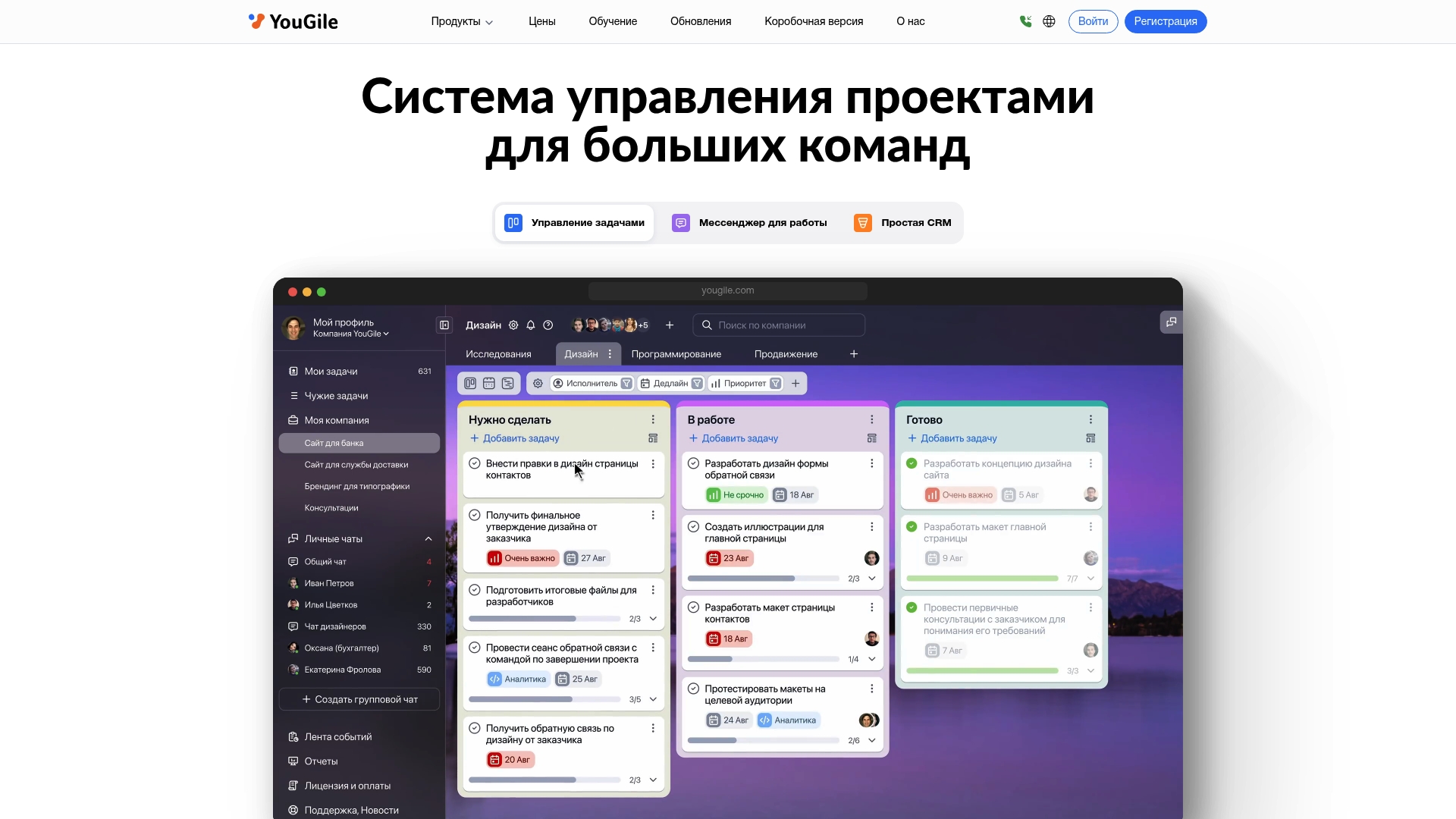
Includes a self hosted deployment option so organizations can host the system on their own servers. The product combines task boards, chat, CRM, and project planning views in one package. The platform targets medium and large teams that need role based permissions and project templates.
Core Features
YouGile offers Gantt charts, Kanban boards, and calendar views for timeline and task tracking, paired with real time chat for team communication. It includes a CRM with a sales pipeline and contact management, plus automation for task transfers, templates, and notifications. The vendor also supplies API access, mobile apps for iOS and Android, and a self hosted deployment path.
Key Differentiator
The platform’s single interface merges CRM, task management, and team chat with automation and a self hosted option. That combination suits organizations that want fewer point tools and more control over data. The unified approach narrows the need to stitch together separate communication and project systems.
Pros
YouGile groups features that teams usually buy separately, so you can run tasks, sales tracking, and chat in one system. Role based permissions and customizable roles give administrators precise control over access across projects and tasks. The availability of a self hosted deployment helps teams with strict data policies, and automation tools reduce repetitive work across projects.
Cons
- Interface complexity could require a dedicated admin or training for new teams. This may slow initial adoption for smaller groups.
- Public pricing is not transparent, so budgeting may require contacting sales for quotes. That adds procurement friction.
- Deep customization beyond user roles may need technical expertise or developer support. Smaller teams may find that effort costs more than expected.
- Initial setup for larger organizations can be time consuming because permissions and templates need careful configuration.
When It May Not Fit
If your team prefers a minimal learning curve, YouGile’s breadth of features could feel overwhelming. Small teams that want plug and play simplicity will likely prefer a lighter kanban-first tool. Transparent per seat pricing is not listed publicly, so organizations wanting clear list pricing may need a different vendor.
Notable Integrations
- Google Calendar
- Trello
Who It's For
Medium to large teams that need combined project management and CRM in a single system will get the most value. IT teams and administrators who require role based controls and a self hosted option will find the deployment flexibility useful. Agencies managing many clients and complex workflows will benefit from templates and automation.
Real World Use Case
A software development firm uses YouGile to map releases on Gantt charts and assign sprint tasks on Kanban boards. They automate handoffs for code reviews and client updates, and keep sales pipelines in the built in CRM. The team hosts the instance on a private server to meet company data policies.
Pricing
Pricing is not explicitly stated on the public site. The vendor notes a possible free tier for small teams and custom paid plans for larger deployments, but exact tiers and per seat rates are not published. Expect to contact sales for a formal quote.
Website: https://yougile.com
workstreams.ai
At a Glance
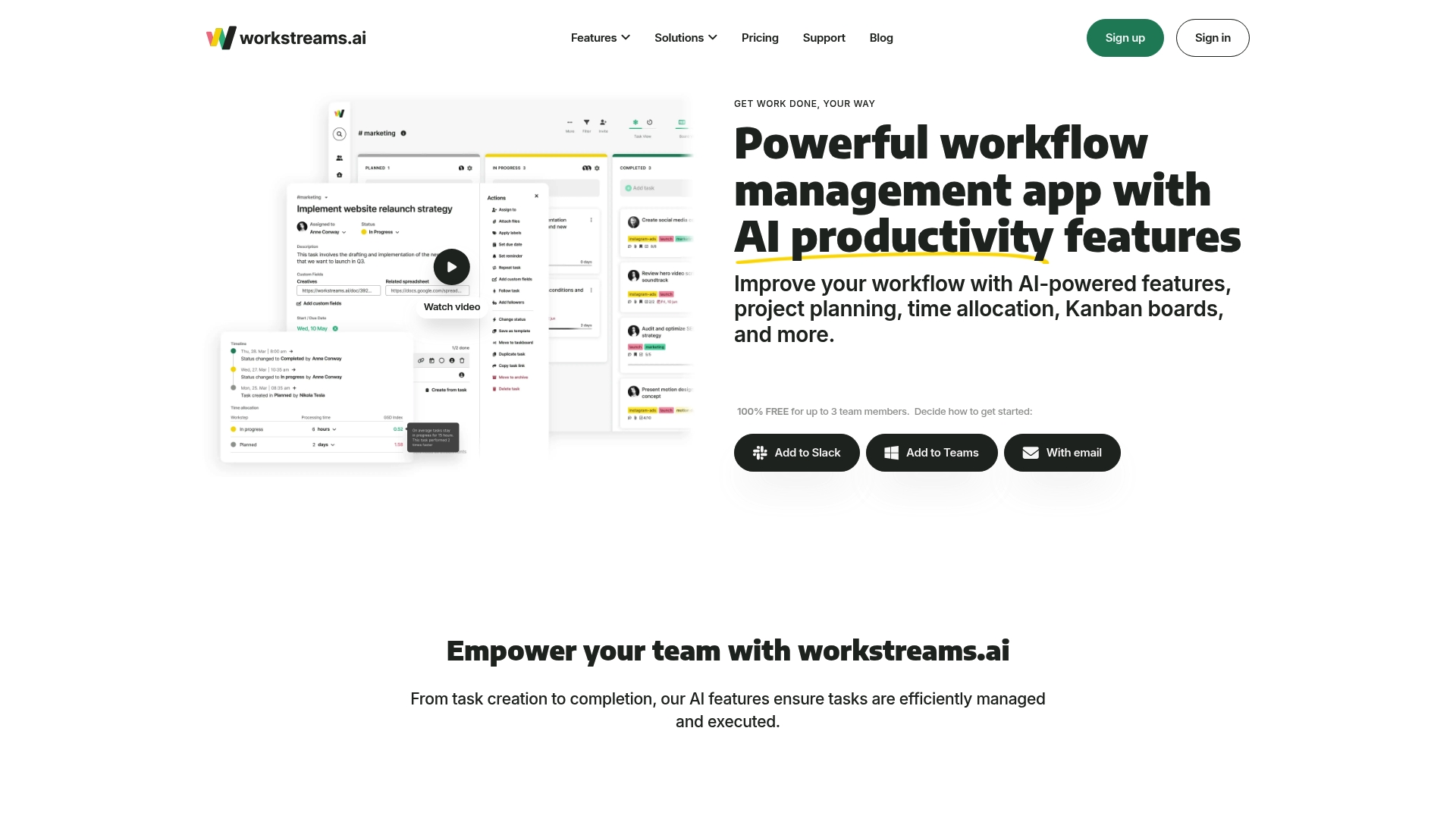
Free for teams of up to three members, making it easy to trial AI features without cost. The platform pairs AI powered task generation with workflow templates and time allocation tools. Slack and Microsoft Teams integrations support notification and communication inside existing channels.
Core Features
workstreams.ai combines task management, customizable workflows, and time tracking into a single workflow management app. The system offers an in app calendar, frozen task identification, and templates teams can adapt for repeatable processes. AI assists with task description creation and planning while filters and visual views help teams monitor progress.
Key Differentiator
The product centers on AI that helps write task descriptions, automates routine workflow steps, and analyzes time allocation to highlight bottlenecks. That focus shifts effort from manual task entry to reviewing and refining AI suggestions. Teams that want AI to accelerate planning will see the clearest benefit.
Pros
A free tier for very small teams lowers the cost of getting started and speeds evaluation. Native connections to Slack and Microsoft Teams make handoffs and notifications straightforward across chat-based workflows. Custom workflows, templates, and advanced filtering provide concrete tools for standardizing processes and improving visibility.
Cons
- Limited features on the free plan require a paid upgrade for larger teams or advanced capabilities.
- Advanced features add complexity that may require a short onboarding period.
- The platform relies on integrations for parts of the collaboration ecosystem, so native functionality may feel thin without those links.
When It May Not Fit
Large enterprises that need complete built in collaboration suites may find the reliance on integrations restrictive. Teams that want a minimal learning curve will notice some setup work to configure templates and AI behavior. Organizations that require heavy native communication without third party tools should evaluate integration limits first.
Notable Integrations
workstreams.ai connects to Slack and Microsoft Teams for notifications and task conversations.
Who It's For
Small to medium sized teams that want an AI enhanced workflow and task management tool will get the most value. Product managers, marketing teams, and support groups that use Slack or Teams can adopt it quickly. Teams with repeatable processes that benefit from templates and time analysis will find it useful.
Real World Use Case
A marketing team adopts workstreams.ai to standardize campaign steps and reduce setup time for each launch. The AI drafts initial task descriptions, and templates enforce approvals and asset handoffs. The team tracks time allocation to identify overruns before deadlines.
Pricing
Free for teams of up to 3 members, then starts at $10.39 per user/month when billed annually. The vendor offers quarterly and monthly billing options and custom enterprise plans for larger organizations.
Website: https://workstreams.ai
Comparison of alternatives
Transparent rationale and structured decision documentation make SwarmStack stand out among Trello alternatives. It uniquely supports contentious deliberation moderated by AI to create Decision Records, making it a compelling solution for teams requiring decision accountability. However, other options excel in areas like visual scheduling and self-hosted infrastructure.
Visual Workflow and Scheduling
Planyway is a strong contender for teams seeking visually oriented planning tools. Its timeline and Gantt views simplify roadmapping and milestone tracking. Notable integrations with Trello and Jira provide a transition for teams already using these platforms, enhancing their ability to manage cross-board tasks effectively. In contrast, SwarmStack delivers a unique functionality for transparent decision deliberation that caters to entirely different workflows.
Infrastructure and Deployment Flexibility
For organizations prioritizing control over data hosting and unified feature sets, YouGile offers self-hosted deployment paired with integrated CRM and team communication features, reducing dependence on external tools. While its setup may require a steeper learning curve, teams with specific customization or hosting needs will find value. Workstreams.ai is noted for its Slack and Microsoft Teams integrations, pairing AI-driven workflow suggestions with task tracking, appealing to teams seeking streamlined digital workspace connections.
Best fit
- Teams requiring structured deliberation and recorded outcomes: SwarmStack delivers auditable Decision Records that enforce clarity and accountability in decision-making.
- Teams preferring visual timeline planning: Planyway facilitates intuitive roadmapping with Trello and Jira integrations for an optimized scheduling experience.
- Organizations demanding a self-hosted solution: YouGile offers combined planning, communication, and CRM in a unified interface tailored for secure environments.
- Small teams exploring AI-enhanced workflows: workstreams.ai provides accessible AI task creation and Slack or Microsoft Teams connectivity for efficient collaboration.
Our pick
For teams emphasizing structured deliberation with auditable rationale, SwarmStack provides functionality. Its AI-driven moderation and transparent decision documentation produce artifacts suitable for stakeholders and audits. However, for scheduling-focused workflows or infrastructure customization needs, exploring alternatives like Planyway and YouGile may align better with specific requirements.
Comparing collaborative project planning tools reveals distinct strengths in decision-making clarity, integration capacity, and tailored task management.
| Product | Key Feature | Best For | Pricing | Limitation |
|---|---|---|---|---|
| Swarm-stack | Collaborative decision versioning | Teams needing documented outcomes | Free tier, Pro: $29/mo, Team: $99/mo | Complex setup may overwhelm simple workflows |
| Planyway | Visual scheduling with integrations | Teams using Trello or Jira | Free tier, Team: $3/user/month | Limited offline functionality |
| YouGile | Unified tools with self-host hosting | Medium-large teams needing multidisciplinary tools | Price not published | Setup requires attentiveness, pricing transparency issue |
| workstreams.ai | AI-powered task generation | Small teams leveraging AI for task planning | Free tier, $10.39/user/month | Advanced features may require extra onboarding |
Why Choosing the Right Trello Alternative Matters for Your Team
Teams seeking effective trello alternatives often struggle with scattered discussions and unclear decision trails. Swarm-stack tackles these challenges by offering real-time collaborative planning rooms where AI guides focused debates and preserves every argument as documented Decision Records. This process helps product teams, project managers, and organizational decision-makers reduce time spent on back-and-forth messaging and scattered notes.
Swarm-stack’s unique blend of AI orchestration and expert human insights makes it easier to create detailed plans or RFPs that reflect well-reasoned tradeoffs and team alignment. Visit Swarm-stack to explore how transparent, versioned decision-making can improve your team’s planning efficiency and create deliverables ready for immediate action.
Explore real-time collaboration with Swarm-stack and see how structured group planning replaces informal consensus with clear, recorded rationale.
FAQ
How does Swarm-stack enforce accountability during collaborative planning?
Swarm-stack enforces accountability through recorded decision rationale and version history. The platform captures outcomes as Decision Records, ensuring that every choice has an auditable explanation. Teams can expect clear documentation of the decision-making process at the end of each session.
What is the difference between Planyway and Swarm-stack?
Planyway excels in visual scheduling with timelines, workload views, and calendar integrations. Swarm-stack, on the other hand, specializes in real-time collaborative planning, where AI moderates discussions to produce documented decisions. Teams looking for structured decision-making will find Swarm-stack better suited to their needs.
Which platform offers a marketplace for human experts?
Swarm-stack includes a marketplace of vetted human experts who can join sessions for specialist input. This feature allows teams to access expert knowledge directly within their collaborative planning rooms. Organizations seeking enhanced accountability will benefit from this integration.
Can I use Swarm-stack for multi-stakeholder RFPs?
Yes, Swarm-stack is ideal for teams that run multi-stakeholder RFPs or require explicit tradeoff documentation. The platform facilitates a structured and transparent deliberation process, making it suitable for complex decision-making scenarios.
What pricing tiers does Swarm-stack offer?
Swarm-stack has a Free tier as well as paid plans, with the Pro tier priced at $29 per month and the Team tier at $99 per month. Potential users should confirm specific feature limits and seat counts per tier before committing.