Top 4 Microsoft Planner Software Alternatives 2026
Explore 4 Microsoft Planner alternatives to enhance project management and team collaboration for more efficient task handling.

Switching from Microsoft Planner often leaves teams without the collaborative planning tools that fit their real project workflows or reporting needs. Many alternatives lock key planning features behind paid tiers, force board migrations, or lack strong integrations with the tools teams already use. This comparison covers collaboration, timelines, audit trails, and integration features across four Microsoft Planner competitors so teams can pick one that matches their workflow and project size.
Table of Contents
SwarmStack
At a Glance
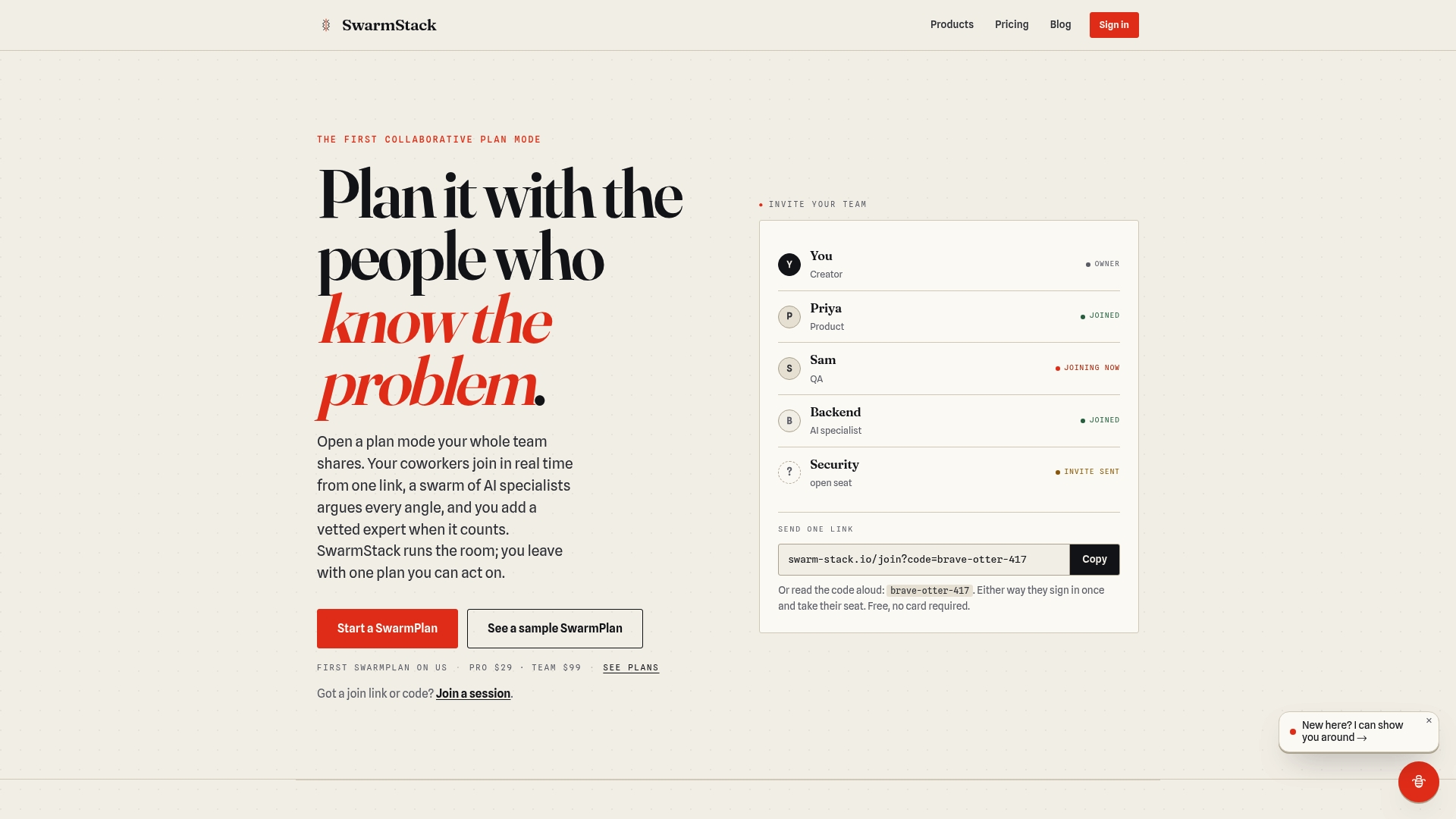
SwarmStack runs structured, debate driven sessions that combine AI specialists and vetted human experts in real time. The platform produces versioned plans, RFPs, and surveys with recorded rationale and an open history of contention. Teams can invite coworkers with a single link and leave the session with an implementation ready plan.
Core Features
SwarmStack supports real time collaborative sessions that bring team members and AI specialists into the same debate rounds, and it layers in vetted human experts on demand. It creates versioned documents and keeps a recorded rationale for each decision, so alternatives and reasoning remain auditable. The product family includes SwarmPlan, SwarmRFP, and SwarmSurvey for planning, procurement, and feedback workflows.
Key Differentiator
The platform forces debate rounds as a first class workflow, capturing arguments, counterarguments, and votes so every decision has a documented rationale. That recorded rationale ties directly to versioned deliverables, making it clear why one option won and which risks remain. The live mix of AI driven suggestions and human expert challenges converts discussion into a traceable decision record.
Pros
Teams that need documented decision trails will find the recorded rationale useful, since it reduces later rework by preserving why choices were made. Inclusive stakeholder engagement works well here because sessions let developers, product managers, security, and external specialists debate the same items in real time. Shared sessions and role controls keep collaboration focused, and the versioned outputs translate discussions into action ready plans and RFPs.
Cons
- Heavy reliance on structured debate can slow decisions compared with informal meetings.
Who It's For
Product managers, project managers, and organizational leaders running early stage planning sessions will get the most value. Teams that must justify design or procurement choices to stakeholders and auditors will benefit from the recorded decision history. Groups that prefer ad hoc chat or lightweight task boards will likely find the format too formal.
Unique Value Proposition
Versioned deliverables with linked decision rationale let teams hand off an actionable plan that includes the arguments behind each choice. That means implementation teams receive not only tasks but the reasoning and rejected alternatives, reducing clarification cycles. For buyer side procurement, this yields RFPs whose trade offs and stakeholder objections are already documented.
Real World Use Case
A product team used SwarmStack to define a new feature spec. Developers, QA, security, and customer reps debated implementation choices across structured rounds. The session produced a versioned plan with the chosen approach, recorded objections, and clear next steps for the engineering sprint.
Pricing
SwarmStack offers a Free plan with limited features. Paid tiers include Pro at $29 per month and Team at $99 per month. The pricing model is per account tier rather than quoted enterprise bundles when listed publicly.
Website: https://swarm-stack.io
Planyway
At a Glance
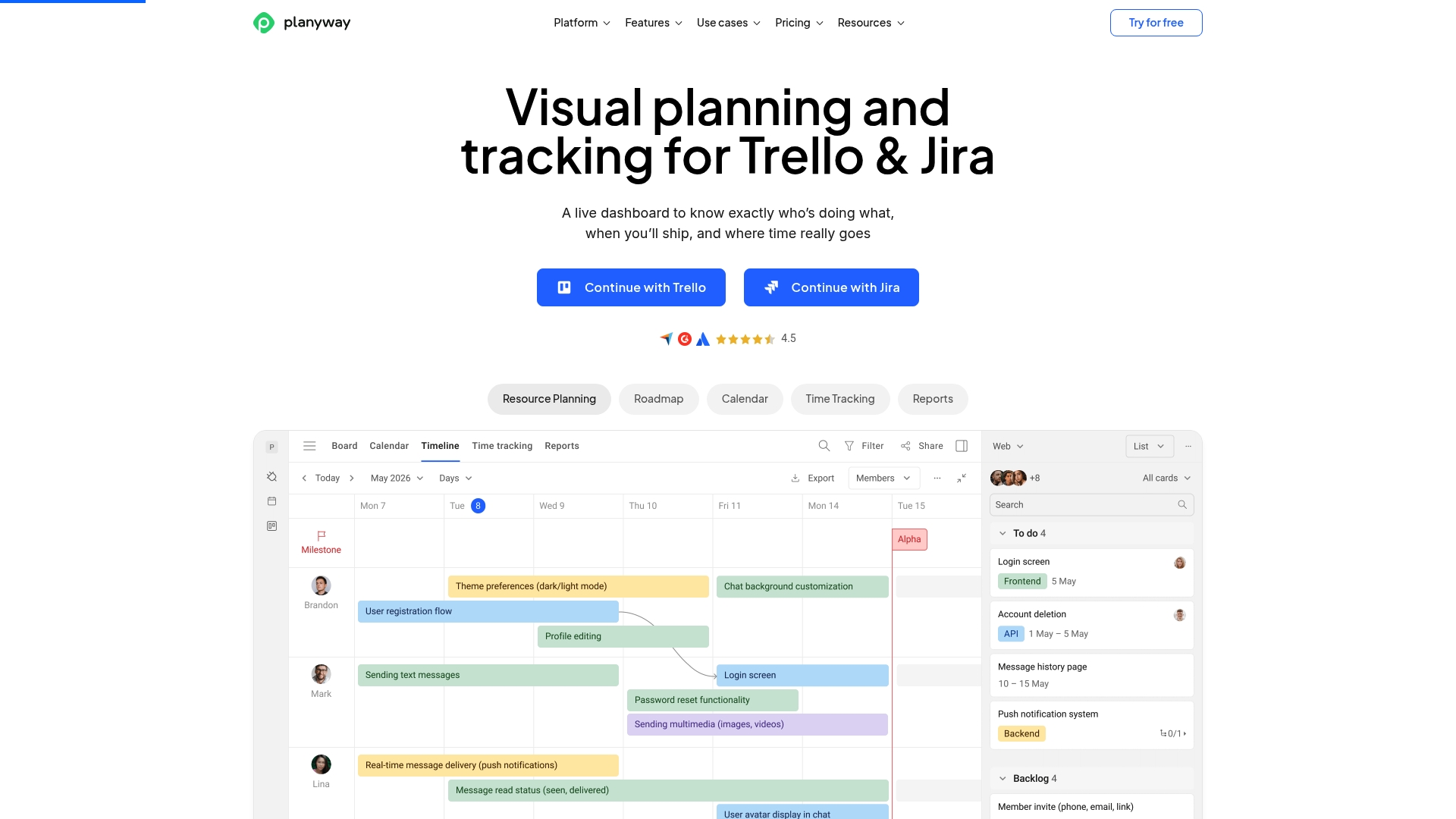
The vendor reports more than 35,000 teams, including Netflix, Amazon, and IBM, use Planyway. The app adds visual timelines, calendars, and time tracking on top of Trello or Jira boards, so that mix makes planning visible across multiple projects and resource pools. That visibility helps teams spot conflicts and balance workloads before deadlines slip.
Core Features
Planyway layers timelines and Gantt charts on existing Trello and Jira boards while also offering calendar sync with Google Calendar and Outlook. It includes resource and workload views, dependency linking, milestone tracking, and built in time tracking with automatic reporting. These capabilities keep task status and team hours in one place while preserving the original board workflow.
Key Differentiator
Planyway’s deep integration with Trello and Jira lets teams keep their current boards and add visual, real time resource and project tracking. That approach avoids board migrations and preserves existing automations while adding cross project oversight and time capture inside familiar workflows.
Pros
Planyway offers a highly visual interface that makes schedules and resource conflicts obvious at a glance. Strong ties to Trello and Jira mean your team can keep existing card and issue habits while gaining timelines, workload views, and dependency graphs. Built in time tracking and automatic reports reduce the need for separate time tools. The vendor’s user count above suggests broad adoption across larger organizations and agencies.
Cons
- Some users find the interface overwhelming at first. Advanced features require time to learn.
- Several capabilities unlock only in paid tiers. The free plan is limited in comparison.
- Full functionality requires a Trello or Jira connection, which adds an extra dependency for teams that do not use those boards.
When It May Not Fit
Teams that do not use Trello or Jira will miss core functionality because Planyway relies on those platforms for data. Small teams on tight budgets may find the free tier too limited, since key workload and time features live in paid plans. Organizations that prefer a single standalone tool without external board dependencies should look elsewhere.
Who It's For
Planyway fits project managers and teams already invested in Trello or Jira who need clearer timelines and workload views. It suits agencies and delivery teams that must track billable hours and balance multiple clients. It also works for teams that want to keep existing board structure while adding cross project planning.
Real World Use Case
A marketing agency maps client campaigns on Trello and uses Planyway timelines to visualize overlapping launch dates. Resource views show which designers are double booked before the sprint starts. The team tracks hours inside cards and generates reports for client billing and internal retrospectives.
Pricing
Planyway offers a free tier. Paid plans start at $4 per month for individuals and $3 per user per month for teams, with custom enterprise quotes available for larger deployments.
Website: https://planyway.com
ezyProjectS
At a Glance
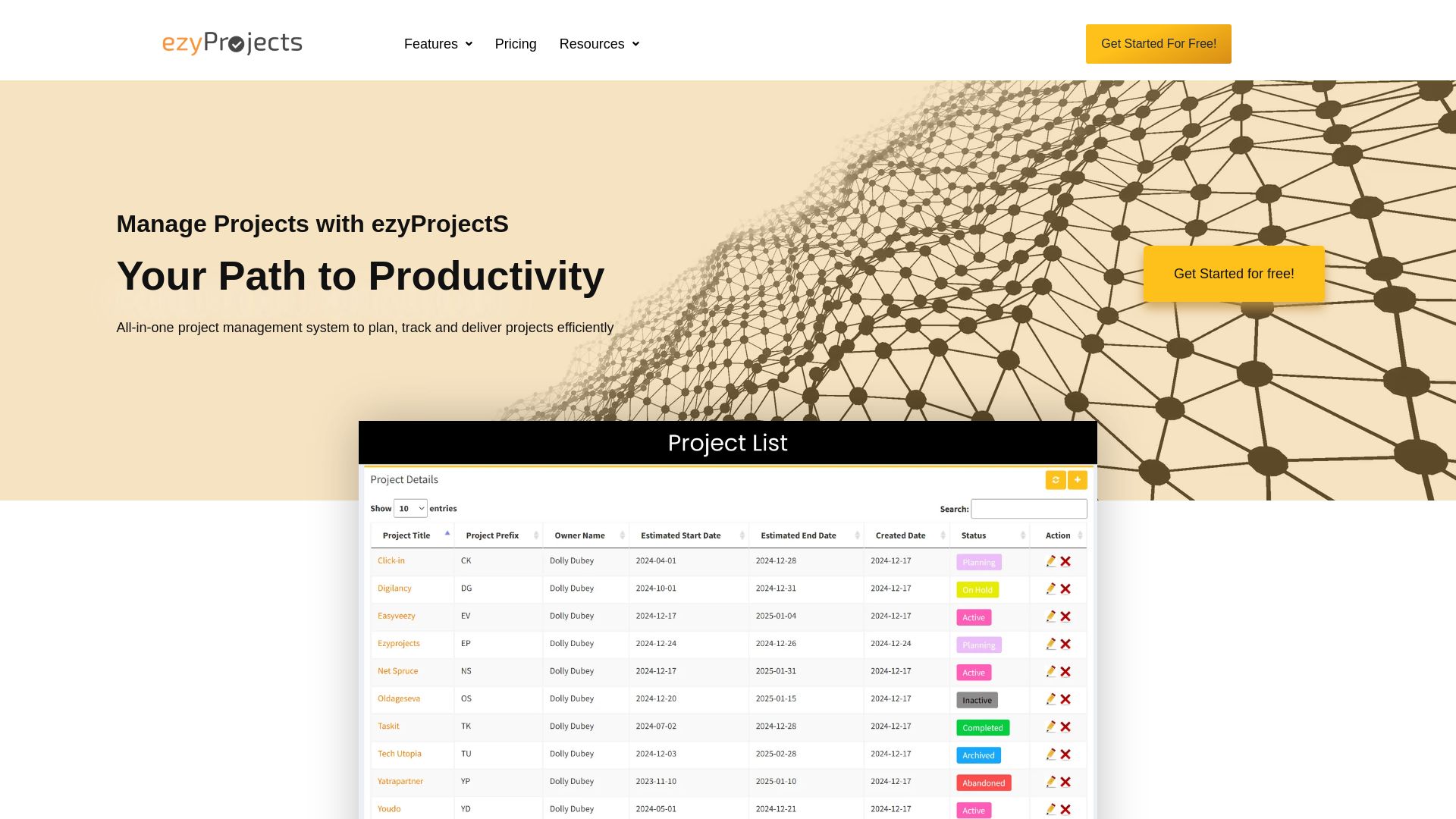
ezyProjectS offers a free trial or initial free access for new users, making it fast to evaluate its features without upfront cost. The product groups project management, bug tracking, time tracking, and reporting into a single user friendly interface. That bundling makes it easier for small teams to keep task, time, and defect data in one place.
Core Features
You can create and manage projects, milestones, and tasks while setting priorities and deadlines for each item. The platform includes an integrated bug tracking system, timesheet management, and customizable reports that track project progress. Team members collaborate through comments and attachments, and data can be organized with custom classifications.
Key Differentiator
The clearest differentiator is the product combining task planning, bug tracking, time tracking, and reporting inside one user friendly environment. That design reduces the need to switch tools for basic project workflows. For teams that want a single interface for those functions, this approach keeps context and history together.
Pros
The platform covers project planning, defect tracking, and time management in one place, which cuts friction for teams that currently use separate tools. Customizable reports and classifications let you shape progress views for status meetings and retrospectives. The interface reads as approachable for new users, and the free trial lowers the barrier to test workflows before committing.
Cons
-
Limited third party integrations are documented. That may force manual work or extra effort to sync other services.
-
Buyer reviews indicate the product can lack some advanced features found in more mature tools. This may affect complex portfolio management needs.
-
The product may not scale well for very large or highly complex projects. Large programs with many dependencies could outgrow it.
-
Some new users report a learning curve with the interface and feature set. Expect an initial setup and training period.
When It May Not Fit
If your team runs dozens of concurrent projects with automated workflows, ezyProjectS may feel small. Organizations that require broad third party integrations or enterprise grade portfolio controls will likely need a different tool. Also, if you depend on advanced automation or vendor certified security claims, this product does not advertise those capabilities.
Who It's For
Small to medium sized teams that want an all in one project and task system will get the most value. Software teams that need basic bug tracking and timesheets alongside task management fit well. Project managers who prefer a single tool for status reporting and artifact attachments will find the workflow familiar.
Real World Use Case
A four person development team uses ezyProjectS to plan sprints, log bugs, and run weekly reports for stakeholders. Developers file defects and link them to tasks so managers can prioritize fixes alongside feature work. Timesheets track effort per ticket, which helps billing and internal capacity planning.
Website: https://ezyprojects.com
At a Glance
Integrations include Sage, Xero, Microsoft Azure, SharePoint, Power BI, Slack, Jira, and a REST API. The product presents resource availability, utilization, and project timelines in one visual view. That connected view replaces scattered spreadsheets and separate tools for many project teams.
Proggio
At a Glance
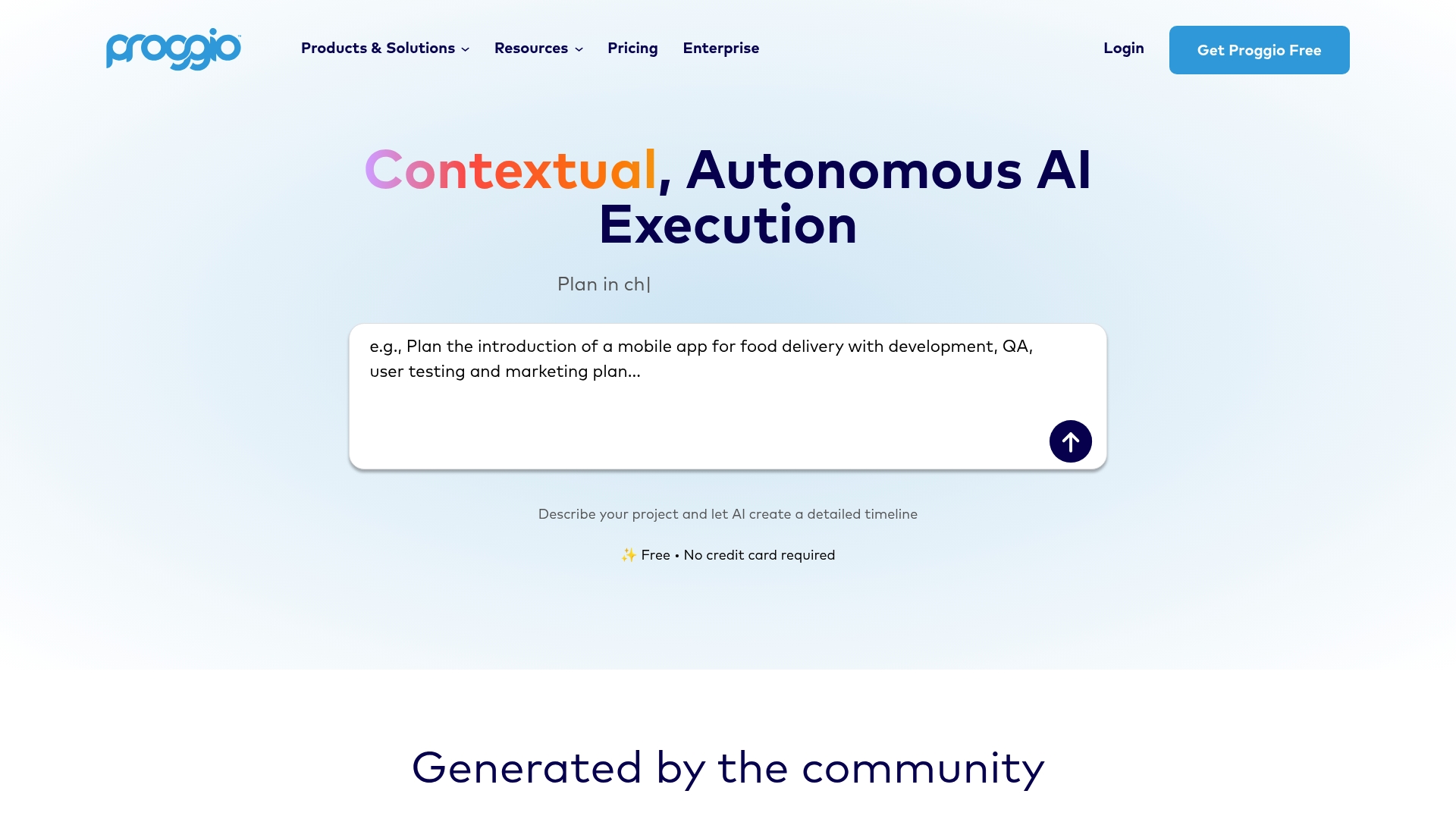
Proggio offers a free plan with no credit card required, making it easy to test portfolio features. The tool targets teams evaluating Microsoft Planner alternatives who need portfolio visibility and AI assist. It emphasizes AI driven timelines and integrations with popular work tools.
Core Features
Proggio combines AI orchestrated project portfolio management with real time visual timelines via ProjectMap™, and task boards that support live collaboration. It includes resource and budget management in paid plans, plus custom dashboards and automated reporting for status reviews. The platform also provides APIs for custom integrations and connectors to common productivity platforms.
Key Differentiator
The platform centers on autonomous AI agents that create and adjust schedules automatically while analyzing portfolio risk. That focus on AI driven orchestration and patented dynamic timelines separates Proggio from simple task managers. Deep connectors to Jira and Monday.com help teams keep existing workflows.
Pros
A usable free tier lets teams try portfolio workflows without a billing commitment. Strong AI features help generate timelines and suggest resource shifts, which reduces manual schedule updates. Integration with Jira and Monday.com and reporting tools supports cross team visibility and migration from other trackers.
Cons
-
Pricing rises for large teams, making total cost significant at scale.
-
Some advanced capabilities like API access and enterprise integrations require higher tier plans.
-
The platform has a learning curve because of its AI driven features and portfolio focus.
-
The free tier limits individual and small team capabilities compared with paid plans.
When It May Not Fit
If your team needs a lightweight task board without a portfolio layer, Proggio will feel heavyweight. Small teams that must avoid recurring per user fees may find the free tier too limited. Organizations that lack time for initial setup may prefer a simpler tool.
Notable Integrations
Proggio connects to major work platforms including Slack, and offers APIs for custom integrations. The product also integrates with Jira and Monday.com to sync issues and projects. Those connections aim to preserve existing workflows while adding portfolio oversight.
Who It's For
Project managers, portfolio executives, and team leaders in mid sized to large organizations will get the most value. Teams that need AI assisted timeline generation and consolidated portfolio reporting will benefit. Organizations planning multiple concurrent projects and wanting integration with existing trackers fit best.
Real World Use Case
A product company uses Proggio to plan and monitor ten simultaneous projects. AI adjusts schedules when resource conflicts appear and reallocates staff automatically. Teams run risk what if scenarios and export portfolio reports for executive reviews.
Pricing
Proggio offers a Free tier, Plus ($9/user/month paid annually), and SMB ($25/user/month paid annually), with Enterprise pricing available on request. Feature access and APIs expand at higher tiers, and enterprise plans include advanced portfolio controls.
Website: https://proggio.com
Comparison of alternatives
When evaluating collaborative planning software, the ability to document decision rationales alongside structured workflows can provide significant clarity for implementation teams. Examining SwarmStack alongside Planyway, ezyProjectS, and Proggio reveals distinct points of strength and suitability for varied organizational needs.
Transparent documentation versus visual synergy
SwarmStack excels in its capacity to capture transparent decision documentation. Its structured debate sessions record variations, rationale, and rejected alternatives, offering teams undeniable clarity on decision paths. Conversely, Planyway integrates with tools like Trello and Jira to synergize task timelines, making it a pragmatic choice for organizations relying on existing workflows but needing enhanced visual oversight.
Integration breadth and simplicity balance
ezyProjectS consolidates project planning, defect tracking, and timesheet management within one interface, favoring small teams desiring simplicity over extensive integrations. Proggio, by contrast, emphasizes AI-driven portfolio planning, supporting large-scale and interconnected project needs. These distinctions highlight options ranging from straightforward functionality to sophisticated resource orchestration.
Best fit
- Teams requiring structured decision processes with auditable rationales will benefit from SwarmStack.
- Projects demanding integration with existing task boards should consider Planyway, given its enhancement capabilities with Trello and Jira.
- Smaller teams seeking a unified tool combining planning, tracking, and defect management can select ezyProjectS for its simplicity and accessibility.
- Groups needing AI-assistive portfolio management on a larger scale will find Proggio well-suited.
Our pick
SwarmStack is the preferred solution for teams prioritizing auditable rationales tied to formal decision-making processes. By structuring debates and linking decisions directly to output documents, it uniquely enables transparent and defensible planning. However, for highly visual timeline needs or AI-driven portfolio management scenarios, alternatives such as Planyway or Proggio might provide a more direct fit for specific workflows.
Organizations seeking collaborative planning software should assess their needs for features such as structured decision processes, scalability, and integration capabilities.
| Product | Key Feature | Use Case | Pricing | Limitation |
|---|---|---|---|---|
| Swarm-stack | Structured debate-driven collaboration | Decision rationale documentation | Free, Pro: $29/month, Team: $99/month | More structured; slower for informal decisions |
| Planyway | Visual integration with Trello and Jira tools | Multi-project scheduling and time tracking | Free, Paid from $3/user/month | Requires Trello or Jira for full functionality |
| ezyProjectS | Comprehensive task and bug tracking in one tool | Basic project management for small teams | Free trial available | Limited third-party integrations |
| Proggio | AI-driven project portfolio management | Visualizing and managing multiple portfolios | Free, Plus: $9/user/month, SMB: $25/user/month | Higher cost for larger teams |
Choosing a Microsoft Planner Alternative That Supports Clear Decision Making
Many teams find managing project planning can become confusing without clear reasoning behind decisions. Microsoft planner alternatives often lack tools to capture and track the debate around choices, causing wasted time and misalignment. Swarm-stack focuses on real-time collaboration involving AI specialists and human experts to document every argument and vote in structured sessions. This keeps your plans transparent and easy to hand off for implementation.
Benefits include:
- Recorded rationale tied directly to versioned plans or RFPs
- Quick coworker invitations with a single link
- Ready-to-use deliverables that reduce follow-up questions
See how Swarm-stack helps product managers, project managers, and organizational leaders develop plans with full context and clear next steps. Visit Swarm-stack and experience a planning process designed for teams that value thorough decision histories and live input from experts.
FAQ
How does Swarm-stack support real-time collaboration for teams?
Swarm-stack allows teams to engage in structured debate-driven sessions in real time, promoting effective collaboration. It combines AI specialists and vetted human experts during these sessions, resulting in versioned plans and documented decision trails. Teams can enhance their project workflow by leveraging these collaborative features.
What is the difference between Swarm-stack and Planyway for project management?
Planyway offers strong visual timelines and Gantt charts built on existing Trello and Jira boards, making it an excellent choice for teams needing detailed resource visibility. Swarm-stack, on the other hand, excels in structured debate sessions with recorded rationale and transparent decision-making processes, which is crucial for those needing documented trails for decisions.
Which platform provides better decision documentation features?
Swarm-stack stands out by capturing arguments, counterarguments, and votes during debate rounds, ensuring every decision has a documented rationale. This structured process guarantees that teams understand why they made each choice, offering valuable insights for future projects.
Can I use Swarm-stack if my team prefers less formal communication?
Swarm-stack's structured debate format may feel too formal for some teams that prefer ad hoc chat or lightweight task boards. However, those looking for organized decision-making with documented rationale will find it beneficial in streamlining their project workflows.
How does Swarm-stack's pricing compare to tools like ezyProjectS?
Swarm-stack offers a competitive pricing structure with a Free plan, Pro at $29 per month, and Team at $99 per month, allowing teams to choose based on their needs. In contrast, ezyProjectS focuses on an all-in-one project management solution, but may not include similar structured debate features, making the value proposition distinct.