How to Plan a Virtual Planning Workshop That Actually Ships Decisions
Discover how to effectively plan a virtual planning workshop that drives decisions, enhances collaboration, and achieves concrete outcomes.

Run short, objective-driven live sessions of a duration under one and a half hours, anchored to one concrete deliverable, with asynchronous work filling the gaps between them. That's the whole model. A virtual planning workshop works best as a hybrid: synchronous meetings for decisions and debate, asynchronous time for the thinking that doesn't need a room full of people watching.
Expect a well-run session to produce something you can point to the next morning:
- A short list of decisions with named owners
- A draft RFP, roadmap, or prioritized backlog
- A recorded board, transcript, or summary doc archived for people who missed it
Choose a single session when the objective is narrow (pick a vendor, align on Q3 priorities). Choose a multi-session series when the scope spans research, drafting, and sign-off, since shorter high-impact sessions tend to outperform long virtual marathons on both engagement and output quality.
Key Takeaways
A virtual planning workshop succeeds when a single clear objective, a tight live agenda, and a reliable tech stack combine to produce a tracked, owned deliverable within 24 hours of the session ending.
| Point | Details |
|---|---|
| Define the deliverable first | Write the objective as one sentence with a concrete output before building the agenda. |
| Respect timing rules | Keep active blocks to 15–25 minutes and take a break every 60–75 minutes to avoid fatigue. |
| Build a three-layer stack | Combine video conferencing, a collaboration board, and a backup channel to avoid single points of failure. |
| Change activities often | Switch interaction modes every 10–20 minutes using breakouts, silent writing, and dot voting. |
| Use SwarmStack for structured output | SwarmStack's human and AI sessions turn workshop input into versioned, exportable deliverables automatically. |
Table of Contents
- What Is a Virtual Planning Workshop?
- How Do You Plan a Virtual Workshop Step by Step?
- What Technology Do You Need to Run a Virtual Workshop?
- What's a Good Agenda for a Virtual Workshop?
- How Do You Keep a Virtual Workshop Engaging?
- How Do You Prepare Participants Before a Virtual Workshop?
- What Happens After a Virtual Workshop Ends?
- How Does SwarmStack Support Virtual Planning Workshops?
- What I've Learned About Running These Sessions
- Run Your Next Planning Session With Structured AI and Human Input
- Sources
What Is a Virtual Planning Workshop?
A virtual planning workshop is a structured, facilitated session (or series of sessions) where a team uses video conferencing and a shared digital workspace to make decisions, align on direction, or draft a deliverable in real time. It's not a status meeting stretched to two hours, and it's not a brainstorm with no destination. The format only works when it's built around a specific job to be done.
The defining feature is the hybrid rhythm: live checkpoints for synthesis and decisions, with asynchronous work carrying the load between sessions. Participants draft, comment, and vote on their own schedule, and the group only convenes live when a human conversation actually adds value, like resolving disagreement or ranking options together.
Common use cases include:
- Strategy and roadmap sessions — quarterly priorities, product bets, resource tradeoffs
- RFP and proposal drafting — turning scattered requirements into a structured buyer document
- Stakeholder alignment — surfacing disagreement early instead of discovering it after launch
- Requirements gathering — pulling specs and constraints out of people who rarely agree on the first pass
Virtual makes sense when participants are distributed, when you need a documented artifact more than a feeling of togetherness, or when budget and travel time rule out a physical offsite. In-person still wins for high-stakes negotiations or when a team has never worked together and needs the informal hallway conversation that a Zoom call can't replicate.
How Do You Plan a Virtual Workshop Step by Step?
Planning a workshop badly usually traces back to one mistake: starting with the agenda instead of the outcome. Fix the order, and most of the rest falls into place.
- Write the objective as a single sentence with a deliverable attached. Not "align on strategy," but "leave with a ranked list of three Q3 initiatives and named owners." The IIBA's BABOK guidance on virtual workshops treats this kind of upfront purpose statement as the single biggest predictor of a workshop that stays on track.
- Decide the format and total live time. A tight decision needs one 90 minute block. A messy, multi-stakeholder problem needs a three-session series spread across a week, with async drafting in between.
- Choose participants deliberately, not by habit. Every additional person beyond a small core group slows decisions and dilutes airtime. If someone only needs to be informed, send them the recording.
- Assign roles before the invite goes out. You need a facilitator running the room, a co-host or producer managing tech and time, breakout leads if you're splitting into groups, and a note-taker who is not also trying to facilitate.
- Define outputs and acceptance criteria in writing. What does "done" look like? A ranked backlog with cost estimates is a different bar than a rough sketch of ideas.
- Sketch the agenda skeleton before you fill in activities. Block welcome, context, work blocks, breaks, and close first. Fill the middle later.
Pro Tip: Write the deliverable in the calendar invite itself, not just the agenda doc. People prep differently when they can see "output: prioritized RFP draft" before they even open the pre-read.
Roles matter more in a virtual room than an in-person one, because nobody can quietly step in to grab a marker or redirect a side conversation. A facilitator who is also fielding tech questions in chat will lose the thread of the discussion within ten minutes. Split those jobs.

Acceptance criteria deserve more attention than most planners give them. If the goal is a roadmap, decide in advance whether "done" means a ranked list, a list with rough estimates, or a list with estimates and owners. Vague acceptance criteria are how a 90 minute session turns into three.
What Technology Do You Need to Run a Virtual Workshop?
Three layers cover almost everything you need, and a minimal three-layer stack, video conferencing, a collaboration board, and a communication backup, reduces the points of failure that derail live sessions.
Layer one: video conferencing. Platforms like Zoom, Microsoft Teams, or Google Meet handle the live room, breakout rooms, and recording. Pick whichever one your participants already use daily; a new login flow is a bad way to start a session.
Layer two: a visual collaboration board. Tools like Miro, MURAL, or FigJam hold the actual work: sticky notes, voting grids, roadmap templates, RFP outlines. This is where the deliverable actually lives.
Layer three: a communication backup. A shared Slack channel, email thread, or even a group text catches people if the video call drops or the board link breaks. Never rely on video chat alone to relay "we moved to the backup link."
Beyond the stack itself, three habits separate smooth sessions from chaotic ones:
- Pre-build the board before anyone joins. Add instructions, one filled-in example, and section labels so nobody spends the first ten minutes figuring out where to click.
- Embed visible timers directly in the board or share screen. Pre-filled examples and visible timers cut cognitive load because participants always know what's expected and how long they have to do it.
- Confirm accessibility and recording consent before the invite goes out. Ask about screen reader compatibility, caption needs, and whether anyone objects to being recorded, and put that answer in writing.
Pro Tip: Keep a laminated (or bookmarked) "if this breaks" card next to your keyboard: alt video link, backup board export as PDF, and a co-host's phone number. When the internet drops mid-session, you want a reflex, not a search.
Backup plans aren't paranoia. A co-host who can restart the meeting under a second link, a PDF export of the board from ten minutes ago, and a phone number for your quietest participant will save a session that a single point of failure would otherwise kill.
What's a Good Agenda for a Virtual Workshop?
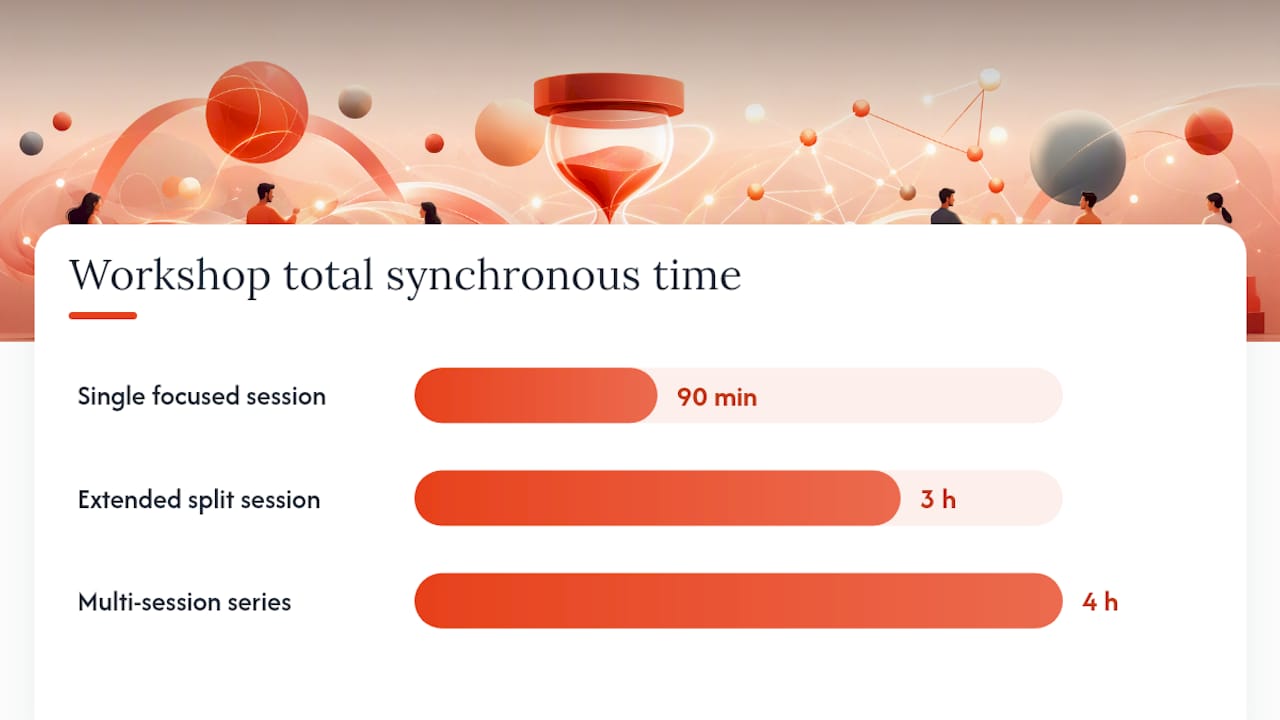
Timing is where most virtual workshops fail, not facilitation skill. The design rules of thumb from Workshop Weaver are specific for a reason: active work blocks of 15 to 25 minutes, presentation blocks of 10 to 15 minutes, and a break every 60 to 75 minutes. Go longer than that on any block and attention drops off a cliff, virtual fatigue sets in faster than it does in a physical room.
Here's how those rules translate into three actual agenda shapes you can copy.
| Format | Total time | Structure |
|---|---|---|
| Single focused session | 90 minutes | 5 min welcome, 15 min context, 25 min work block, 10 min break, 25 min work block, 10 min share back |
| Extended split session | 3 hours | 10 min welcome, 20 min context, 25 min work, 15 min break, 25 min work, 60 min lunch break, 25 min work, 15 min break, 20 min synthesis |
| Multi-session series | 3 sessions over 1–2 weeks | Session 1: scope and diverge (90 min); async midweek drafting; Session 2: converge and decide (90 min); async documentation; Session 3: review and sign-off (60 min) |
For the 90 minute agenda, structure it as:
- Welcome and objective restatement (5 minutes) — say the deliverable out loud, don't assume everyone read the invite.
- Context block (15 minutes) — a single presenter, no debate yet, just shared facts.
- First work block (25 minutes) — breakouts or solo board work toward the deliverable.
- Break (10 minutes) — a real break, camera off, no "quick agenda item" sneaking in.
- Second work block (25 minutes) — synthesis, ranking, or decision-making based on block one's output.
- Share back and close (10 minutes) — visible next steps on screen before anyone logs off.
Transitions matter as much as the blocks themselves. Announce the transition thirty seconds before it happens ("we're wrapping this block in 30 seconds, get your last note in"), use a visible countdown timer on the shared screen, and always run a live share back rather than assuming written notes will surface everything. The 3 hour split agenda works well for a single complex decision that can't be resolved in 90 minutes but doesn't justify a full multi-day series.
How Do You Keep a Virtual Workshop Engaging?
Attention in a video call decays fast, and the fix isn't more energy from the facilitator. It's structural. Switching the interaction mode every 10 to 20 minutes keeps people from drifting into their inbox, and it works whether the group is five people or fifty.
A few concrete moves do most of the work:
- Silent brainwriting before discussion. Give everyone five quiet minutes to write ideas on the board before anyone talks. This surfaces the quiet person's best idea before the loudest voice anchors the conversation.
- Dot voting to narrow options fast. Instead of debating fifteen ideas one by one, let everyone place a fixed number of votes and discuss only the top three.
- Structured rounds instead of open floor. Go person by person, thirty seconds each, no interruptions. This is the single best fix for meetings dominated by two people.
- Chat as a real facilitation channel, not a sideshow. Ask a question and have people answer in chat simultaneously rather than raising hands one at a time; it's faster and it captures input from people who freeze on camera.
Breakout rooms need rules or they turn into five separate versions of nothing happening. Cap groups at three or four people, give each room a specific prompt (not "discuss the roadmap" but "rank these six features by customer impact"), timebox it visibly, and assign a briefed lead in every room. Assigning that lead matters more than most facilitators assume, since a facilitator can't visit every breakout room at once, and an unbriefed room tends to drift.
Pro Tip: Run a quick temperature check every 45 minutes with a one-word chat poll: "energy check, type high, medium, or low." It takes ten seconds and tells you instantly whether to extend the break or push forward.
Reading the room without body language means watching different signals: chat volume dropping off, cameras going dark one by one, or the same person answering every question while others go quiet. Any of those is your cue to change the activity, not push through the agenda as written.
How Do You Prepare Participants Before a Virtual Workshop?
Most workshop failures are visible thirty seconds after the call starts: someone can't find the board link, someone's video freezes, someone shows up not knowing what they were supposed to bring. All three are preventable with a communication timeline, not facilitation skill in the moment.
Send pre-work with a clear deadline, not a vague "take a look before Thursday." If you need people to review a document or fill in a pre-workshop survey, give them a date and estimate the time commitment ("15 minutes, due Wednesday at noon").
Follow the digital facilitation timing standard: send full tech instructions and the agenda 48 to 72 hours before the session, then a join reminder with the direct link 15 minutes before start. That reminder is what actually gets people logged in on time, the earlier email is usually forgotten by Monday.
A short list to include in that pre-session package:
- Direct meeting link and backup link
- Board link with a note on whether login is required
- The one-sentence objective and expected deliverable
- Any pre-read, survey, or prep task with a deadline
- A contact for tech trouble on the day
Rehearse the run order with your co-host at least once, not just the agenda but the handoffs: who screen-shares first, who monitors chat, what happens if the internet drops for the facilitator specifically. A tech rehearsal is where configuration and flow issues actually surface, not during the live session when it's too late to fix quietly.
What Happens After a Virtual Workshop Ends?
The workshop isn't done when the call ends. It's done when the decisions turn into tracked work with someone's name attached, and that has to happen fast or momentum evaporates.
- Send a follow-up within 24 hours. Include the decisions made, who owns each next step, deadlines, and a link to the archived board so anyone can revisit the raw material.
- Write a harvest document, not a transcript. Nobody needs a play-by-play of the session. They need a half-page summary: what was decided, what's still open, and what happens next.
- Convert every output into a tracked task. A decision that lives only in a doc dies within a week. Push it into whatever system your team already uses for accountability.
- Check the outcome against the original objective. If the goal was a ranked roadmap with owners, did the session actually produce one? If not, that's a planning gap to fix before the next session, not a facilitation failure to blame on the group.
Measuring success against the objective you wrote in step one of planning closes the loop. A workshop that produced good energy but no artifact isn't a success story, it's a well run meeting that still needs a follow-up session.
How Does SwarmStack Support Virtual Planning Workshops?
Most of what makes a virtual workshop hard, keeping every voice weighted fairly, tracking who argued for what, turning scattered input into one coherent draft, is exactly the coordination problem SwarmStack's structured sessions are built to solve. Instead of one facilitator manually synthesizing sticky notes into a document afterward, SwarmStack runs the synthesis inside the session itself, combining input from human experts and AI specialists who each argue their position before the group converges on a version.
That structure maps directly onto the planning steps above:
- Invite links replace the usual scramble of calendar holds and access requests, so participant setup takes minutes.
- Versioned deliverables with decision tracking turn the harvest document from a manual writing task into something the platform already maintains.
- Direct export to GitHub and Jira means the "convert outputs into tracked tasks" step happens automatically instead of as a separate follow-up chore.
- An integrated marketplace for vetted human experts covers the gap when your internal team lacks a specific domain voice, like procurement or compliance, for a session like an RFP drafting workshop.
Any agenda template from this article adapts directly into a SwarmStack session: keep the same objective statement and timing blocks, and let the platform's structured interview format handle the synthesis work a facilitator would otherwise do by hand between breakout rooms.
A workshop's real output isn't the meeting, it's the decision. SwarmStack treats that decision as a tracked artifact from the first minute, not a summary written after the fact.
What I've Learned About Running These Sessions
The biggest facilitation mistake I see isn't a bad agenda. It's a facilitator who tries to be the smartest person in the room instead of the person who protects the room's structure. The moment you start arguing your own position instead of managing whose turn it is to speak, the session tilts toward whoever talks loudest, and that's rarely the person with the best idea.
The pragmatic fix is almost boring: write down who's supposed to talk next before the session starts, and stick to it even when the conversation gets interesting. Structure feels rigid until the exact moment you need it, and then it's the only thing holding the room together.
— Cody
Run Your Next Planning Session With Structured AI and Human Input
Most virtual workshops still rely on one exhausted facilitator manually stitching sticky notes into a document at midnight. SwarmStack replaces that grind with structured sessions where human experts and AI specialists argue out competing options in real time, so the deliverable exists, versioned and decision tracked, before the session even ends.
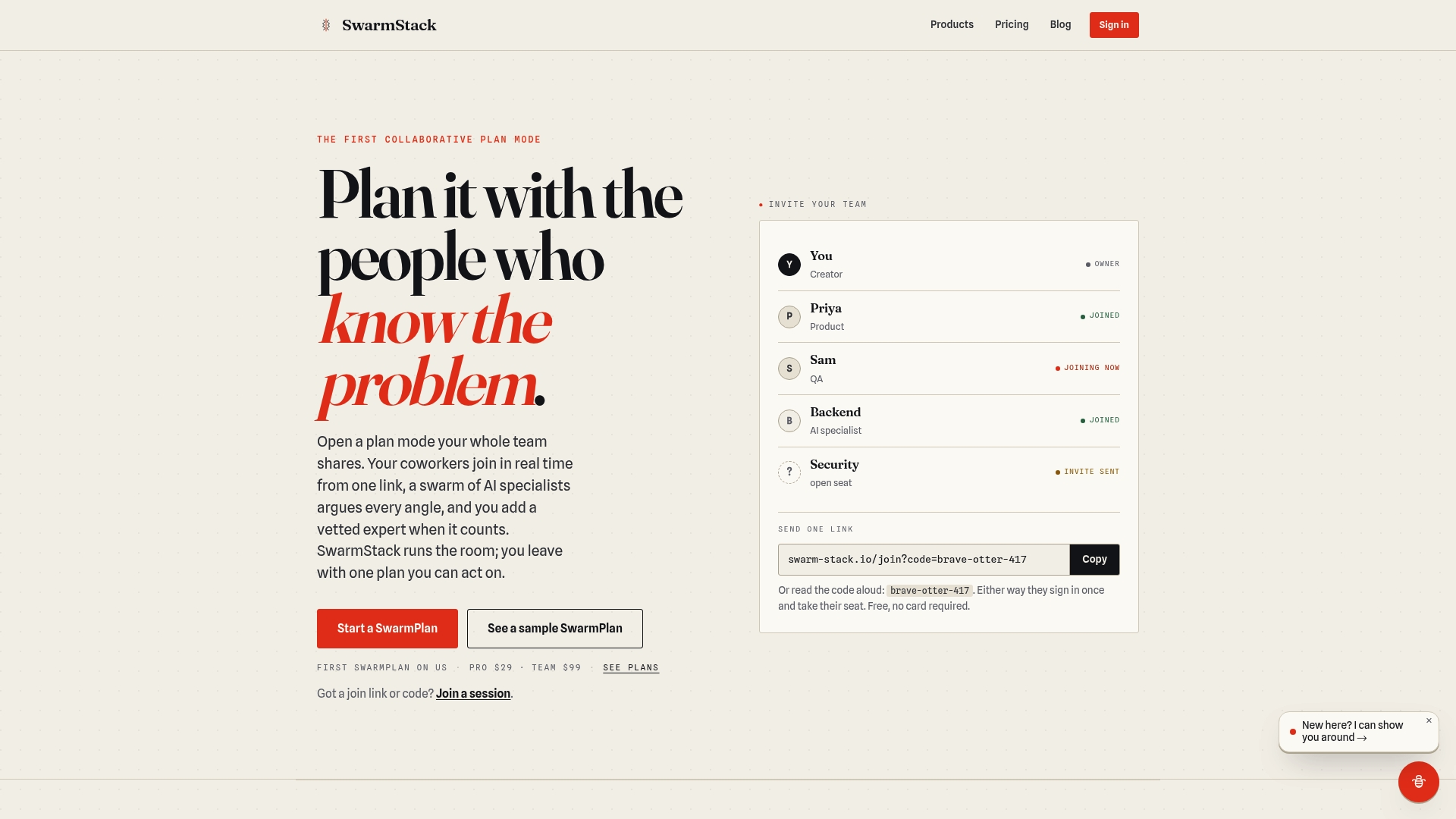
If your next planning session needs to end in a draft RFP rather than a pile of notes, the SwarmRFP workflow is built for exactly that job, and the same structured-interview format works for roadmaps, alignment sessions, and requirements gathering alike. Invite your team with a single link, run the session, and walk away with a deliverable ready to hand to Jira or GitHub instead of a transcript to summarize later. Head to SwarmStack to start your first session.
Sources
- Virtual workshop workbook (IIBA / BABOK)
- Guide to facilitating virtual workshops (CPSG)
- A Practical Guide to Online Workshop Facilitation (Remote Sparks)