How to Run a Requirements Gathering Workshop That Works
Discover how to effectively run a requirements gathering workshop that delivers prioritized needs, ensuring project success and streamlined outcomes.

A requirements gathering workshop is a timeboxed, facilitated session that brings the right stakeholders into one room (or one call) to define, debate, and lock down what a project actually needs to deliver. Done well, it produces validated, prioritized requirements that a delivery team can build against, not a wish list that falls apart in week three.
Here are the five steps in the runbook, if you need to move today:
- State the objective. Write one sentence describing the decision this workshop must produce.
- Invite the right people. Every required decision-maker attends; everyone else gets the notes.
- Timebox the agenda. Assign minutes to outcomes, not topics.
- Run focused activities. Pick two or three techniques that match the objective, not ten.
- Capture and assign. Every requirement gets an owner, and every open question gets a name attached before anyone leaves.
Most teams can run a useful session lasting about an hour for a narrow decision, around two hours for story mapping and prioritization, or a longer session for full scoping of an initiative. Walk out with a prioritized requirements list, a decision log, and assigned next steps, and the workshop earned its budget. The IIBA's BABOK guide treats workshops as one of the core elicitation techniques precisely because a well-run session builds shared understanding faster than a string of separate interviews ever could.
Key Takeaways
A requirements gathering workshop succeeds when it pairs a tightly timeboxed agenda with a facilitator who forces real decisions and a follow-up process that closes the loop within 72 hours.
| Point | Details |
|---|---|
| Define the objective first | Write the single decision the workshop must produce before you send the invite. |
| Match agenda to time available | Use a 60-minute session for narrow decisions, 120 for story mapping, 240 for full scoping. |
| Assign roles by name | Confirm facilitator, scribe, timekeeper, and sponsor in the invite, not on the day. |
| Validate requirements live | Read back every requirement in the room and attach testable acceptance criteria before anyone leaves. |
| Close the loop within 72 hours | Send the summary pack in 24 hours, open a review window in 48, and get sign-off by 72. |
| Speed up prep with the right tool | Swarm-stack helps teams draft agendas, pre-reads, and requirements templates through collaborative AI-assisted planning sessions. |
Table of Contents
- What Is a Requirements Gathering Workshop, Exactly?
- How Do You Prepare for a Requirements Workshop?
- How Do You Structure a Requirements Workshop Agenda?
- What Facilitation Techniques Work Best in a Workshop?
- Who Needs to Be in the Room, and What Do They Do?
- What Tools and Templates Do You Actually Need?
- How Do You Capture Requirements So They're Actually Usable?
- How Do You Prioritize Requirements Without Endless Debate?
- What Usually Goes Wrong, and How Do You Prevent It?
- What Happens After the Workshop Ends?
- How Do You Know If the Workshop Actually Worked?
- Ready-to-Use Agendas and a One-Page Checklist
- Can AI Speed Up Workshop Preparation Without Replacing the Facilitator?
- What Do Experienced Business Analysts Do Differently?
- Prepare Workshops Faster With SwarmStack
- Standards and Guides Worth Keeping On Hand
- Frequently Asked Questions
- Sources
What Is a Requirements Gathering Workshop, Exactly?
The term gets used loosely, so it's worth being precise. A requirements gathering workshop is a structured elicitation technique, distinct from an open-ended meeting or a status update, run by a facilitator with a defined agenda, specific participants, and a stated deliverable. BABOK describes it as a focused event where a facilitator and scribe guide a group toward consensus, using ground rules to keep the conversation purposeful rather than freewheeling.
That distinction matters because it changes how you prepare. A meeting has an agenda item. A workshop has an objective, a set of decisions that must get made, and a facilitator whose job is to force those decisions before the clock runs out. Practitioners sometimes call this a discovery workshop, especially early in a project when the goal is exploring the problem space rather than locking scope. The mechanics are nearly identical: same roles, same agenda logic, same need for a clear output. The name shifts based on where you are in the project, not how you run the session.
A 2024 systematic review of elicitation methods found workshops appear in roughly 63% of studied elicitation approaches, trailing only one-on-one interviews at about 70%. Workshops aren't a nice-to-have facilitation exercise; they're one of the two dominant tools business analysts actually rely on to extract and validate what stakeholders need.
How Do You Prepare for a Requirements Workshop?
Preparation is where most workshops succeed or fail, and it happens days before anyone opens a laptop in the actual session. The CPRE Elicitation Handbook recommends defining an explicit objective, the expected quality of the result, and your information sources before you even think about scheduling.
Start with three questions: What decision does this workshop need to produce? What does "done" look like for that decision? Who has to be in the room for that decision to stick? If you can't answer all three, you're not ready to send a calendar invite.
Stakeholder selection is where most facilitators get it wrong in one of two directions. Invite too many people and the session slows to a crawl, with side conversations eating your timebox. Invite too few and you'll discover in week four that the one person who understood the compliance constraint never got asked. The University of Michigan's overview of workshop types makes this trade-off explicit: too many participants slows progress, too few risks missing critical needs.
A practical split:
- Required attendees: decision-makers, domain experts whose sign-off you need, and anyone who owns a constraint (budget, compliance, technical architecture).
- Optional/consulted: people who provide context but don't need to sit through the whole session. Send them a pre-read and a short async question instead.
- Missing SME workaround: if a critical subject matter expert genuinely can't attend, run a 15-minute pre-workshop interview and bring their input as a documented artifact, rather than delaying the whole session.
Logistics deserve their own checklist, because a broken video call or a missing whiteboard tool wastes real minutes:
- Room or virtual platform booked, tested, and stocked with the right tools (shared doc, digital whiteboard, timer).
- A named facilitator and a named scribe, confirmed at least 48 hours out.
- Pre-read pack sent at least two business days ahead: objective statement, background docs, and any existing requirements drafts.
- A short pre-work survey or two quick stakeholder interviews if the topic is contentious or technical enough that cold discovery would waste session time.
Your invitation brief needs four things, minimum: the objective in one sentence, the agenda with timeboxes, what participants should read beforehand, and what decision they're expected to help make. Vague invites produce vague attendance, and vague attendance produces vague requirements.
Pro Tip: Send the pre-read pack with a single, specific question attached ("What's the one constraint that would kill this scope if we ignored it?"). You'll get sharper answers in the room because people arrive having already thought about it, instead of processing the problem for the first time out loud.
How Do You Structure a Requirements Workshop Agenda?
The agenda's job is to force decisions on a clock, not to fill time with discussion. Every slot should end with an artifact: a prioritized list, a documented decision, a validated user story. If a slot ends with "good conversation, no output," you scoped it wrong.
Here's how the timing typically breaks down across three common session lengths:
| Session Length | Agenda Focus | Key Time Allocations |
|---|---|---|
| 60 minutes | Narrow discovery or single-decision workshop | 5 min framing, 40 min focused activity (one technique only), 10 min prioritization, 5 min next steps |
| 120 minutes | Story mapping plus prioritization | 10 min framing/icebreaker, 45 min story mapping, 15 min break, 35 min prioritization voting, 15 min decision log and assignments |
| 240 minutes (half-day) | Full scoping session | 15 min framing, 60 min elicitation (affinity mapping or process mapping), 15 min break, 60 min story mapping/prototyping, 15 min break, 45 min prioritization, 30 min decision log and sign-off |
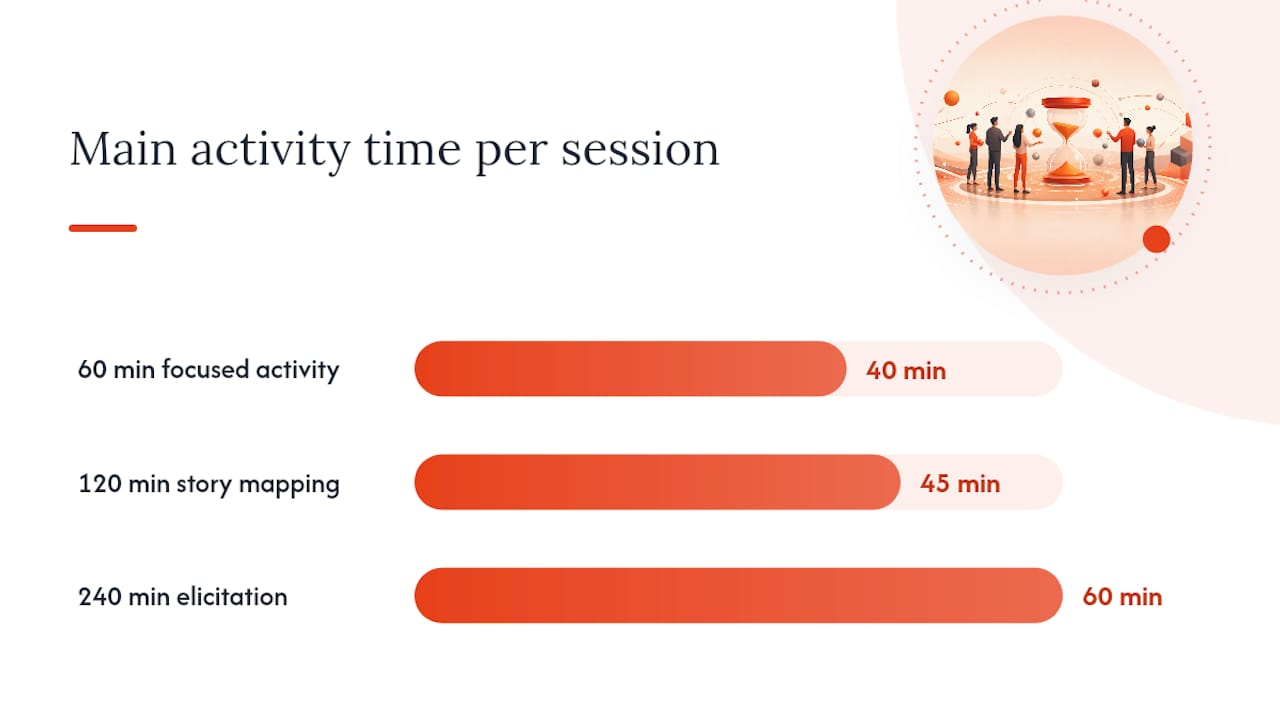
Timeboxing works best when each block ends with a checkpoint that requires a visible commitment, not just a facilitator moving to the next slide. That might be a show of hands, a dot-voting round, or a scribe reading back a decision for explicit confirmation. The BBA Institute's guidance on running effective requirements workshops points to real-time validation as the single biggest lever for cutting post-workshop rework: confirm decisions out loud while everyone who made them is still in the room.
Distribute activities between plenary discussion and small-group breakouts based on group size. Above ten or twelve participants, breakouts prevent the loudest three voices from dominating every exercise. Below six, plenary is usually more efficient since breakout logistics start to cost more time than they save. Build in a real break every 90 minutes; attention degrades hard past that mark, and a tired room makes worse prioritization calls than a fresh one.
What Facilitation Techniques Work Best in a Workshop?
Different techniques serve different goals. Some are built to explore a problem space and surface options; others are built to converge a group toward a single decision. Confusing the two is one of the most common facilitation mistakes, and it usually shows up as a room full of sticky notes and no decision.
Techniques for exploring options:
- Affinity mapping (20 to 30 minutes, works for 5 to 15 people): everyone writes ideas or pain points on individual notes, then the group clusters them into themes. Best early in a session when you need breadth before depth.
- Process mapping (30 to 45 minutes, 4 to 10 people): the group walks through a current or future workflow step by step, exposing gaps and handoffs that get missed in abstract discussion.
- Fishbowl (15 to 20 minutes, works with larger groups): a small subset debates a contentious point in the center while the rest observe, then the floor opens. Useful when a topic is politically charged and a full-group free-for-all would just produce noise.
- Prototyping (30 to 60 minutes, 3 to 8 people): quick low-fidelity sketches or wireframes to validate understanding of a feature before writing formal requirements.
Techniques for converging to decisions:
- User story mapping (45 to 60 minutes, 4 to 10 people): arrange the user's journey across a timeline, then slot features or requirements underneath each step. This is where scope actually gets shaped, because gaps in the journey become obvious fast.
- Dot voting (10 to 15 minutes, any group size): each participant gets a fixed number of votes to allocate across a list of options, instantly surfacing group priority without an endless debate.
Facilitation only works if you're also managing the room, not just the technique. A few tactics that hold up in practice:
- Draw out quiet participants by asking direct, specific questions ("Maria, from the compliance side, does this create a gap?") rather than the generic "anyone have thoughts?"
- Limit dominant voices with a soft interrupt: "That's a strong point, let's park it and hear two more perspectives before we go deeper."
- Keep a visible parking lot for tangents. Write the topic down, assign a follow-up owner, and move on. Nobody feels ignored if the item is visibly captured.
- When a discussion goes off-topic, redirect with the agenda itself as the excuse: "We're on the prioritization block right now. Let's park that and revisit at the end if time allows."
Who Needs to Be in the Room, and What Do They Do?
Role confusion kills more workshops than bad agendas do. BABOK is specific about this: workshops need a facilitator and a scribe at minimum, with a sponsor to anchor authority and participants who actually own the domain knowledge being elicited.
The facilitator runs the agenda, enforces the timebox, and manages group dynamics, including conflict resolution when two stakeholders disagree on scope. The facilitator does not contribute domain opinions; the moment they start advocating for a particular requirement, they've lost the neutrality that makes the room trust the process.
The scribe documents decisions, open questions, and action items in real time, ideally on a shared screen everyone can see. Visible note-taking does double duty: it creates the artifact and it lets participants catch errors immediately instead of discovering a misquote three days later.
The timekeeper protects the agenda's timeboxes, sometimes as a separate role, often folded into the facilitator's job in smaller sessions. Their entire function is saying "we have five minutes left on this block" out loud, at the risk of feeling annoying.
The sponsor doesn't run the session but needs to be reachable, either in the room or on call, to break ties when the group genuinely can't reach consensus on a scope question that affects budget or timeline.

Participants are the domain experts and decision-makers whose knowledge and authority the workshop exists to capture.
For headcount, a working sweet spot is 5 to 8 people for a decision-focused session and up to 12 for broad discovery, beyond which breakout structure becomes mandatory rather than optional. If your team is small, a facilitator can double as scribe in a pinch, but never combine facilitator and sponsor. Neutrality and authority don't mix well in the same person.
Pro Tip: Assign roles in the calendar invite itself, by name, not "TBD." A facilitator who finds out they're facilitating five minutes before the call starts will run a worse session than one who had two days to prepare questions.
What Tools and Templates Do You Actually Need?
You don't need a specialized software stack to run a good workshop. You need a handful of tool categories, used consistently, and a set of templates that turn conversation into artifacts.
Tool categories:
- A collaboration board (digital whiteboard or physical sticky notes) for affinity mapping and story mapping.
- A shared document, visible to everyone in real time, for the scribe's live notes.
- A visible timer, whether it's a phone app on screen or a facilitator calling out time remaining.
- A recording tool, used sparingly and only with consent, as a backup for the scribe rather than a replacement.
Core templates worth bringing to every session:
- Agenda template with timeboxes and named outputs per slot.
- Decision register: what was decided, who decided it, and when.
- Requirements capture sheet, formatted as user stories with acceptance criteria attached.
- Risk and assumption log, separate from the requirements themselves, so unresolved uncertainty doesn't get buried inside a requirement statement.
- Parking lot, a running list of deferred topics with an owner assigned to each.
A sample requirement, written the way it should leave the room:
As a claims adjuster, I want to filter open cases by risk score, so that I can prioritize high-risk claims first. Acceptance criteria: filter returns results in under 2 seconds; risk score updates nightly; users can save a filter as default.
That format is testable. A delivery team can build against it, and a QA team can write test cases from it without asking clarifying questions. Compare that to "the system should help adjusters find risky claims faster," which is a sentiment, not a requirement.
How Do You Capture Requirements So They're Actually Usable?
A requirement that can't be tested isn't a requirement yet. It's an intention. The gap between the two is acceptance criteria, and it's the single most common thing missing from workshop outputs that later cause rework.
For functional requirements, the user story format above works well. For non-functional requirements, quality attributes like performance, security, or availability, use a similar structure but anchor it to a measurable threshold: The system shall support 500 concurrent users with page load times under 3 seconds during peak hours. Vague quality language ("the system should be fast") is unenforceable and invites disagreement later about what "fast" ever meant.
Validate requirements while the room is still assembled, not after everyone's back at their desks. Three concrete steps:
- Read-back: the scribe reads each captured requirement aloud before the workshop ends, and the room confirms or corrects it on the spot.
- Sign-off rule: define upfront who needs to approve a requirement for it to count as locked. A sponsor's nod in the room carries more weight than a Slack thumbs-up three days later.
- Traceability: give every requirement an ID and link it back to the business objective it serves. When someone questions scope in month two, you want a one-click path from requirement to the reason it exists.
Assign IDs immediately, not in a cleanup pass afterward, and link every requirement to its supporting artifact, whether that's a process map, a user story map slot, or a stakeholder interview note. A requirements log without traceability is just a list; with it, it's an audit trail you can defend.
How Do You Prioritize Requirements Without Endless Debate?
Every workshop eventually hits the same wall: too many requirements, not enough budget or time to build all of them. The fix isn't more discussion. It's a structured voting method that gets the group to a ranked list in minutes instead of hours.
- Dot voting works fastest for simple prioritization. Give each participant a fixed number of votes (commonly three to five) to distribute across a posted list of requirements. Tally, rank, done. Best for groups of 6 to 15 when the requirement count is under 25.
- MoSCoW (Must have, Should have, Could have, Won't have) forces a four-bucket sort instead of a single ranked list, which works better when stakeholders disagree about relative importance but agree on absolute necessity. Run it by asking the group to sort requirements into the four buckets on a shared board, then debate only the borderline cases.
- RICE (Reach, Impact, Confidence, Effort) scores each requirement numerically and produces a defensible ranked list, useful when a sponsor needs a rationale beyond "the room liked it." It takes longer to run live, so it works best with a smaller requirement set, under 15 items, and a facilitator who pre-populates draft scores for the group to adjust rather than calculate from scratch.
Whichever method you use, define the decision rule before voting starts, not after someone's dissatisfied with the outcome. Who has final say if the vote splits evenly? Is a simple majority enough, or does the sponsor need to ratify the top five? Write that rule on the board before the first vote, and disagreements about the outcome become disagreements about a rule everyone already agreed to, not personal disputes.
When consensus genuinely stalls, two things work better than an extended argument: a timeboxed debate (five minutes, two people, structured for and against) followed by a re-vote, or an explicit escalation to the sponsor with both positions documented neutrally by the scribe. Never let an unresolved disagreement quietly disappear into the parking lot. Name it, assign an owner, and set a deadline for resolution outside the session.
What Usually Goes Wrong, and How Do You Prevent It?
Four problems show up in almost every workshop that goes sideways: scope creep, a dominant participant steering every decision, a missing subject matter expert whose absence nobody planned around, and requirements so ambiguous nobody can build against them.
Scope creep happens when the agenda doesn't have hard guardrails. The fix is structural, not personal: state the objective on a visible slide throughout the session, and when a discussion drifts outside it, the facilitator's job is to say, "That's a great point, but it's outside today's objective. Parking it for a follow-up." Repeat that phrase as many times as needed. It never gets less useful.
Dominant participants aren't usually being difficult on purpose; they're often just the most confident person in the room. Counter it with structure rather than confrontation: round-robin turns for a specific question, or a written silent-brainstorm phase before open discussion, so quieter voices get their ideas down before the loudest person anchors the conversation.
Missing SMEs are a preparation failure, not a workshop-day failure. If you know someone critical can't attend, run a 15-minute targeted interview beforehand and bring their input as a documented, dated artifact. Modern Analyst's guidance on elicitation methods makes the same point from the opposite angle: never rely on a single elicitation technique, pair group workshops for breadth with one-on-one interviews for the depth or sensitivity a group setting can't handle.
Ambiguous requirements get caught by the read-back step described earlier, but the deeper fix is a facilitator script: whenever someone states a requirement in vague terms, ask "what would tell us this is done?" on the spot. That single question turns "the report should be easy to read" into an actual acceptance criterion, right there in the room, instead of three weeks later in a bug report.

What Happens After the Workshop Ends?
The workshop isn't finished when people leave the room. What happens in the next 72 hours determines whether the session produced real value or just a stack of sticky notes nobody looks at again.
Within 24 hours, send a summary pack: the prioritized requirements list, the decision log, and a list of action items with named owners and dates. Momentum decays fast; a summary that arrives a week later has already lost half its authority.
Within 48 hours, circulate the pack for review and correction. Give stakeholders a short, specific window (48 hours is standard) to flag disagreements, rather than an open-ended "let me know if anything's wrong," which invites silence rather than engagement.
Within 72 hours, close the loop. Incorporate any corrections, get formal sign-off from whoever your decision rule designated, and hand the finalized requirements to the delivery team or convert them into tracked work items.
A follow-up email structure that works reliably:
- Subject line stating the workshop name and date, so it's searchable later.
- One-paragraph summary of what was decided and why it matters.
- Prioritized requirements list, linked to the full decision register.
- Action items table, each row naming an owner and a due date.
- Review deadline, stated explicitly, with a named point of contact for questions.
Post-workshop artifacts often need to feed into formal procurement or technical documentation. If the workshop's outputs are headed toward a vendor RFP or a development kickoff, tools like SwarmStack's RFP template resources can help translate workshop notes into a structured document without losing the traceability you just built.
How Do You Know If the Workshop Actually Worked?
Most teams never measure workshop effectiveness, which means they repeat the same mistakes indefinitely. A handful of lightweight metrics fix that without turning measurement into its own project.
Track the percentage of requirements with complete acceptance criteria at the moment the workshop ends. Track the percentage of requirements formally agreed by every required stakeholder, not just the ones who happened to speak loudest. Track time to first committed story, meaning how long it takes the delivery team to actually start work on the highest-priority item, since a workshop that produces a beautiful backlog nobody touches for three weeks isn't delivering value on schedule. Track the follow-up action completion rate, the share of assigned action items actually closed within their stated deadline.
A short post-session survey, sent within the hour, sharpens this further. Three questions do most of the work: "How clear were today's outcomes, on a scale of one to five?" "Did we cover what you expected?" and "What's one thing that would make the next session more useful?" Responses under a 4 out of 5 on clarity are a signal to tighten the agenda next time, not just a data point to file away.
The MDPI systematic review on elicitation methods reinforces why this matters at a structural level: workshops remain one of the two most empirically supported elicitation techniques precisely because they're repeatable and measurable when teams actually track outcomes instead of just running the exercise on faith.
Ready-to-Use Agendas and a One-Page Checklist
Three agendas, mapped to what you're trying to accomplish, ready to paste into a calendar invite:
60-minute discovery session (single decision, narrow scope): 5 minutes framing the objective, 40 minutes on one focused technique (affinity mapping or a targeted discussion), 10 minutes dot-voting on next steps, 5 minutes assigning owners.
120-minute story mapping and prioritization session: 10 minutes framing and a quick icebreaker, 45 minutes building the user story map, a 15-minute break, 35 minutes running a prioritization vote (dot voting or MoSCoW), 15 minutes finalizing the decision log and assignments.
240-minute full scoping session: 15 minutes framing, 60 minutes on affinity or process mapping to surface the full problem space, a 15-minute break, 60 minutes on story mapping or prototyping to shape solutions, another 15-minute break, 45 minutes on prioritization (RICE or MoSCoW for a larger backlog), 30 minutes for decision log review and sign-off.
| Agenda Item | 60-Min Version | 120-Min Version | 240-Min Version |
|---|---|---|---|
| Framing/objective | 5 min | 10 min | 15 min |
| Core elicitation activity | 40 min | 45 min | 60 min |
| Break | none | 15 min | 15 min |
| Solutioning/story mapping | included above | included above | 60 min |
| Second break | none | none | 15 min |
| Prioritization | 10 min | 35 min | 45 min |
| Decision log and sign-off | 5 min | 15 min | 30 min |
One-page facilitator checklist:
- Before: objective confirmed, invite sent with pre-read, roles assigned by name, tools tested, templates loaded.
- During: ground rules stated, parking lot visible, timeboxes enforced, decisions read back aloud.
- After: summary pack sent within 24 hours, review window set, sign-off obtained, requirements handed to delivery within 72 hours.
Can AI Speed Up Workshop Preparation Without Replacing the Facilitator?
Preparation is the part of workshop planning that AI tools handle well, and it's also the part most facilitators skip when they're short on time. A practical workflow looks like this: generate a first-draft agenda from your stated objective and session length, produce a pre-read summary from existing project documents, draft a candidate participant list based on the roles the objective implies, and generate starter templates for the decision register and requirements capture sheet.
None of that replaces judgment. It replaces the blank page.
The value of AI-assisted planning isn't that it decides anything for you. It's that a facilitator who used to spend two hours building an agenda from scratch can now spend twenty minutes reviewing and correcting a draft, then use the saved time to actually think about who needs to be in the room and why.
Guardrails matter here as much as the speed gain. Verify every AI-generated agenda item with a subject matter expert before it goes into an invite; a plausible-sounding but wrong assumption in a pre-read is worse than no pre-read at all. Avoid uploading sensitive contracts or personal data into a general-purpose AI tool without checking its data handling practices first. Track provenance: if a template or requirement draft came from an AI-assisted step, note it, so reviewers know which parts need extra scrutiny versus which parts came from a validated stakeholder interview.
Pro Tip: Use AI drafting for the parts of prep that are structurally repetitive, the agenda skeleton, the pre-read summary, the invite copy, and spend your actual saved time on the parts that require judgment: who to invite, what the real objective is, and which conflicts you'll need to manage live.
What Do Experienced Business Analysts Do Differently?
Three habits separate a facilitator who's run forty of these sessions from one running their first.
First, they prepare a contingency question for every agenda block, not just a primary one. If the affinity mapping exercise produces a thin result because the group is quieter than expected, an experienced BA already has a follow-up prompt ready ("if you had to pick the one thing that would break this project, what would it be?") instead of standing there improvising while the room goes silent.
Second, they read group dynamics in the first five minutes, not the first hour. Who's checking their phone. Who arrived with a printed agenda and questions already written down. Who's sitting next to whom, and whether that seating suggests an existing alliance or an existing conflict. That read shapes which technique gets used first: a room full of quiet, prepared people gets a written silent-brainstorm opener; a room full of talkers gets a structured round-robin to prevent one voice from taking over immediately.
Third, they force a decision checkpoint every 30 to 40 minutes, whether the group is ready or not. The instinct for a less experienced facilitator is to let a good discussion run long because it feels productive. It rarely is. A checkpoint, even a rough one ("show of hands, are we converging on option A or B?"), keeps the session accountable to its timebox and surfaces disagreement while there's still time in the room to resolve it.
Here's where that third habit paid off in practice: a workshop scoping a claims-processing feature hit the 90-minute mark with two competing designs still on the table and thirty minutes left. Rather than let the debate continue, the facilitator called a checkpoint vote, both options got two minutes of advocacy, the room voted, and the losing option got documented in the decision log with its rationale, not discarded. The team left with a decision and a paper trail explaining why, instead of an "unresolved" tag that would have resurfaced in week six as a re-litigated argument.
Prepare Workshops Faster With SwarmStack
Every hour spent building an agenda from a blank document is an hour not spent thinking about who should be in the room and what tradeoffs they'll surface. Swarm-stack gives teams a faster starting point: draft an agenda, a pre-read pack, or a requirements capture template through a structured, collaborative session that combines AI specialists with your own team's input, instead of starting from nothing.
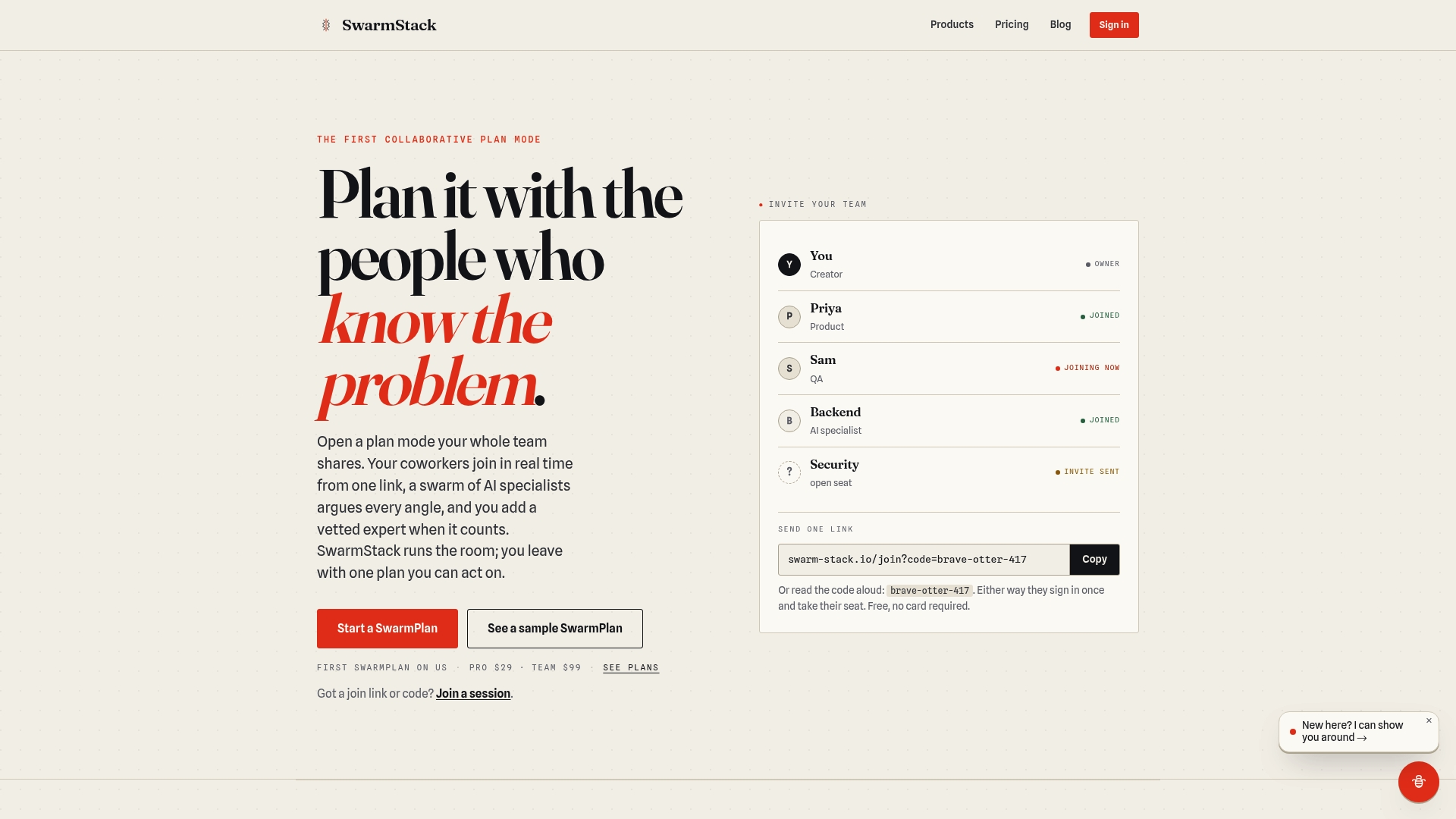
The platform is built around versioned plans, so every agenda draft, decision register, or requirements template gets tracked as it evolves, and you can see exactly what changed between versions instead of hunting through a document history. Invite links let your whole team join a planning session without account setup friction, and finished artifacts export directly to tools like GitHub and Jira, so workshop outputs move straight into the systems your delivery team already uses. If you're weighing whether to bring sensitive pre-read material into an AI-assisted workflow, Swarm-stack's trust and data privacy practices are worth reviewing before you upload anything.
If you're preparing your next requirements gathering workshop and want a faster path from blank page to a ready agenda, check Swarm-stack's pricing and start a session.
Standards and Guides Worth Keeping On Hand
A few references are worth bookmarking beyond this article, especially if you're formalizing workshop practice inside a team or organization.
The IIBA's BABOK guide on workshops is the closest thing the business analysis field has to a formal standard for this technique, covering roles, preparation steps, and post-workshop wrap-up in detail worth reading once in full.
The CPRE Elicitation Handbook from IREB goes deeper on effort estimation and technique selection than most workshop guides bother to, useful if you're trying to justify preparation time to a skeptical sponsor.
The MDPI systematic literature review on elicitation methods gives the evidentiary backbone behind why workshops and interviews dominate practice, useful if you ever need to defend the format itself to someone who thinks a shared spreadsheet would do the job just as well.
Frequently Asked Questions
How long should a requirements gathering workshop last? It depends on scope, not habit. A single, narrow decision fits in 60 minutes. Story mapping and prioritization together usually need 120. A full scoping session for a new initiative typically needs a half day, around 240 minutes, split by breaks.
What's the difference between a requirements workshop and a discovery workshop? Mechanically, almost nothing. Both use the same roles, agenda logic, and facilitation techniques. "Discovery workshop" is the term teams usually use earlier in a project, when the goal is exploring the problem space; "requirements workshop" tends to describe the session where scope gets locked and prioritized.
How many people should attend a requirements gathering workshop? Five to eight works well for a decision-focused session; up to twelve for broad discovery, provided you build in breakout structure past that size. Fewer than five risks missing a critical perspective; more than twelve without breakouts usually slows the room down.
What if a key stakeholder can't attend? Run a short, targeted interview beforehand and bring their input as a dated, documented artifact rather than delaying the whole session or, worse, proceeding without their perspective at all.
How do you handle a stakeholder who dominates every discussion? Structure beats confrontation. Use round-robin turns for specific questions, or a silent-brainstorm phase before open discussion, so quieter participants get ideas down before the loudest voice anchors the conversation.
What should happen in the first 24 hours after the workshop ends? Send a summary pack: the prioritized requirements list, the decision log, and action items with named owners and dates. Waiting longer than a day costs you the session's momentum.
Sources
- 10.50 Workshops | IIBA®
- A systematic literature review of requirements elicitation methods and techniques (MDPI)
- Requirements workshop types and methods (University of Michigan reading)
- How to Run an Effective Requirements Workshop (BBA Institute)