Top 6 Asana Alternatives for Project Management 2026
Explore 6 Asana alternatives for project management to help teams and professionals decide the best option for collaboration and productivity.

Managing team projects with centralized control, collaboration, and real-time insights is harder than it should be with Asana for many teams. Many project management tools restrict team access with per-seat pricing or lack features to automate workflow and connect data across departments. You can match price, automation, hosting, and integration options to your team's workflow and collaboration needs without settling for Asana's limits.
Table of Contents
SwarmStack
At a Glance
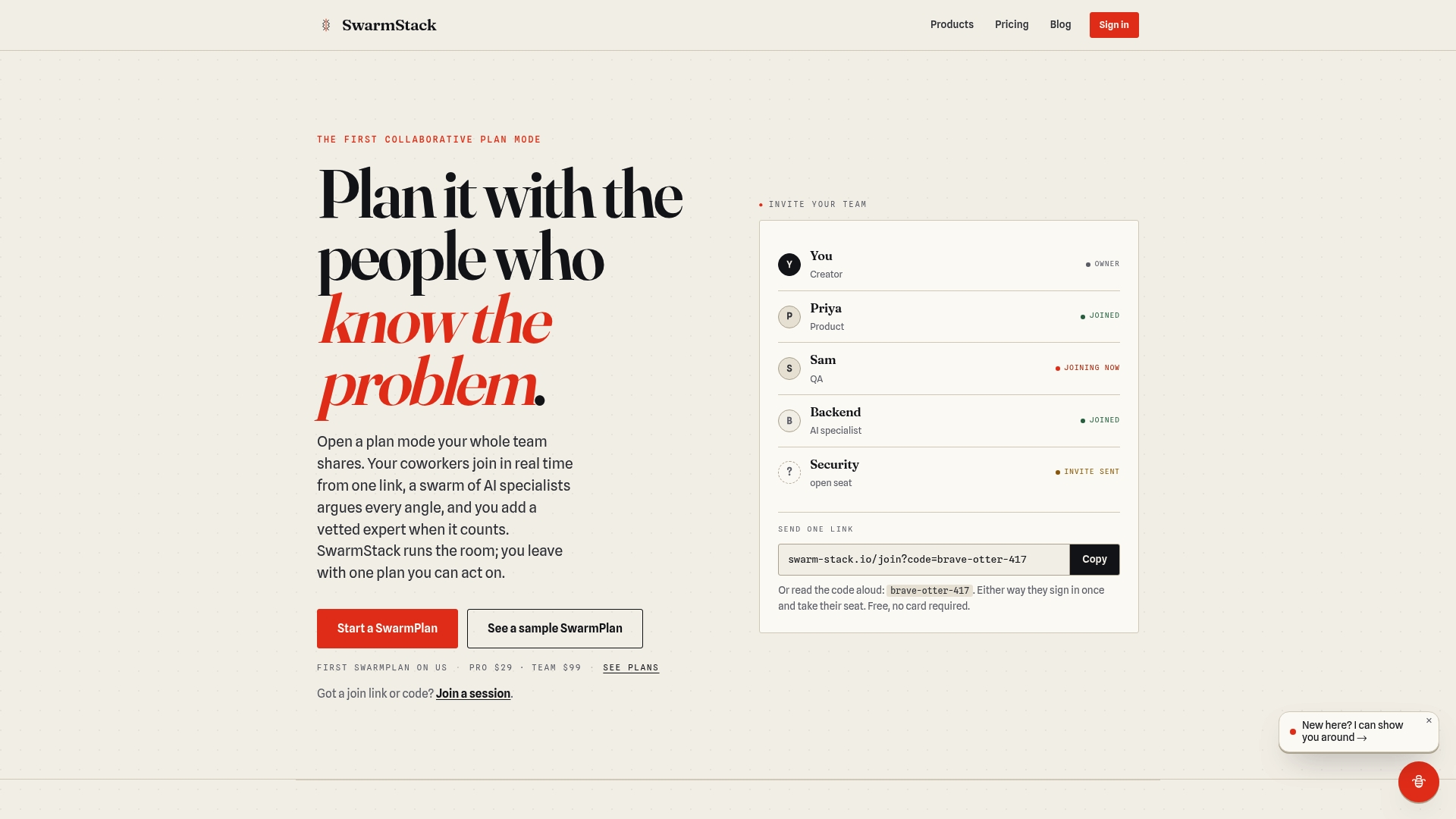
SwarmStack runs moderated sessions where multiple AI specialists and hired human experts argue competing positions in real time. The process produces versioned plans and clear decision records. Teams can invite coworkers with a single link and leave a documented rationale for every choice.
Core Features
SwarmStack combines structured session types named SwarmPlan, SwarmRFP, and SwarmSurvey to produce deliverables tailored to planning, procurement, and feedback. Sessions record version history and decision rationale while allowing direct expert hires from a marketplace interface. The workflow can be grounded in tools such as GitHub and Jira and preserves discussion as exportable, implementation-ready artifacts.
Key Differentiator
The product centers on debate-driven, transparent, versioned team plans that mix AI and vetted human experts during live sessions. That format forces contrasting viewpoints and records the reasoning behind tradeoffs. The result is a single, versioned document that traces decisions back to the arguments that shaped them.
Pros
The platform makes decision history visible, which helps teams defend choices during reviews and audits. Inviting subject matter experts and remote teammates via a single link reduces coordination friction for cross-functional groups. Built-in support for different deliverable types means product managers can reuse the same workflow for requirements, procurement, and stakeholder surveys. Integration points with common tools keep plans connected to code and issue trackers. The approach keeps human oversight while letting AI surface counterarguments during planning.
Cons
- Requires active participation from team members and experts. Passive attendees reduce the value of the debate and the resulting documentation.
Notable Integrations
- GitHub
- Jira
Who It's For
Product teams that need documented, defensible decisions will get the most value. The ideal users include product managers, developers, security reviewers, and legal stakeholders working together on project scope and risk. Teams that regularly draft RFPs or run stakeholder feedback sessions will also benefit.
Unique Value Proposition
Structured, moderated sessions produce a versioned deliverable that is ready to implement. You get both AI-generated arguments and vetted human input in a single record. That combination shortens the gap between debate and execution by reducing follow-up clarification and rework.
Real World Use Case
A product team runs a SwarmPlan session to decide feature scope. AI specialists raise architecture tradeoffs while hired experts challenge assumptions about compliance and performance. The team ends the session with a versioned requirements document that includes the rationale and next-step tasks.
Pricing
SwarmStack lists a Pro tier at $29 per month and a Team tier at $99 per month. The vendor advertises a free trial for teams to test session workflows before committing.
Website: https://swarm-stack.io
OpenProject
At a Glance
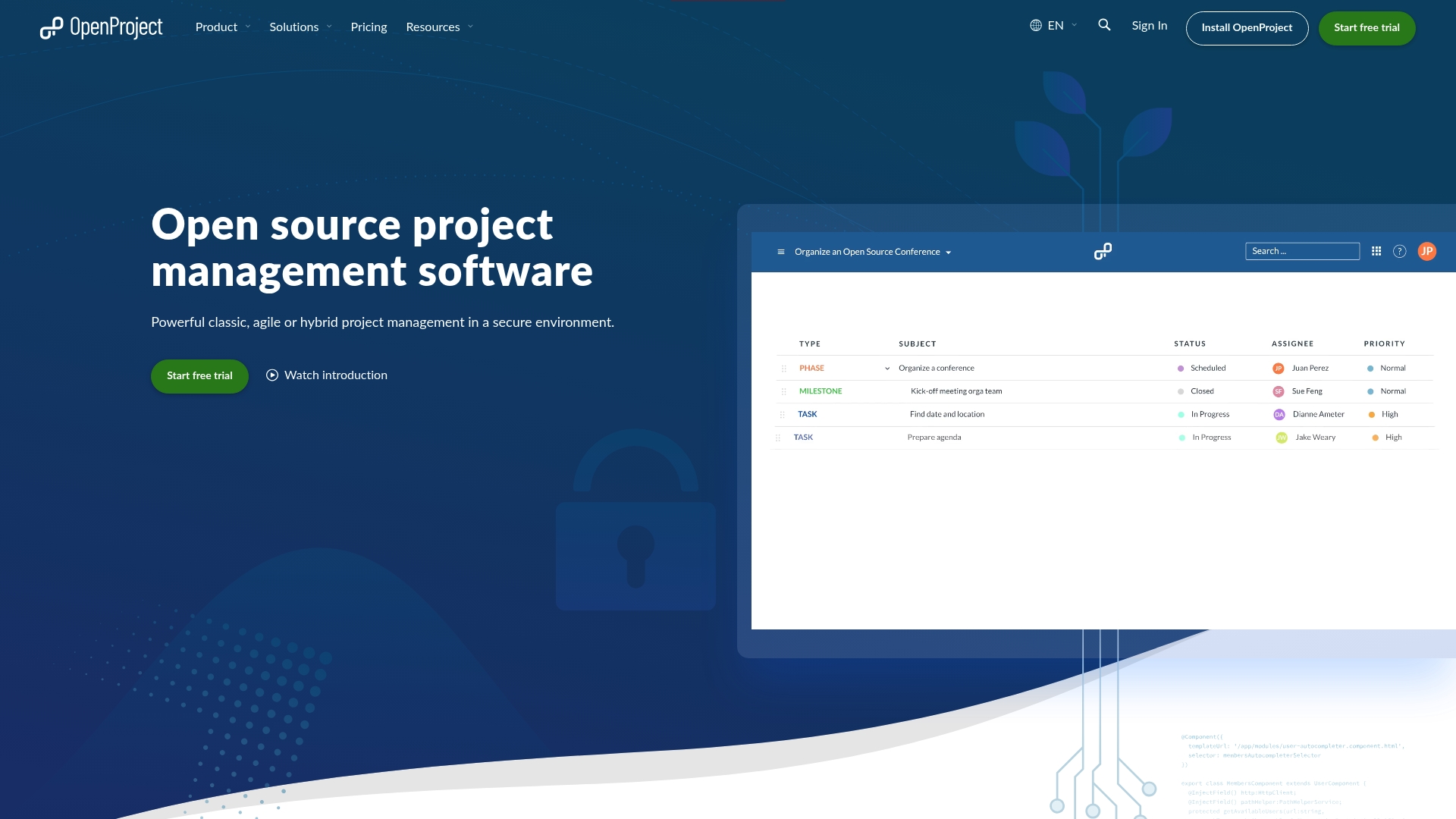
Runs on premises servers as well as hosted cloud instances, giving organizations direct control over project data and storage. Teams evaluating Asana alternatives often choose OpenProject for that data control and its open source licensing. The community edition is free, while enterprise editions add support and paid modules.
Core Features
OpenProject delivers classic, Agile, and hybrid project management with task boards, Gantt-style scheduling, and issue tracking in one product. It supports time tracking, cost reporting, and basic budgeting alongside role based access and security controls. The platform also offers connectors for source control and file platforms so development and content workflows can live with project plans.
Key Differentiator
OpenProject’s most distinct trait is its open source architecture coupled with on premises and cloud hosting options. That combination lets IT teams keep data inside corporate boundaries while customizing the software and workflows. For organizations that require both code access and hosting flexibility, this is the central appeal.
Pros
OpenProject delivers deep configuration and permission controls that larger IT and engineering teams appreciate, and the open source codebase makes custom extensions possible. Deployment options are flexible, so you can run a lightweight community instance or a supported enterprise installation with vendor help. Task assignment, collaboration notes, and issue tracking work reliably for multirole teams, and community documentation helps with setup and troubleshooting.
Cons
- The user interface is often reported as cumbersome and not very user-friendly, which raises training needs for nontechnical teams.
- Resource and deadline management can feel burdensome and less intuitive than newer apps.
- Dashboard customization remains limited, so teams wanting rich, drag and drop widgets may be frustrated.
- Mass updates and recurring task setup are clumsy and take time to configure.
When It May Not Fit
If your team needs a modern, polished interface with minimal training, OpenProject may slow adoption. Organizations that rely heavily on dashboards with many configurable widgets will find customization limited. Smaller teams without an IT admin may prefer a hosted, turnkey option that demands less setup and fewer manual updates.
Notable Integrations
OpenProject connects with Nextcloud, XWiki, OneDrive and SharePoint, and source control systems such as GitHub and GitLab. It also lists openDesk among supported tools, which helps with document and content workflows. These integrations make it practical for engineering and content teams to tie project tasks to code and files.
Who It's For
This product fits organizations that need an open source, secure project management system and have IT capacity to host or customize the software. It suits teams across construction, education, healthcare, engineering, and similar industries that require data sovereignty. Choose it when customization and control matter more than out of the box polish.
Real World Use Case
A university research team used OpenProject to coordinate experiments across labs and campuses, centralizing task lists, timelines, and time tracking. Professors and graduate students assigned issues, attached datasets, and recorded hours against projects. The setup improved visibility for grant reporting and reduced email back and forth.
Pricing
A free community edition is available for self hosted deployments. Enterprise editions add support and paid features and are priced per user, with a public starting figure of $7.25 and custom quotes for larger teams. Organizations can request vendor pricing for add ons and managed hosting.
Website: https://openproject.org
Plaky
At a Glance
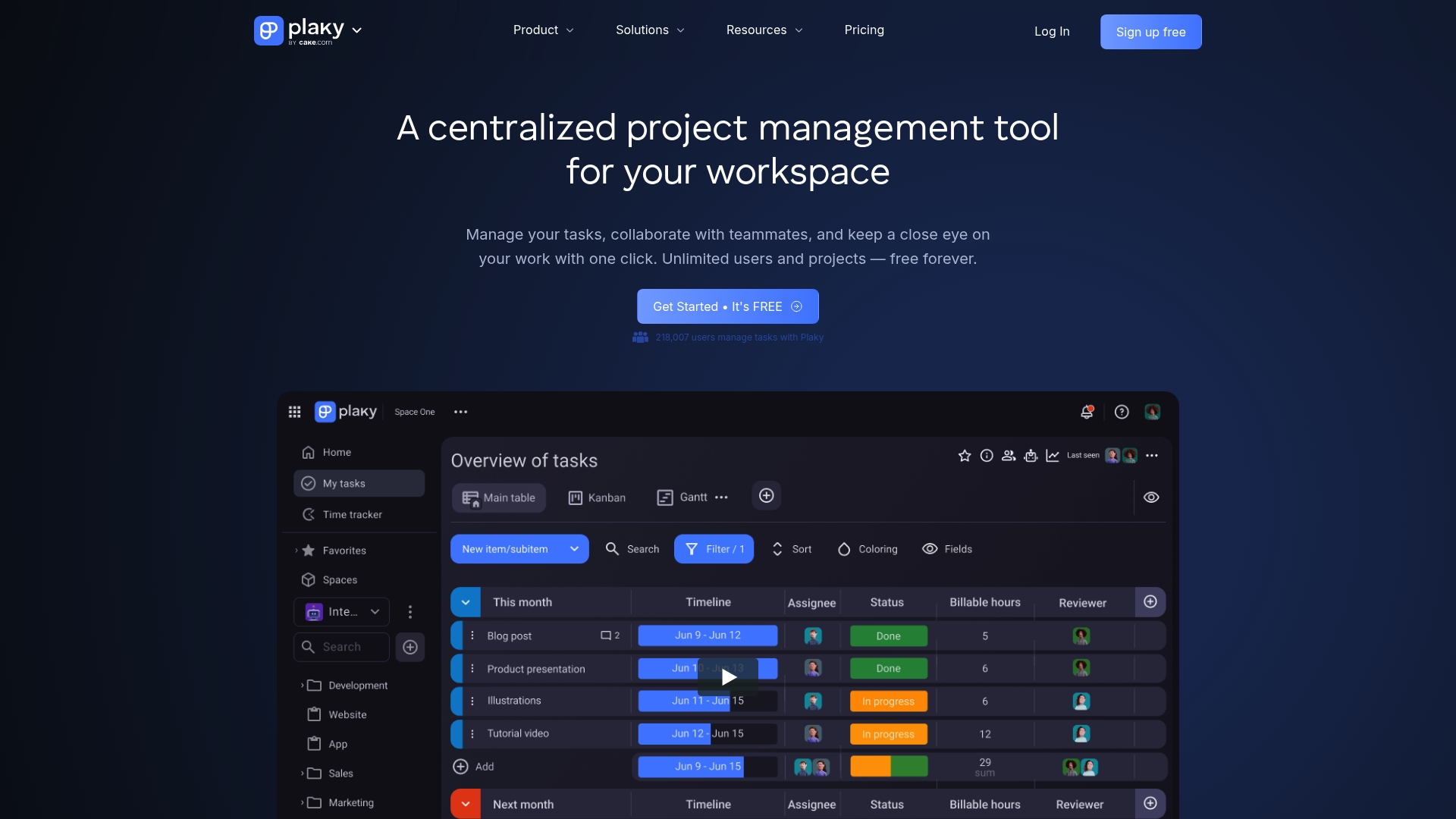
Unlimited users, projects, and tasks appear on Plaky's free plan. That level of access makes initial adoption friction free for teams that want to try full-scale collaboration. The product positions a simple interface and basic automation as the path from small-team use to larger deployments.
Core Features
Plaky combines task management with boards, items, custom fields, and comments so teams can model work in multiple ways. The platform adds progress tracking through views, filters, activity logs, and notifications, and it includes productivity automation and templates to remove repetitive updates. The product also provides comparison tools to map workflows against other project management platforms.
Key Differentiator
The standout detail is the free plan that supports unlimited users and projects while keeping an interface focused on simplicity. That mix lets small teams scale without migrating off an entry tier. For buyers who want a low barrier to entry and clear task views, that single offer is the most notable element.
Pros
Plaky’s interface is clean and easy to learn. Teams I worked with had people across marketing, design, and development start using the core boards and items within a single day. The free plan removes seat limits, which made it practical to invite freelancers and contractors without license gating. Automation templates cut down routine status updates, and the basic comparison tools help teams translate existing processes from other platforms.
Cons
-
Lacks advanced features found in more comprehensive project management tools. This makes Plaky less suitable for complex portfolio governance.
-
Customization options are limited compared with competitors that allow deep field logic and workflow rules. Teams needing heavy tailoring will feel constrained.
-
Occasional syncing issues have been reported by users. Those interruptions can affect time sensitive status reporting.
When It May Not Fit
Plaky is a poor match when you require enterprise-grade project controls like program-level reporting or nested dependency engines. If your teams rely on heavy customization or advanced resource management, this product will likely slow down established workflows. Organizations with strict uptime or audit requirements should verify reliability before committing.
Notable Integrations
-
Pumble team communication: connects chat and project activity so messages map to tasks.
-
Clockify time tracking: lets teams attach hours to tasks for billing and capacity work.
Who It's For
Small to mid sized teams that want an accessible project management tool without seat limits fit best. Marketing, design, sales, and development groups that value fast onboarding and straightforward boards will extract the most value. Growth-stage companies that plan to upgrade later can use Plaky as a low-cost entry platform.
Real World Use Case
A marketing agency organized campaign work inside Plaky using boards for creative, production, and distribution. They automated routine status updates and tracked time with Clockify to reconcile agency billing. Remote contributors joined via the free plan and commented directly on items to keep approvals visible.
Pricing
Plaky offers a free plan with unlimited users, projects, and tasks. Paid tiers start at $3.99 per user/month for the Pro plan and $8.99 per user/month for the Enterprise plan. The paid plans add advanced support and enterprise-scale features.
Website: https://plaky.com
flowwork.ai
At a Glance
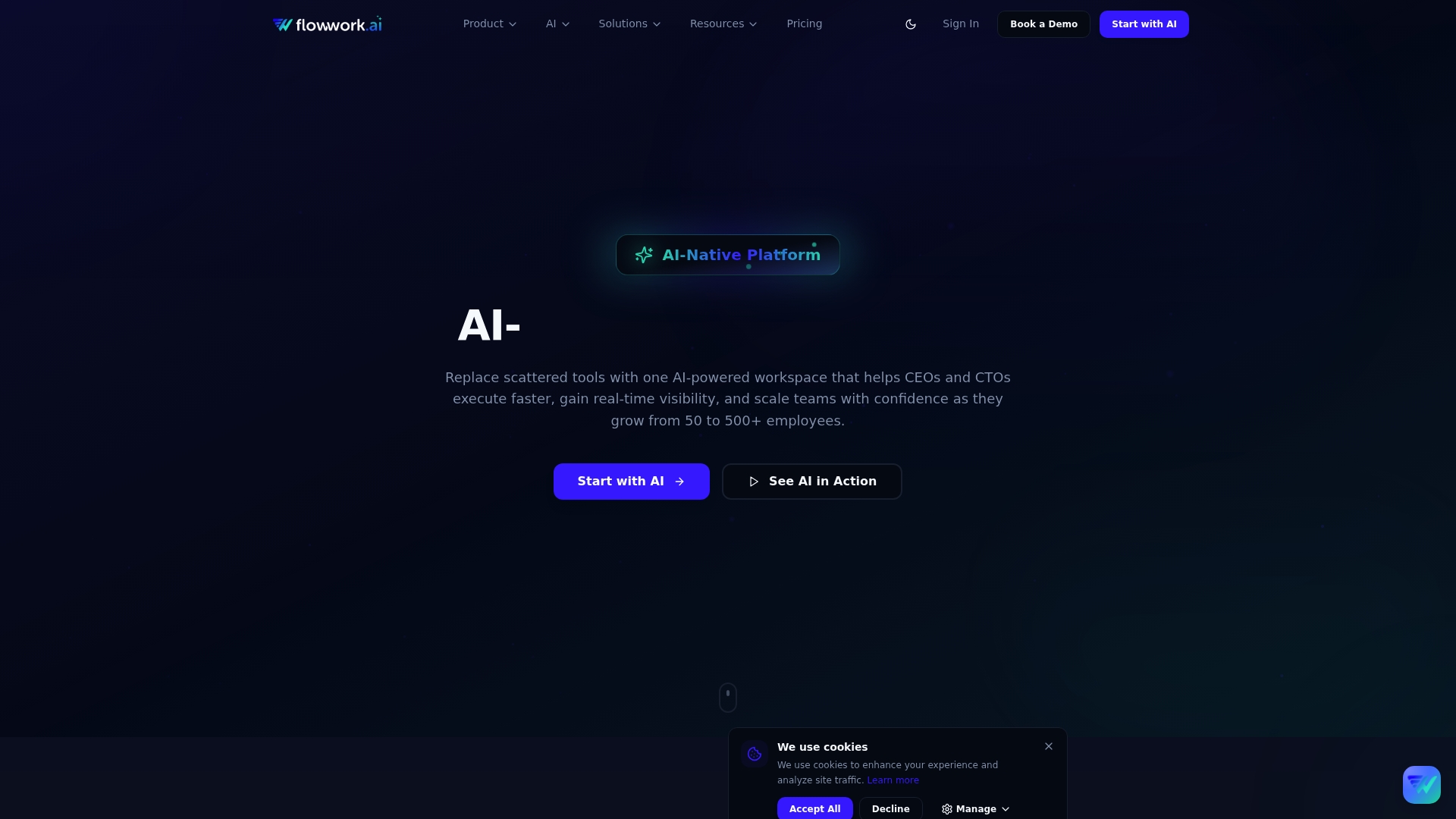
Starting at $4,000/month for the Growth Bundle for 50 to 200 employees, flowwork.ai targets scaling organizations that want one system instead of many tools. The platform combines support, operations, hiring, HR, and collaboration modules under a single roof. Its design prioritizes real time visibility and predictive automation to reduce tool overlap and manual coordination.
Core Features
flowwork.ai unifies multiple business functions into a single AI native work platform, giving teams one place for support, operations, hiring, HR, and collaboration. The product includes built in automation and predictive insights that flag risks and suggest actions while workflows run. Modules such as FlowDesk, FlowOps, and TeamIQ connect via role based access control and enterprise security.
Key Differentiator
The vendor emphasizes the platform's AI agents that run across modules to predict risks, automate routine tasks, and surface continuous insights to teams. That agent model aims to move decision support closer to operational users rather than leaving analysis in a separate tool. For growing companies, this tight AI integration is the main technical distinction from standard work management tools.
Pros
The interface feels approachable and reduces confusion for teams that previously used many separate apps. Real time insights and predictive automation help teams spot delivery risk earlier and free people from repetitive tasks. The modular architecture lets you adopt support, HR, hiring, or ops features when you need them. Customer support receives consistently positive remarks from users who need onboarding help or custom setup.
Cons
- Mobile app lacks feature parity with the desktop product, which limits useful activity while you are on the go.
- UI updates can be confusing and require retraining for established teams.
- Task dependencies and complex workflow behavior sometimes behave unpredictably for multilayer projects.
- Billing and refund processes have caused frustration for some customers.
When It May Not Fit
If your organization relies heavily on mobile task execution, the limited mobile feature set will feel restrictive. Small teams under 50 employees will find the starting price point and bundle orientation misaligned with their needs. If you need simple, single purpose project boards without AI driven cross functional features, this platform may be more capability than you want.
Who It's For
CEOs, CTOs, operations managers, HR leaders, and team leads at companies growing from around 50 up to 500 employees will find this platform relevant. You should be ready to replace several point tools and commit to a single vendor for core operational workflows. Teams that want AI driven risk signals and unified visibility across functions will gain the most.
Real World Use Case
A rapidly scaling tech startup retired multiple disjointed tools and moved support, project work, HR, and hiring into flowwork.ai. The team used the platform's predictive alerts to improve delivery predictability and to plan headcount more effectively. That consolidation also cut overlapping tool costs and gave leaders faster visibility into operational health.
Pricing
Pricing starts at $4,000/month for the Growth Bundle, which targets 50 to 200 employees. The vendor offers modular and enterprise options so you can add specific products by function. Discounts apply for bundled purchases and larger enterprise commitments.
Website: https://flowwork.ai
Operately
At a Glance
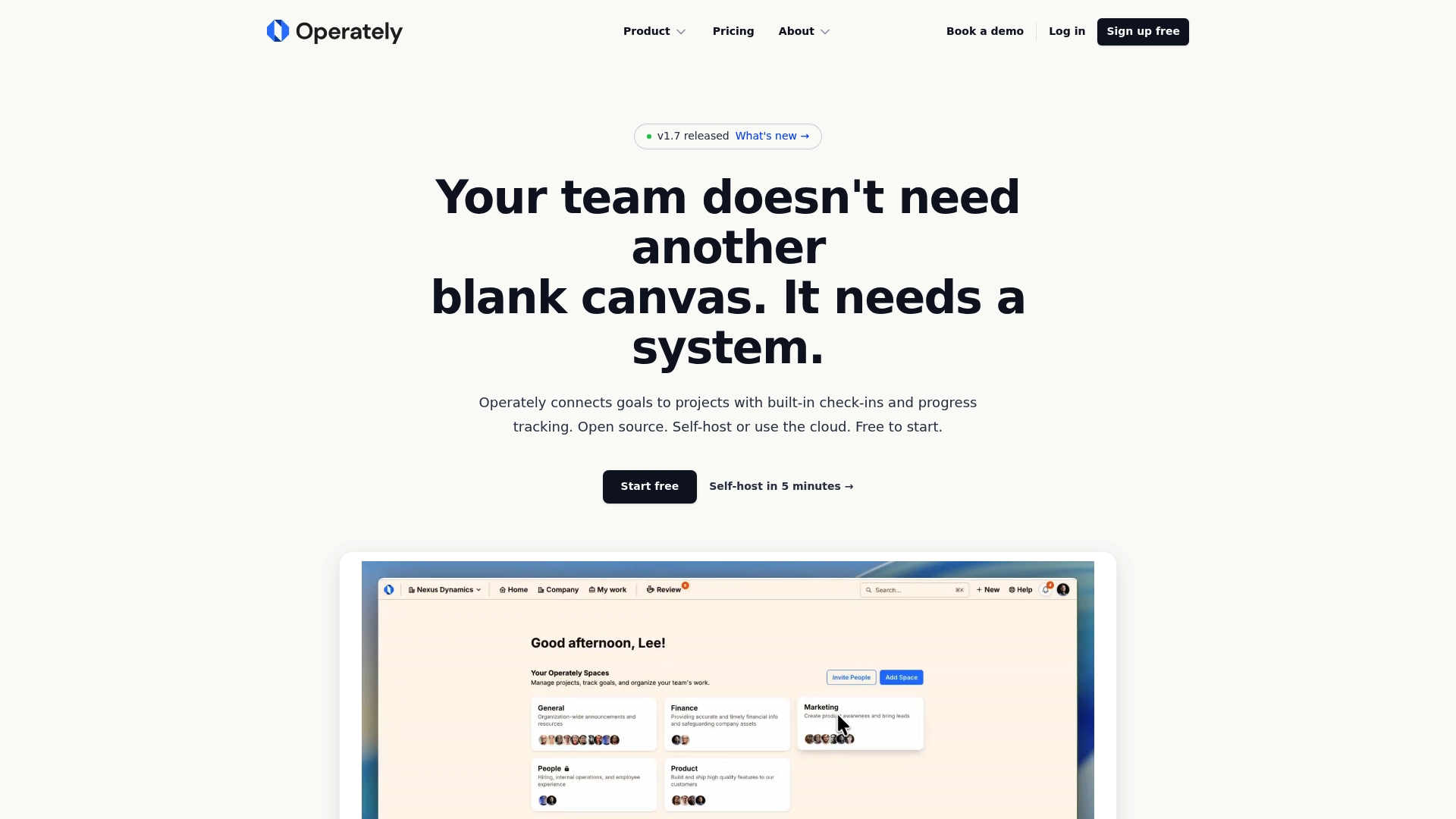
Operately can be self hosted for free under an Apache 2.0 license. It links company goals to daily work with built in check ins and progress tracking. The platform exposes an API and CLI for automation and AI agent integration.
Core Features
Operately maps goals to projects and milestones while capturing status through built in check ins and progress tracking. The system offers both cloud hosting and self hosted deployment, plus structured data for goals, milestones, and tasks that supports automation workflows. Flat pricing removes per seat charges, and API and CLI access enable scripted updates or AI agent workflows.
Key Differentiator
Operately combines an open source license with first class self hosted options and developer friendly API and CLI access. That mix targets teams that need full deployment control and automation hooks for AI agents rather than a purely cloud native, managed collaboration tool.
Pros
Open source licensing gives transparency and lets teams run the software on their own infrastructure, which helps with data control and compliance. The flat pricing model avoids per seat fees, so teams can scale seats without changing monthly costs. Operately organizes goals, milestones, and tasks into structured records, which reduces ad hoc reporting and supports automated status updates via the API and CLI.
Cons
- Limited independent user reviews make it hard to judge long term usability and reliability.
- Self hosted deployment requires technical expertise for installation and maintenance.
- Documentation depth and community support are not detailed in the summary, which may slow initial rollout.
When It May Not Fit
If your organization lacks a technical operations team, self hosted deployment will add overhead and risk. Teams that want extensive third party app reviews or large public user communities may find little independent feedback. If you require a fully managed, hands off service with built in vendor support for every workflow, Operately's self hosted option may not match that preference.
Who It's For
Teams that need an open source, transparent project and goal management tool and that can operate or outsource self hosted infrastructure. Product and engineering organizations that automate workflows with scripts or AI agents will get the most value from Operately's API and CLI. Companies expanding headcount but not budgets will appreciate the flat pricing.
Real World Use Case
A startup deploys Operately on a private cloud to align company objectives with team roadmaps. Engineers connect an AI agent to the CLI to generate weekly status updates from ticket data. Product managers track milestones and owners in Operately and avoid additional per user charges as the team grows.
Pricing
Free to start, with flat tiered paid plans from $49/month for Pro to $249/month for Unlimited and no per seat fees. Optional additional storage is priced at $49/month per 1TB. Self hosted deployment is free under the open source license.
Website: https://operately.com
Superdone.ai

At a Glance
Connects meetings, documents, and project tools into a live project graph that updates automatically. The system extracts decisions and action items from calls and notes and keeps ownership and risk signals current. That continuous capture makes project status available via plain language queries and dashboards.
Core Features
Superdone links calendar events, recordings, and trackers into a single, queryable project graph while automating routine admin tasks. It generates meeting summaries, extracts action items, and creates agendas and post meeting follow ups. Continuous monitoring flags scope changes and team sentiment as early risk signals and exposes those insights through natural language queries and visual dashboards.
Key Differentiator
Transforms scattered project conversations into a live, connected project graph that you can query in plain language. This approach favors teams that want automatic capture and ongoing risk tracking instead of manual updates or session based planning. Compared with Swarm-stack, Superdone focuses on continuous project knowledge capture rather than structured AI driven planning sessions.
Pros
Superdone makes routine project management less manual by automating notes, follow-ups, and status updates, so teams spend less time on administration. The platform includes an AI agent builder that noncoders can use to assemble workflow automations without writing code. It also helps content generation and CRM work by keeping project data synchronized with actual work, and it surfaces project health so managers can focus on decisions rather than data collection.
Cons
- Expensive pricing structure compared with some alternatives; the per project model can be costly for many concurrent projects.
- No native MS365 integration listed, which complicates workflows for teams that rely on that office suite.
- Mobile app features are limited, reducing usefulness for teams that work primarily from phones or tablets.
- Managing custom fields can be difficult, which adds overhead for teams with complex tracking needs.
When It May Not Fit
If your team relies on Microsoft 365 as the central collaboration hub, Superdone will require extra connectors or manual work. Mobile first teams will find the app feature set too small for everyday tasks. Organizations that prefer simple custom field handling or who run many small projects concurrently may see high costs and administrative friction.
Notable Integrations
Superdone connects to Google Calendar, Zoom, Jira, GitHub, Linear, HubSpot, and Salesforce. Those integrations let the platform pull meeting data, issue updates, and CRM events into the same project graph for unified insights.
Who It's For
Project managers and teams that live in meetings and need continuous, trustworthy project insights without heavy administrative overhead. Product teams and engineering managers who track dependencies and risks in real time will get the most value.
Real World Use Case
A product development team captures decisions from sprint planning and design reviews automatically. Superdone extracts action items, tracks risk signals from scope shifts, and produces status notes for stakeholders, freeing leads to focus on prioritization rather than manual tracking.
Pricing
The platform offers four plans. Starter is free for individuals. Growth costs $49 per project per month. Business costs $99 per project per month. Enterprise uses custom pricing for larger deployments.
Website: https://superdone.ai
Comparison of alternatives
Teams selecting collaborative software must evaluate tradeoffs between control, simplicity, and scalability alongside unique approaches to decision documentation.
Decision Documentation and Transparency
SwarmStack stands out by offering versioned session deliverables rooted in collaborative debates between AI tools and vetted human experts. This format ensures that all team decisions have visible rationale, which is advantageous when choices need defending in reviews or audits. OpenProject lacks defined session outputs; however, its task and milestone tracking features provide workflow alignment.
Deployment Flexibility and Access Control
OpenProject outshines competitors by being open source and offering both self-hosted and cloud-based options. This capability allows organizations to maintain control over their data and customize the software for specific needs. SwarmStack, while offering integrations with tools like GitHub and Jira, operates solely as a managed platform, which might limit flexibility for teams preferring sovereignty over workflow infrastructure.
Best fit
- Teams needing documented planning for audits or reviews should opt for SwarmStack because of its transparent and rationale-rich deliverables.
- Organizations prioritizing customization and sovereignty in workflows will value OpenProject's open-source model for hosting and extensions.
- Small teams valuing cost-effective onboarding without user limits can benefit from Plaky, which removes license gating within its free tier.
Our pick
SwarmStack excels when recorded rationale for decisions is a priority. Product teams requiring structured outputs for audits or cross-functional alignment will find its debate-driven session model indispensable. However, organizations emphasizing deep customization or budget-conscious setups might consider alternatives such as OpenProject or Plaky.
Here is a concise comparison of the project management software based on their key strengths and characteristics:
| Product | Key Feature | Best For | Pricing | Limitation |
|---|---|---|---|---|
| Swarm-stack | Debate-driven, versioned documentation | Product teams needing defensible decisions | $29/month Pro, $99/month Team | Requires active participation for effective results |
| OpenProject | Open source with on-premises hosting | Organizations requiring data control and customization | Free, $7.25+/user enterprise | Less intuitive user interface requiring more training effort |
| Plaky | Unlimited users/projects on free tier | Small to mid-sized teams seeking unlimited, user-friendly tools | Free; Pro $3.99, Enterprise $8.99/user/month | Lacks advanced features for complex workflows |
| flowwork.ai | Unified platform connecting HR, support, and operations | Growing organizations replacing multiple systems | $4,000+/month | Limited mobile feature set impacting task execution flexibility |
| Operately | Self-hosted software with flat pricing | Teams needing open-source, customizable goal management | Free; $49–$249/month tiers | Self-hosting requires technical expertise for maintenance and setup |
| Superdone.ai | Automated project graph with AI-driven workflows | Teams needing automated project insights | Free; Growth $49/project/month, Business $99/project/month | High costs for concurrent projects and limited Microsoft 365 integration |
How to Choose Effective Asana Alternatives for Clearer Project Decisions
Teams often struggle with aligning on project plans and capturing the reasoning behind every choice. This can lead to wasted time and unclear deliverables. Swarm-stack addresses these challenges by enabling live, structured sessions where AI specialists and human experts debate key options in real time. This method guarantees a transparent, versioned plan that connects decisions to their rationale.
Swarm-stack simplifies collaboration by letting teams invite coworkers with one link and produce ready-to-implement plans that reduce follow-up work. Learn more on how Swarm-stack supports product managers, developers, and legal stakeholders at https://swarm-stack.io.
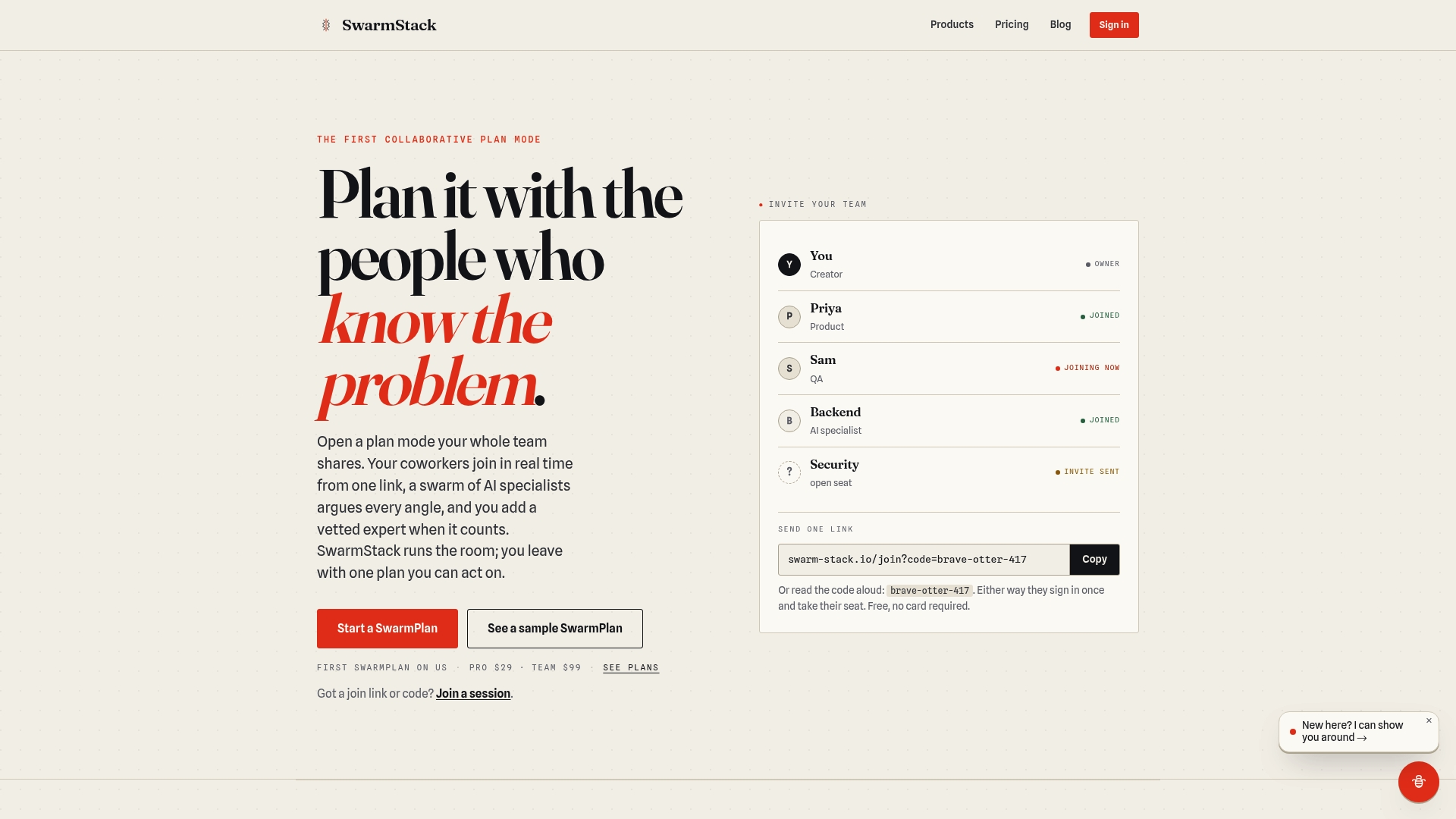
Explore the advantages of blending AI with expert input and keep all your project decisions documented and clear. Visit Swarm-stack to start your team’s first session and deliver precise, defensible project plans.
FAQ
What makes Swarm-stack suitable for decision-making in project management?
Swarm-stack excels at conducting moderated sessions where AI specialists and human experts debate different positions, ensuring comprehensive decision records. The platform utilizes structured sessions like SwarmPlan to capture versioned plans and rationale, making it ideal for teams needing transparency in decision-making. Consider starting with Swarm-stack for better collaboration and documentation.
How does Swarm-stack compare to OpenProject in terms of deployment?
OpenProject provides flexible deployment options with both cloud hosting and self-hosted solutions, appealing to teams that value data control. Swarm-stack, on the other hand, focuses on real-time, moderated sessions to capture decisions effectively, making it a stronger choice for dynamic, debate-driven planning situations. Choose Swarm-stack if your team needs structured decision-making processes more than deployment flexibility.
Which platform offers the best value for teams needing multiple project management modules?
OpenProject's open-source architecture allows extensive customization and deep configuration, attracting larger IT and engineering teams. Swarm-stack differentiates itself by combining debate-driven planning with expert input, making it the better fit for teams requiring structured collaborative sessions rather than extensive module variety. If your focus is on strategic collaboration, Swarm-stack is a natural choice.
Can I manage my project documentation in Swarm-stack?
Swarm-stack captures decision documentation and allows for versioned plans during live sessions, making project documentation straightforward and accessible. This functionality helps support future project audits and reviews, making it a good choice for teams wanting organized and traceable records. Expect a more structured approach to documentation with Swarm-stack.
What pricing tiers does Swarm-stack offer to teams?
Swarm-stack offers a Pro tier priced at $29 per month and a Team tier at $99 per month, providing options for different team sizes and needs. Teams can start with the Pro plan to test the platform’s capabilities before upgrading. Evaluate the tier that fits your collaboration requirements best.