Days to Minutes: Requirements Version Control for RFP Teams
Practical, receiving-side methods to track clause-level changes, stop revision drift, and migrate from spreadsheets. Includes copyable checklist and...

Requirements version control means tracking every clause in a requirements document or RFP with a stable ID, a recorded revision history, and a decision trail showing who approved what and when. The single next step for most teams is simple: stop editing the "current" copy in place and instead treat every active document as a frozen snapshot inside one controlled platform. That one change prevents revision drift and gives you evidence you can point to when a dispute happens six months later.
TL;DR:
- Keeping requirements under version control prevents revision drift and ensures traceability from source document to tested outcome, especially during long project lifecycles.
- Consistent naming conventions with project code, document type, version in major.minor format, date, and status ensure clarity and stability across teams.
- Locking requirements in a controlled stage workflow and maintaining an audit log minimizes conflicts and clearly records reasoned resolutions.
- Automating change detection and dependency notification through CI tools reduces manual rework and helps manage large requirement sets efficiently.
- Regularly reviewing and archiving outdated versions and orphaned requirement IDs keeps the system clean and reliable for ongoing compliance and audits.
Table of Contents
- What Is Requirements Version Control and Why It Matters
- Naming Conventions, Version Numbers, and Requirement IDs That Actually Hold Up
- Centralizing Storage, Access, and Approval Stages
- How to Implement Requirements Version Control in Your Toolchain
- A Checklist and Template Snippets You Can Copy Today
- Best Practices for Branching and Merging Requirements Versions
- Handling Conflicting Changes and Resolving Versioning Conflicts
- How Requirements Versioning Shapes Stakeholder Communication
- Keeping Backward Compatibility as Requirements Evolve
- Automating Version Control with Continuous Integration Tools
- Reviewing and Retiring Outdated Requirement Versions
- How SwarmStack Applies These Practices
- Get Requirements Version Control Right From the Start
- Where to Go for Deeper Guidance
- Sources
What Is Requirements Version Control and Why It Matters
Most guidance on this topic assumes you're the one writing the requirements. That's the easy case. The harder, more common case for procurement, product, and project teams is receiving a requirements document, an RFP, or a project plan from someone else and having to track every change to it across the life of the engagement. That document crosses an organizational boundary the moment it lands in your inbox, and it has to survive contract negotiation, technical review, and often acceptance testing, sometimes over an 18 to 36 month lifecycle.
That's a very different problem from tracking your own draft. Nobody on your side controls when the customer issues an amendment, and nobody controls how many red-lined versions circulate by email before someone finally asks, "Wait, which one are we actually building against?"
Revision drift is the technical term for what happens next: two people work from different versions of the same document without realizing it, and the gap only surfaces during a review, an audit, or a failed test. The costs show up as rework, missed deadlines, and, in contract settings, real exposure if a delivered feature doesn't match the clause the customer thinks they approved.
Clause-level traceability fixes this by linking each requirement to its original source location, the internal evidence produced against it, and the eventual test result. Booma's research on receiving-side traceability found that this linkage has to connect the source document location, internal evidence, and compliance response for the trail to hold up under scrutiny. Without it, you're stuck reconstructing intent from memory and email threads, which is exactly what a version control discipline is meant to prevent.
The auditability payoff is concrete. When a stakeholder asks "why did we build it this way," a properly versioned requirement set gives you a documented answer instead of a guess.
Naming Conventions, Version Numbers, and Requirement IDs That Actually Hold Up
A version control system is only as good as the schema underneath it. If two people can interpret "final draft v3" differently, you already have a problem. Contractor Foreman's guidance on document control recommends file names built from a consistent set of components, and it's a good starting template for requirements documents specifically:
- Project name or code (short, stable, never changes mid engagement)
- Document type (RFP, SOW, requirements matrix, amendment)
- Version number in major.minor form (more on this below)
- Date in MM-DD-YYYY format
- Status flag (Draft, On Hold, Final)
That gives you something like Acme_RFP_v2.1_03-14-2026_Draft, a name that tells anyone exactly what they're opening without cracking the file.
Major.minor numbering does real work if you use it with discipline. A minor version bump (v2.0 to v2.1) covers wording clarifications, typo fixes, or formatting changes that don't alter scope. A major version bump (v2.x to v3.0) means a substantive change: added, removed, or materially altered requirements. Following this convention, recommended by Contractor Foreman's document control guidance, matters because it lets a reviewer scan a version history and instantly gauge how much has actually changed without opening every file.
The other half of the schema is the requirement ID itself, which needs to survive every version bump untouched. A stable ID paired with metadata (requirement type, criticality, and the source page or paragraph it came from) is what makes clause-level traceability possible at all. If the ID for "data retention period" changes between v2 and v3, you've broken the link between the clause and every piece of evidence, testing note, and compliance response tied to it.
Pro Tip: Assign requirement IDs at intake, before anyone starts drafting a response. Retrofitting IDs after three rounds of revisions is where most teams lose the traceability they were trying to build.
Centralizing Storage, Access, and Approval Stages
Naming conventions only work if everyone is looking at the same copy. That means one source of truth in a single controlled platform, not a shared drive with seventeen folders and a "final_FINAL" file buried three levels deep. Role-based access controls decide who can edit, who can comment, and who can only view, which stops the version sprawl that happens when everyone has write access to everything.
On top of storage and permissions, you need a stage model that mirrors how procurement documents actually move through their lifecycle. A three-stage model works for most teams:
- Draft. Editable, actively negotiated, expected to change.
- On Hold. Frozen pending a decision (legal review, budget approval, customer sign off) but not yet final.
- Complete. A locked, immutable snapshot. Exported and stamped with its version and date, and never edited again.
This stage model, drawn from preconstruction industry practice on revision control for bid packages, solves a specific problem: external reviewers need to know at a glance whether they're looking at something that can still change. A stamped PDF export removes that ambiguity entirely, since the revision number and date are printed right on the document instead of buried in a file property.
None of this works without an audit log. Every change, no matter how small, needs to record who made it, when, and ideally why. Procurement-focused platforms increasingly build automatic version history and access logging directly into the tool for exactly this reason: reconstructing a decision trail after the fact from memory is far slower than pulling it from a log that was already there.
How to Implement Requirements Version Control in Your Toolchain
Getting this running doesn't require ripping out your existing tools. It requires a deliberate intake process and a few automated steps layered on top of whatever you use today.
Start at intake, the moment a requirements document or RFP first arrives. Capture the source document's version, page number, and paragraph reference for every clause, then split the document into atomic, individually trackable requirements. Skipping this step is the single most common reason traceability efforts stall, according to Booma's guidance on instrumenting intake before scaling automation. Retrofitting structure onto an unstructured document later is far more work than doing it up front.
Once requirements are atomized and tagged, build a diffing workflow. When a customer issues a revision, you want the system to flag exactly which clauses changed, not force someone to eyeball two Word documents side by side. Operational teams using clause-level fingerprinting report cutting revision absorption from days down to minutes during active bid windows, according to Booma's research on receiving-side traceability.
From there, link each requirement ID to the evidence and test scripts that satisfy it, and set up export paths to whatever downstream tools your engineering or delivery teams already use:
- Export requirement sets to GitHub or Jira as issues or epics for engineering handoff.
- Export to CSV or JSON when the next team in line needs raw data rather than a ticketing structure.
- Keep a compliance matrix view derived from the same underlying data, not a separately maintained spreadsheet.
If you're migrating from legacy spreadsheets, run a pilot on one active project first. Import the legacy matrix, freeze the current state as your baseline, and version everything forward from there rather than trying to reconstruct history that was never captured.
A Checklist and Template Snippets You Can Copy Today
Before you release any revision, run through this short list:
- Does every requirement have a stable ID that hasn't changed since intake?
- Does the file name include project, doc type, version, date, and status?
- Is the change log updated with who made the change and why?
- Has the prior version been frozen, not overwritten?
- Is the exported PDF stamped with version number and date?
Naming template: [Project]_[DocType]_v[Major].[Minor]_[MM-DD-YYYY]_[Status]
ID template: REQ-[ProjectCode]-[SequenceNumber] (e.g., REQ-ACME-0142), tagged with type, criticality, and source page/paragraph.
Run this checklist before every stamp-and-export step, not just at project close.
Best Practices for Branching and Merging Requirements Versions
Branching feels foreign to teams used to thinking about requirements as a single linear document, but it solves a real problem: sometimes you need two parallel versions of the same requirement set without losing either one's history.
The clearest use case is competing negotiation tracks. If a customer is entertaining two different scope options, branch the requirements document into two lineages rather than toggling one file back and forth between drafts. Practitioners in preconstruction document control describe this exact pattern: treat a "final" as immutable and branch instead of editing it, which preserves provenance for both paths even if one gets abandoned later.
Merging is where teams get into trouble, because merging two requirement branches isn't like merging code. You can't auto-resolve a conflict between "response time under 200ms" and "response time under 500ms" the way a text-diff tool merges two lines of code. Merging requirements has to be a human decision, logged with a reason, not an automated resolution.
A workable rule: only merge branches at a defined checkpoint (contract signature, change order approval), never mid-negotiation. Assign one owner responsible for reconciling the branches, and require that person to record which requirement won and why in the audit log before the merged version moves to On Hold. Skipping that reasoning step is how teams end up with a merged document nobody can explain a year later. Branching without a merge discipline just multiplies your version sprawl instead of controlling it.
Handling Conflicting Changes and Resolving Versioning Conflicts
Conflicts happen when two people or two teams change the same requirement independently before either sees the other's edit. In a receiving-side context, this often means your legal team red-lines a clause while your technical team is simultaneously drafting a compliance response to the original wording.
The fix starts with locking, not luck. Once a requirement moves out of Draft status, only one person should hold edit rights at a time, and the platform should log a warning if a second edit attempt happens on the same clause. This is a governance rule as much as a technical one: your stage model (Draft, On Hold, Complete) already gives you the mechanism, you just have to enforce that On Hold means genuinely locked, not "please don't touch this."
When a conflict does surface, resolve it by comparing timestamps and source authority rather than by whoever complains loudest. A change from the customer's contracting officer outranks an internal team's assumption, and the audit log should make that hierarchy visible rather than requiring someone to remember it. Document the resolution as its own entry: what conflicted, who decided, and why, tied to the requirement ID.
The practical habit that prevents most conflicts before they start is short revision cycles. Long gaps between check ins are where two people quietly diverge without noticing. Weekly, or even daily, sync points during active negotiation catch a conflicting edit while it's still a two-minute conversation instead of a two-week reconciliation.
How Requirements Versioning Shapes Stakeholder Communication
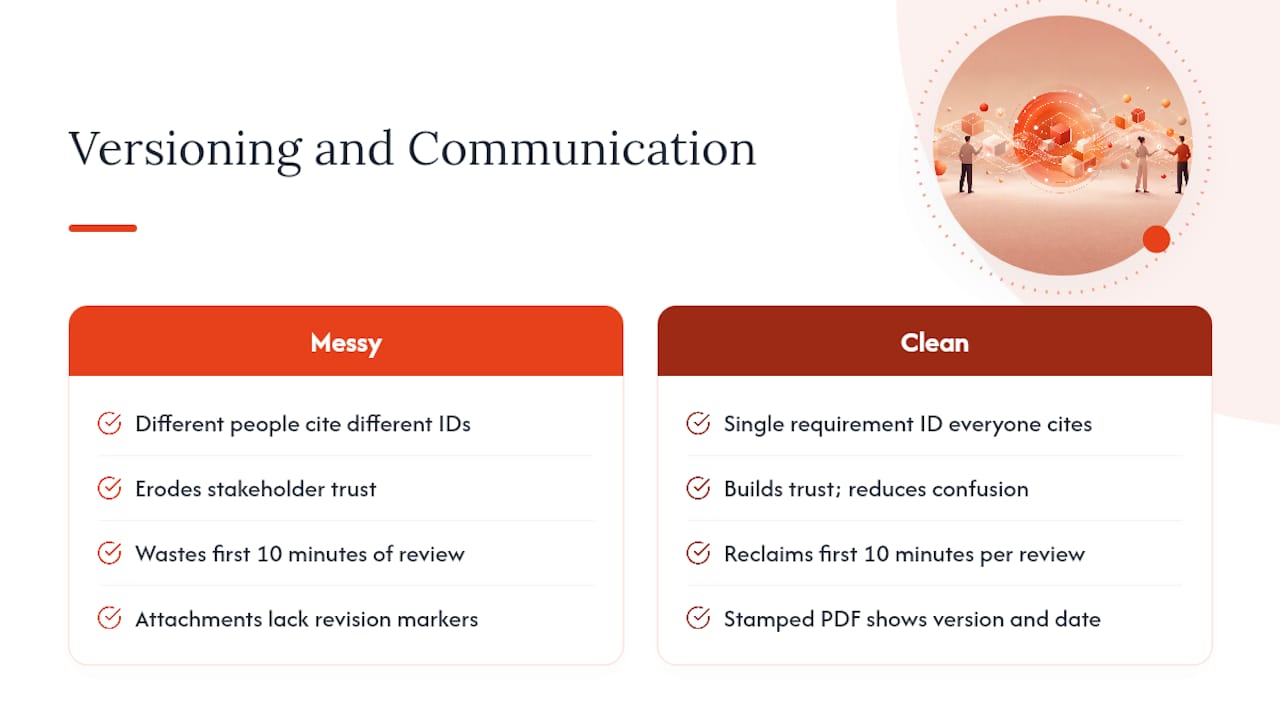
A messy version history doesn't just create technical risk. It erodes trust between the teams who have to work off the same document. When a customer sees three different people on your side referencing three different requirement numbers in the same meeting, they reasonably start to wonder whether anyone is actually in control of the process.
Clean versioning changes that dynamic immediately. When every stakeholder, internal or external, can point to the same requirement ID and see the same status, disagreements shrink to substance rather than confusion over which draft is current. This matters most in RFP settings, where government acquisition guidance recommends mapping RFP sections to evaluation factors precisely so both the buyer and the responder are working from a shared, unambiguous structure.
Stamped, versioned exports also change how external stakeholders read your documents. A PDF with a visible version number and date signals, without a single extra sentence of explanation, exactly how current it is. Compare that to an email attachment with no visible revision marker, where the recipient has to ask "is this the latest one?" before they can even start reviewing it.
Internally, versioning changes meeting dynamics too. Instead of spending the first ten minutes of a review reconciling which draft everyone brought, teams can spend that time on the actual substance of the requirement. That's a small shift in a single meeting, but multiplied across a project with dozens of review cycles, it adds up to real hours saved and fewer misunderstandings that surface late, when they're expensive to fix.
Keeping Backward Compatibility as Requirements Evolve
Backward compatibility in a requirements context means a new version doesn't silently break the assumptions a previous version already locked in, especially once work has started against it. This is where a lot of teams get burned: a "minor" wording tweak in v2.3 quietly contradicts something the engineering team already built against v2.1.
The first safeguard is disciplined use of major versus minor version numbers. If a change alters scope, timing, or a measurable requirement, it's a major bump, full stop, no matter how small the edit looks on the page. That single rule, more than any tool, is what protects downstream teams from building against an assumption that quietly changed underneath them.
The second safeguard is keeping every prior major version accessible and readable, not archived into obscurity. If a compliance response or test script was built against v2.0, someone needs to be able to pull up v2.0 exactly as it read at the time, not a reconstruction from memory. This is why the frozen-snapshot approach matters so much: a Complete stage document that can never be edited again is your backward-compatibility guarantee in practice.
Third, when a new major version supersedes an old one, explicitly flag every requirement ID that changed and every one that didn't. Silence is ambiguous. If 40 requirements carried forward unchanged and 6 changed, say so directly in the change log rather than making a reader diff the whole document to find out. That single habit is what separates a version history that actually protects downstream work from one that just documents that work happened.
Automating Version Control with Continuous Integration Tools
Continuous integration started as a software engineering discipline: every code change triggers an automated build and test run. The underlying idea, catch problems the moment a change lands rather than weeks later, translates directly to requirements management, even though you're not compiling code.
The practical version looks like this: every time a requirement changes, an automated process checks whether that clause has downstream dependencies, flags any compliance response or test script tied to the old wording, and routes a notification to the owner of each affected item. That's the same "detect, flag, notify" loop a CI pipeline runs on code, applied to requirement text instead.
Exporting requirement sets to GitHub or Jira makes this easier to build, because both tools already have mature automation ecosystems built around triggered actions. A requirement change that lands as a Jira issue can automatically reopen linked tickets or flag a test case as needing re-verification, using the same webhook and automation infrastructure teams already run for code.
The return on this kind of automation isn't instant. It compounds over the life of a project as the number of tracked requirements and revisions grows. A ten-requirement document doesn't need it. A three-hundred-requirement RFP under active negotiation across six months absolutely does, because manual re-checking at that scale is where teams start missing things, and that's exactly when a missed dependency turns into a costly rework cycle three weeks later.
Reviewing and Retiring Outdated Requirement Versions
Version histories that never get cleaned up eventually become a liability of their own. If your platform holds forty draft revisions of the same RFP and nobody can quickly tell which twelve actually mattered, you've recreated the exact confusion version control was supposed to eliminate, just with better metadata attached.
Schedule a recurring review, quarterly works for most active project portfolios, to identify draft and on-hold versions that never advanced and are safe to archive. Archiving isn't deleting. Keep the record for audit purposes, but move it out of the active working view so current teams aren't wading through dead branches to find the live document.
Pay particular attention to superseded major versions once a contract or project closes out. At that point, the Complete snapshot is the permanent record, and every earlier draft exists only for historical reference. Flag those clearly so a future auditor or new team member doesn't mistake an old draft for the governing version.
The cleanup habit also catches something version control alone won't: requirement IDs that were created and then abandoned mid-negotiation. Those orphaned IDs clutter compliance matrices and confuse anyone building an evidence link against the wrong number. A regular cleanup pass, done on a calendar rather than only when someone complains, keeps your traceability system as clean as the day you built it instead of accumulating years of clutter nobody has time to untangle.
How SwarmStack Applies These Practices
SwarmStack was built around the receiving-side problem directly: clause-level versioning with stable requirement IDs, decision history attached to every change, and invite-link sessions so a whole team edits the same live document instead of forwarding attachments. Frozen snapshots and audit trails aren't an add-on. They're how a session moves from Draft to Complete. Every claim above about traceability and stakeholder trust is what these features were designed to solve.
— Cody
Get Requirements Version Control Right From the Start
If you've been piecing together version control from a shared drive, an email chain, and a spreadsheet someone updates by hand, SwarmStack replaces that whole patchwork with one session your team edits together in real time. Requirements get stable IDs the moment they're captured, every change carries a recorded decision, and moving a document from Draft to a frozen Complete snapshot takes one action instead of a round of "please confirm this is final" emails.
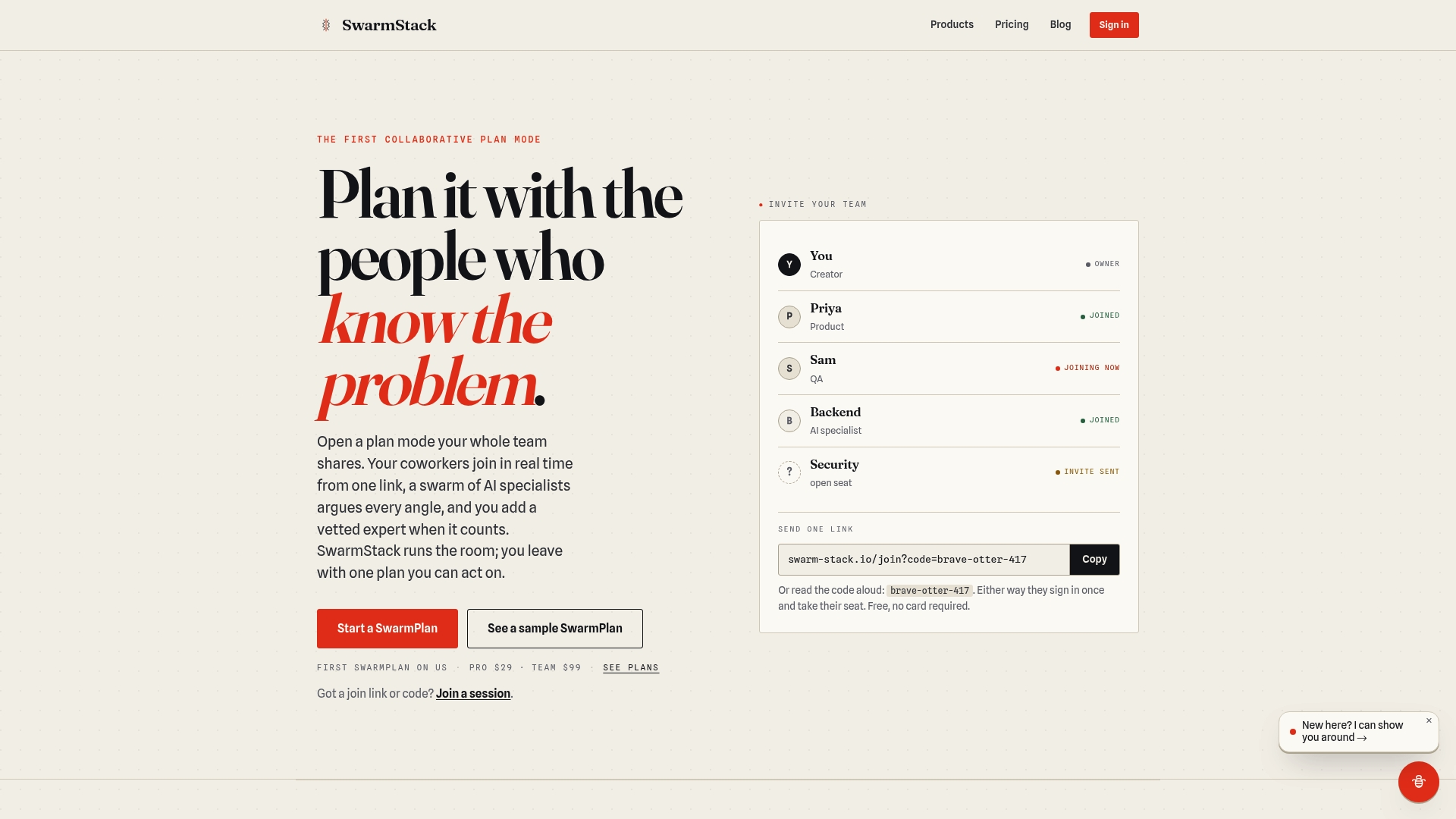
The platform exports straight to GitHub or Jira when engineering needs to pick up the handoff, so the version discipline you build during RFP negotiation doesn't die the moment the contract is signed. If you're managing an active RFP or a requirements matrix right now and losing track of which revision is actually current, start a session on SwarmStack and bring your team in with a single invite link.
Where to Go for Deeper Guidance
- FAR/DFARS guidance on developing RFPs for mapping requirements to evaluation factors.
- Document version control best practices covering naming, numbering, and access controls.
- Research on document control cycles documenting manual handoff delays and the case for early automation.
Sources
- FAR/DFARS acquisition guidance: develop request for proposals
- Best practices for document version control (Contractor Foreman)
- Booma
- Research on document control cycles (Chalmers)