AI Project Management Tools for B2B Teams: 2026 Guide
Discover effective AI project management tools to boost your B2B team's efficiency. Explore capabilities, vendor checklists, and implementation tips.

AI project management tools are augmentation layers that generate drafts, surface risks, and automate documentation while keeping human judgment at the center of every decision. PMI's research confirms that teams adopting AI-enabled delivery practices complete measurably more projects on time and within budget. The practical recommendation: evaluate any platform against three criteria first — integration with your existing tech stack, explainability of AI outputs, and human-in-the-loop controls. Then pilot one use case for 4–6 weeks before expanding.
What to expect from this guide:
- A clear definition of what counts as an AI PM tool (versus a standalone LLM or task automation)
- Core capabilities mapped to business outcomes
- A vendor evaluation checklist with sample questions
- A pilot-to-scale implementation roadmap
- Security and pricing guidance for US procurement teams
- When Swarm-stack is the right fit for collaborative planning and RFP workflows
Table of Contents
- What do AI project management tools actually do?
- Core AI capabilities that deliver measurable business value
- How should you evaluate AI PM tools before buying?
- A practical pilot-to-scale plan for AI in project management
- Security, data privacy, and US compliance considerations
- How do AI PM platforms price their services?
- When is Swarm-stack the right choice for your team?
- What are the primary business benefits of AI in project management?
- Common pitfalls when adopting AI PM tools and how to avoid them
- Real-world examples of AI project management in practice
- What's next for AI project management tools?
- Key Takeaways
- The case for staying human at the center
- Swarm-stack brings human expertise into every AI planning session
- Useful sources and further reading
What do AI project management tools actually do?
AI in project management means augmentation: the AI drafts, analyzes historical data, flags risks, and automates documentation, while humans review and decide. It is not a replacement for a project manager's contextual judgment or stakeholder relationships.
Three distinct categories exist. First, embedded AI inside established PM platforms (think native AI features in existing tools). Second, AI-first add-ons that bolt onto your current stack. Third, general-purpose LLMs used for PM drafting without deep integration.
Typical first use cases:
- Automated meeting notes and action-item extraction
- AI-generated status reports from issue tracker data
- Risk flag summaries based on schedule and budget patterns
- Smart task creation from project briefs or requirement docs
- RFP draft generation from structured interviews
Pro Tip: Start with meeting capture or status drafting. Both are mature capabilities with measurable admin time savings, and neither requires deep historical data access to show value in week one.
Core AI capabilities that deliver measurable business value
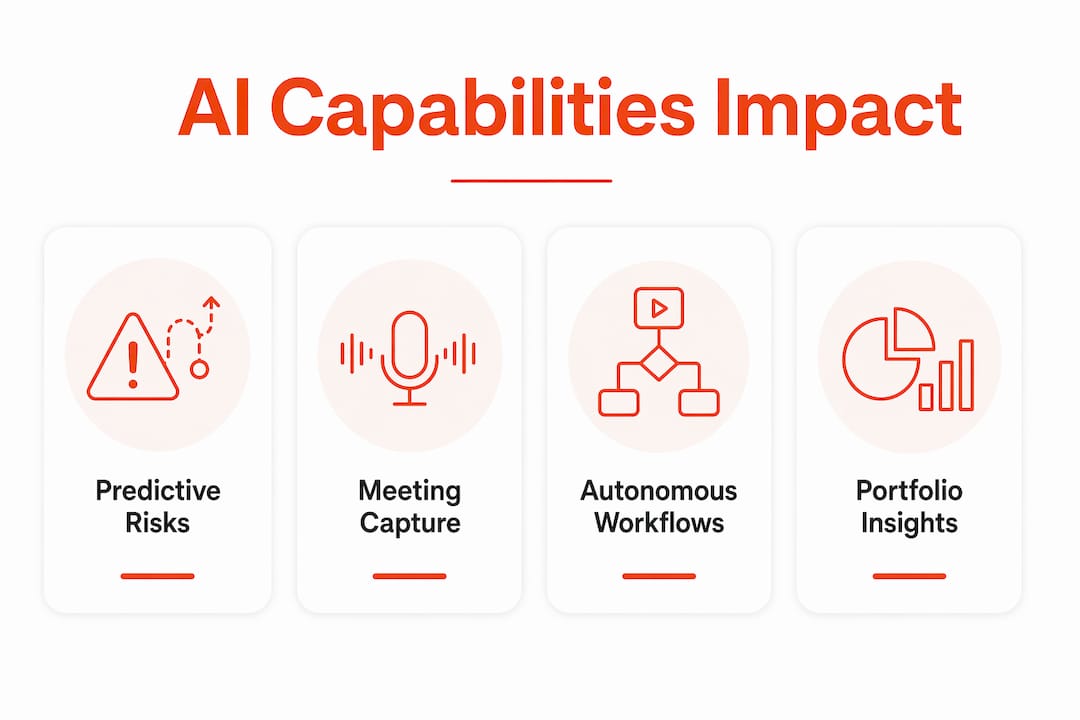
Industry analysis identifies seven high-impact areas where AI consistently delivers for project teams. The table below maps each capability to the data access it requires and its current maturity level.
| AI Capability | Business Impact | Data Access Required | Maturity |
|---|---|---|---|
| Predictive risk identification | Flags schedule and budget risks before they escalate | Historical project data, issue trackers | Early-stage |
| Automated status reporting | Cuts reporting prep time significantly | Issue trackers, calendars, CRM | Mature |
| Schedule estimation | Generates realistic timelines from past project patterns | Historical delivery data | Mature |
| Resource optimization | Balances workloads and prevents burnout | Capacity data, HR systems | Moderate |
| Meeting capture + action extraction | Turns meetings into tasks automatically | Calendar, transcription access | Mature |
| Intelligent RFP draft generation | Produces structured first drafts from stakeholder interviews | Document history, CRM, templates | Moderate |
| Agentic autonomous workflows | Self-adjusting plans with minimal human input | Full stack integration | Early-stage |
Meeting capture and status drafting are production-ready today. Autonomous agentic workflows and accurate portfolio-level prediction still require deeper integration and more mature data pipelines than most teams have in place.
Integration is the variable that separates useful AI from expensive noise. A risk-flagging model trained on generic data is far less accurate than one reading your actual Jira history, GitHub commit patterns, and CRM deal stages. The more historical context the model has, the sharper its predictions.
How should you evaluate AI PM tools before buying?
No single platform leads across all major AI PM capabilities — the right choice depends on your team's specific pain points. Start by mapping your top three pain points to AI capabilities, then score vendors on the dimensions below.
Evaluation dimensions and sample vendor questions:
- AI capability (augmentation vs. automation): "Which tasks does your AI generate autonomously, and which require human approval before executing?"
- Integrations and data sources: "Which connectors can you read historically and in real time? Do you support Jira, GitHub, Salesforce, and Google Calendar out of the box?"
- Explainability and human-in-the-loop controls: "How do you surface model confidence and data provenance? Can users override or reject AI suggestions with a single click?"
- Collaboration features: "Does the platform support real-time co-editing, invite links for external stakeholders, and versioned deliverables?"
- Security and compliance: "Where is data stored? Can we opt out of model training on our data?"
- Pricing model: "Is billing per seat, per AI credit, or per session? What triggers overage charges?"
Vendor scoring template:
| Dimension | Weight | Vendor A Score (1–5) | Vendor B Score (1–5) | Notes |
|---|---|---|---|---|
| AI capability depth | High | |||
| Integration breadth | High | |||
| Explainability / HITL | High | |||
| Collaboration features | Medium | |||
| Security and compliance | High | |||
| Pricing transparency | Medium |

During demos, run three tests: connect a sample Jira or GitHub repo and verify the AI reads historical data correctly; run a meeting capture sample and check action-item accuracy; request a plain-language explanation of one flagged risk. If the vendor cannot do all three, the integration depth is shallower than the marketing suggests. For a deeper look at AI RFP software evaluation, Swarm-stack's buying guide covers procurement-specific criteria in detail.
A practical pilot-to-scale plan for AI in project management
Phased adoption reduces complexity and isolates value quickly. Pick one capability, measure it, then expand.
- Weeks 0–2 (Prep): Define the pilot use case, identify data sources, get security and legal sign-off, assign a named PM as editor-in-chief of AI outputs.
- Weeks 3–6 (Pilot): Run the capability live on one active project. Log every AI suggestion and whether the team accepted, modified, or rejected it.
- Weeks 7–10 (Review and adjust): Analyze KPIs against baseline. Identify where the AI was wrong and why. Adjust connector scope or prompt configuration.
- Weeks 11–16 (Scale decision): Decide whether to expand to a second use case or a second team based on measured outcomes.
Pilot KPIs to track:
- Admin time saved per week (compare to pre-pilot baseline)
- Percentage of AI-suggested items accepted without modification
- Prediction accuracy versus actual outcomes (schedule, budget)
- Stakeholder satisfaction score at week 6 and week 10
Governance roles: The PMO owns sign-off on tool access and data scope. Named subject-matter experts review AI output before it enters any deliverable. Legal reviews the vendor's data processing agreement before the pilot starts.
Pro Tip: Treat the PM as editor, not author. AI generates the first draft from data patterns; the PM adds context, stakeholder nuance, and judgment. Build a rollback plan for incorrect outputs before the pilot goes live.
Security, data privacy, and US compliance considerations
US teams face specific risks when granting AI tools access to project data. The controls below are non-negotiable before any production deployment.
Security controls to demand from vendors:
- Data residency in US-based infrastructure (or explicit contractual guarantee)
- Encryption in transit (TLS 1.2+) and at rest (AES-256)
- Audit logs with user-level attribution for all AI actions
- Least-privilege connector scopes (read-only where write access is not required)
- Contractual opt-out from vendor model training on your data
Vendor questions for your security team: "Do you use customer data to train shared models? Can we opt out of training entirely? Where are backups stored, and who can access them? What is your breach notification SLA?"
For pilots, use dedicated API keys scoped to sandbox projects only. Limit connectors to the minimum required sources. Never connect production CRM or HR data until the vendor has passed your security review.
Swarm-stack publishes its trust and privacy controls for procurement teams to review before committing.
Pro Tip: Any tool requiring deep access to Jira, GitHub, or CRM must offer role-based token scopes and clear data provenance in its audit logs. If the vendor cannot show you exactly which data the model read to generate a specific output, that is a governance gap.
How do AI PM platforms price their services?
Buying guides map tools to specific jobs-to-be-done and list starting prices to help teams budget pilots. Understanding the pricing structure before you demo saves significant procurement time.
Common pricing models:
- Per-user subscription (flat monthly fee per seat)
- Per-seat plus AI credits (base subscription with a usage-based AI layer)
- Per-session or per-usage (pay for each AI-generated output or expert session)
- Enterprise plans with seat tiers and add-on AI modules
Primary cost drivers: connector depth, number of AI agents or automations active, AI credit or token volume, integration and customization costs, and professional services for data mapping.
| Cost Driver | Low-Usage Scenario | High-Usage Scenario |
|---|---|---|
| Seats | 5–10 users | — |
| Connectors | 2–3 (Jira, calendar) | (Jira, GitHub, Salesforce, Google Calendar) |
| AI credits / tokens | Light (status drafts only) | Heavy (risk scoring, RFP generation) |
| Expert sessions | None | Regular per-session fees |
| Professional services | Self-serve setup | Custom data mapping |
Swarm-stack's pricing page documents its subscription tiers alongside optional per-session fees for vetted human expert access, which is useful for teams budgeting a hybrid AI-plus-expert pilot.
Negotiation levers: commit to annual volume for a discount, negotiate sandbox limits during the pilot period at no charge, and get explicit contractual definitions of "training" versus "inference" billing to avoid surprise charges.
When is Swarm-stack the right choice for your team?
Swarm-stack is purpose-built for teams where collaborative planning and buyer-side RFP creation are core workflows, not afterthoughts. Its human-plus-AI session model addresses a gap most general PM platforms leave open: structured, argument-driven refinement of deliverables with both AI specialists and human experts in the same session.
Feature match for buyer needs:
- Real-time sessions combining human experts and AI specialists in one workspace
- Versioned deliverables with decision tracking at every step
- Invite links for instant team or stakeholder participation (no account required)
- Structured interviews that feed directly into AI-assisted draft plans
- Direct export to GitHub and Jira for immediate handoff to delivery teams
- Integrated marketplace for hiring vetted human experts on a per-session basis
A typical workflow: a PM opens a structured interview session, invites stakeholders via a single link, and the AI specialists generate competing draft angles while human experts refine them in real time. The result is a versioned, export-ready deliverable in one session rather than three rounds of email.
Choose Swarm-stack when RFP drafting, structured stakeholder interviews, and human expert access are requirements, not nice-to-haves. For teams evaluating AI RFP workflows, the session-level decision tracking also doubles as an audit trail for procurement governance.
Pro Tip: Use Swarm-stack's session versioning as your governance record. Every argument made, every expert input, and every AI draft is logged, which satisfies procurement audit requirements without extra documentation work.
What are the primary business benefits of AI in project management?
Risk detection, forecasting, meeting capture, RFP drafting, and resource allocation are the five areas where AI delivers consistent, measurable returns for B2B teams.
Risk detection works by scanning schedule data, budget burn rates, and historical delay patterns to flag issues before they become blockers. A team running a 12-month software delivery project can surface a dependency risk in week 3 rather than discovering it in week 9.
Forecasting improves when the AI has access to completed project data. Models trained on your own delivery history produce more accurate timeline estimates than generic benchmarks.
Meeting capture is the fastest win. Automated transcription and action-item extraction cut post-meeting admin from 45 minutes to under 5, and the output feeds directly into task trackers.
RFP drafting with AI compresses a process that typically takes days into hours. Structured interviews feed the model context; human experts refine the output; the final document is versioned and ready for review.
Resource allocation benefits from AI's ability to monitor workload in real time and flag overallocation before burnout affects delivery. For teams managing multiple concurrent projects, this visibility alone justifies the tool cost.
Common pitfalls when adopting AI PM tools and how to avoid them
The most common failure mode is not a bad tool. It is a misaligned expectation: teams buy an AI PM platform expecting autonomous project management and get a sophisticated drafting assistant instead.
Pitfall 1: Skipping the integration step. An AI tool disconnected from your Jira, GitHub, or CRM data produces generic outputs. Fix: require live connector access as a pilot prerequisite, not a post-launch upgrade.
Pitfall 2: No human verification gate. AI-generated task assignments or risk flags that go directly into production without review create accountability gaps. Fix: build an explicit approval step into every AI-generated workflow before it touches a live project.
Pitfall 3: Measuring the wrong KPIs. Teams that measure "AI features used" instead of "admin time saved" or "prediction accuracy" cannot justify renewal. Fix: set baseline metrics before the pilot starts.
Pitfall 4: Over-expanding too fast. Deploying five AI capabilities simultaneously makes it impossible to isolate what is working. Fix: one capability, one team, 4–6 weeks, then decide.
Pitfall 5: Ignoring change management. PMs who feel the tool is checking their work rather than helping it will route around it. Fix: frame the AI as a first-draft generator that makes the PM's editing role more strategic, not redundant.
Real-world examples of AI project management in practice
Construction firms using AI-assisted scheduling tools have reduced rework cycles by connecting historical bid data to live schedule models, catching scope creep signals weeks earlier than manual review allows. The integration with estimating software is what makes the difference: without historical cost data, the AI flags generic risks rather than project-specific ones.
Software delivery teams at mid-size SaaS companies have used meeting capture plus automated Jira ticket creation to cut sprint planning prep time. The workflow: record the planning call, AI extracts action items and creates draft tickets, the PM reviews and publishes. What used to take 90 minutes of post-meeting work now takes 15.
On the RFP side, procurement teams using structured AI-assisted drafting sessions report faster first-draft turnaround and fewer revision rounds. The key factor is structured input: teams that run a formal stakeholder interview before the AI drafts produce documents that require fewer rewrites than teams that prompt the AI cold. Swarm-stack's session model is designed specifically for this workflow, combining structured interviews with argument-driven AI drafting and human expert refinement in a single versioned session.
What's next for AI project management tools?
The near-term trajectory is clear: AI moves from assistant to co-pilot, with deeper integration into delivery pipelines and more reliable predictive models as teams accumulate historical data.
Trends worth watching:
- Agentic workflows becoming production-ready. Today's autonomous agents require significant human oversight. Within 12–18 months, well-integrated agentic systems will handle routine replanning tasks with minimal intervention.
- Portfolio-level AI forecasting. Single-project risk detection is table stakes. The next frontier is cross-portfolio prediction: flagging resource conflicts and budget risks across 20 concurrent projects simultaneously.
- AI-native RFP and proposal workflows. Buyer-side RFP creation is moving from document templates to structured AI sessions that produce versioned, auditable deliverables. Teams that build this muscle now will have a procurement advantage.
- Tighter compliance tooling. As AI-generated project artifacts enter regulated industries (healthcare, finance, federal contracting), audit trails and explainability controls will shift from differentiators to requirements.
The teams that will benefit most are those that treat AI adoption as an iterative capability build, not a one-time software purchase. Start narrow, measure rigorously, and expand only when the first use case shows clear returns.
Key Takeaways
AI project management tools deliver the most value when teams pilot one capability at a time, measure operational KPIs, and keep human verification gates in every AI-generated workflow.
| Point | Details |
|---|---|
| Start with mature capabilities | Meeting capture and status drafting are production-ready; agentic workflows and portfolio prediction are still early-stage. |
| Integration determines accuracy | AI tools need access to your Jira, GitHub, and CRM history to produce project-specific outputs rather than generic advice. |
| Pilot for 4–6 weeks | One capability, one team, clear baseline KPIs — then decide whether to expand based on measured admin time saved and prediction accuracy. |
| Security controls are non-negotiable | Require data residency, audit logs, least-privilege connectors, and a contractual opt-out from model training before any production deployment. |
| Swarm-stack for RFP and collaborative planning | Choose Swarm-stack when structured stakeholder interviews, real-time human-plus-AI sessions, versioned deliverables, and direct export to GitHub or Jira are core requirements. |
The case for staying human at the center
The most underrated mistake in AI PM adoption is treating the tool as a decision-maker rather than a first-draft generator. Every AI output in project management carries a confidence interval the model does not always show you. A risk flag based on three historical data points is not the same as one based on three hundred. The PM who treats AI output as a starting point for judgment will consistently outperform the one who treats it as a verdict.
The teams getting the most out of these tools share one habit: they define what "good" looks like before the AI generates anything. That means setting baseline metrics, agreeing on what a high-quality risk flag looks like, and building a feedback loop where rejected AI suggestions improve the model over time. Adoption is iterative. Measure one capability before expanding to the next, and resist the pressure to deploy everything at once just because the vendor's demo made it look effortless.
Swarm-stack brings human expertise into every AI planning session
Most AI PM platforms give you a smarter task board. Swarm-stack gives you something different: a real-time session where AI specialists and vetted human experts argue through a deliverable together, producing a versioned, export-ready output in a single sitting.
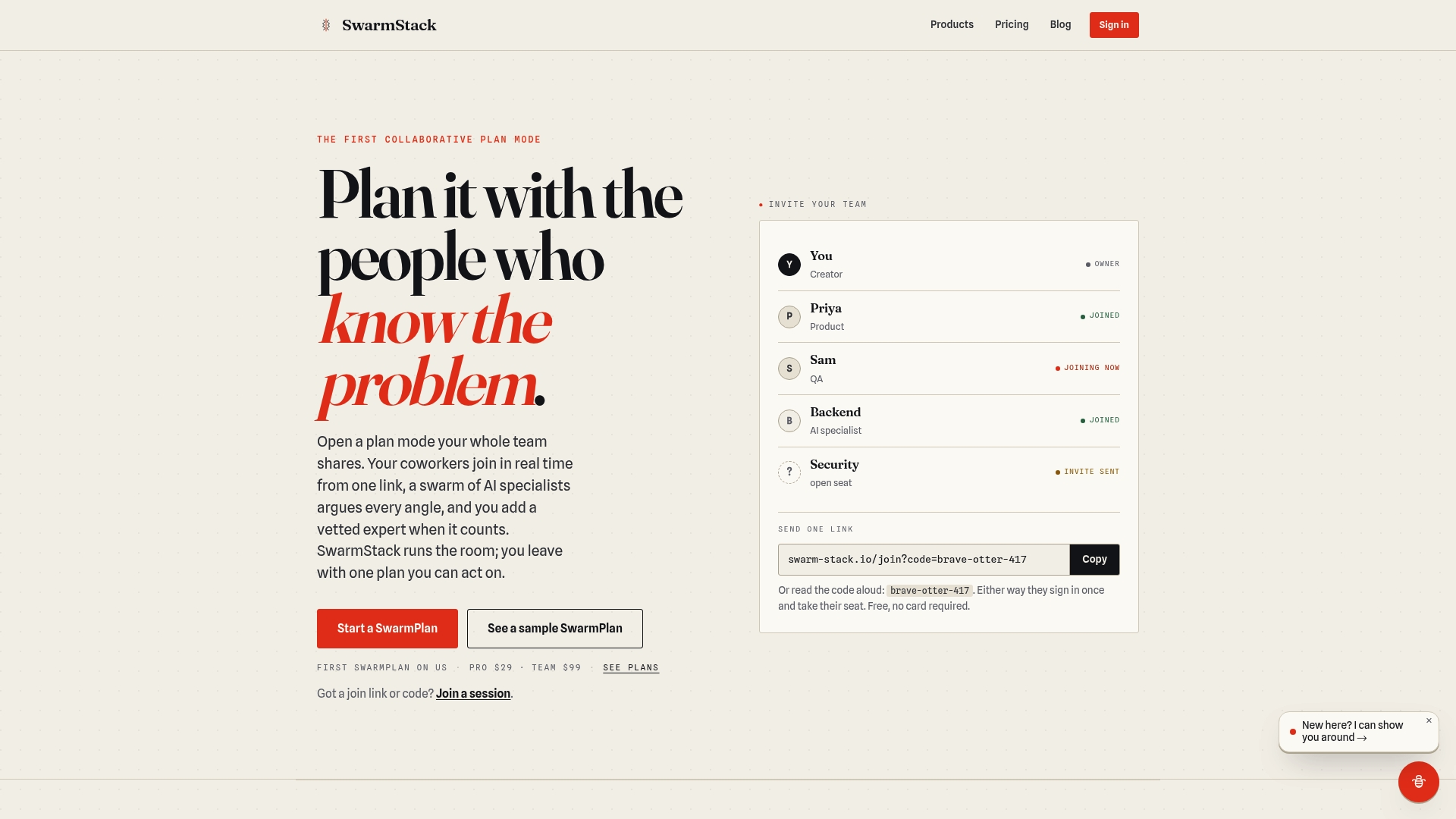
For B2B teams where RFP drafting, structured stakeholder interviews, and audit-ready deliverables are daily requirements, that distinction matters. You get invite links for instant team participation, decision tracking at every session step, and direct export to GitHub or Jira when the session closes. The subscription tiers include optional per-session expert fees, so you can run a focused 4–6 week pilot without committing to a full enterprise contract. Security and privacy documentation is available on the trust page for procurement review. Start your pilot at swarm-stack.io and run the first session this week.
Useful sources and further reading
Use these resources to support vendor selection, security reviews, and pilot design.
- PMI: Benefits of Generative AI for Project Management — Use PMI's research to build the ROI case for AI adoption internally and justify pilot investment to leadership.
- Microsoft: How AI project management tools streamline workflows — Useful reference for teams evaluating Microsoft 365 Copilot integration with Planner and existing Microsoft stack.
- Atlassian: How to use AI for project management — Practical guidance on integrating AI with Jira and Confluence; relevant for software delivery teams.
- Project Management Formula: Benefits of AI in project management — Covers the phased pilot approach and KPI framework referenced in the implementation section above.
- Swarm-stack: AI RFP software for project teams — Evaluation criteria specific to AI-assisted RFP creation; use when scoping a buyer-side RFP pilot.
- Swarm-stack: RFP response software guide — Covers RFP response tooling and how to evaluate platforms for procurement workflows.
- Tech Review Nerds: 2026 technology buying guide — Independent third-party buying guide useful for cross-referencing pricing models and integration checklists during vendor evaluation.