Best Project Planning Tools for Teams in 2026
Discover the best project planning tools for teams in 2026. From AI-augmented planning to all-in-one task management, find your perfect fit!

The strongest picks for most teams right now: SwarmStack for collaborative, AI-augmented versioned planning; ClickUp for all-in-one task and doc management; Asana for cross-project timeline visibility; Jira for engineering workflow enforcement; Microsoft Project for schedule-governed enterprises; monday.com for visual no-code automation; Wrike for agency resource tracking; and Smartsheet for spreadsheet-native teams. Methodology and data governance, not UI aesthetics, should drive your final choice.
Quick "best for" shortlist:
- SwarmStack — collaborative, AI-augmented versioned plans and RFPs with export to Jira/GitHub
- ClickUp — single workspace for tasks, docs, goals, and dashboards
- Asana — cross-team timeline visibility and workflow automation
- Jira — enforceable dev workflows with deep API/webhook integration
- Microsoft Project — schedule baselines and critical-path governance for PMOs
- monday.com — visual, no-code automation for non-technical teams
- Wrike — structured intake, time tracking, and reporting for agencies
- Smartsheet — grid-first Gantt planning for Excel-oriented teams
- Trello — fast kanban onboarding for individuals and small teams
- Notion — docs-first workspace with lightweight project tracking
- Miro — visual whiteboard for roadmapping and early-stage ideation
- Airtable — relational database planning with custom schemas
- Adobe Workfront — portfolio-level planning for large enterprises
- Zapier — cross-tool automation without custom integrations
Table of Contents
- What are the best project planning tools at a glance?
- How we evaluated these tools
- In-depth reviews: which tool actually fits your team?
- How to choose the right project planning tool for your team
- Free vs. paid: when does a free tier actually cover your needs?
- Why methodology and governance should drive your tool choice
- Key Takeaways
- What most teams get wrong when picking a planning tool
- SwarmStack belongs on your shortlist for collaborative planning
- Useful sources and vendor reference pages
What are the best project planning tools at a glance?
Choosing the right tool comes down to three axes: your planning methodology (waterfall, agile, or hybrid), your governance requirements (audit logs, RBAC, baselines), and your integration targets. Reviewers consistently recommend mapping methodology to tool capabilities before shortlisting, rather than picking on interface alone.
| Tool | Best For | Free Tier | Paid Starting Price | Standout Features | Platforms & Integrations | Enterprise/Governance | Ease of Use |
|---|---|---|---|---|---|---|---|
| SwarmStack | Collaborative AI-augmented versioned planning and RFPs | Yes (API key required after initial use) | Pro/Team plans (see pricing page) | Real-time human+AI sessions, versioned deliverables, expert marketplace, GitHub/Jira export | Web; GitHub, Jira, Slack | Versioned deliverables, decision tracking | Moderate |
| ClickUp | Single workspace for tasks, docs, and dashboards | Yes | ~$7/user/month | Multiple views, goals, docs, dashboards | Web, iOS, Android; Slack, GitHub, Google Workspace | Permissions, guest roles | Moderate |
| Asana | Cross-project timeline visibility | Yes (limited) | approximately $9/user/month | Timeline, portfolio, workflow automation | Web, iOS, Android; Slack, Google Workspace, Jira | Advanced permissions, audit logs (Enterprise) | Easy–Moderate |
| Trello | Quick kanban for individuals/small teams | Yes | ~$5/user/month | Butler automations, Power-Ups | Web, iOS, Android; Slack, Google Drive | Basic permissions | Very Easy |
| monday.com | Visual no-code automation | Yes (2 seats) | ~$9/user/month | Board/timeline views, no-code automation | Web, iOS, Android; Slack, GitHub, Salesforce | RBAC, audit logs (Enterprise) | Easy |
| Notion | Docs-centric lightweight planning | Yes | ~$10/user/month | Linked databases, writable docs | Web, iOS, Android; Slack, GitHub | Basic permissions | Easy–Moderate |
| Wrike | Agency intake, time tracking, reporting | Yes (limited) | ~$9.80/user/month | Custom request forms, resource planning, Gantt | Web, iOS, Android; Salesforce, Adobe CC | RBAC, audit logs (Enterprise) | Moderate |
| Jira | Engineering workflow enforcement | Yes (up to 10 users) | ~$7.75/user/month | Workflow schemes, validators, webhooks | Web, iOS, Android; GitHub, Bitbucket, Confluence | RBAC, audit logs, API | Steep |
| Microsoft Project | Schedule-governed PMOs and enterprises | No | ~$10/user/month (Plan 1) | Critical-path, baselines, variance reporting | Web, desktop; Microsoft ecosystem | Enterprise-grade governance | Steep |
| Miro | Visual roadmapping and ideation | Yes | ~$8/user/month | Infinite canvas, templates, sticky notes | Web, iOS, Android; Jira, Asana, Slack | SSO, guest permissions | Very Easy |
| Smartsheet | Spreadsheet-native Gantt and dashboards | No (trial only) | ~$9/user/month | Grid-first, Gantt, automation, dashboards | Web, iOS, Android; Salesforce, Microsoft ecosystem | RBAC, audit logs (Enterprise) | Easy–Moderate |
| Airtable | Custom relational data structures for planning | Yes | ~$10/user/month | Relational records, custom fields, multiple views | Web, iOS, Android; Slack, GitHub, Zapier | RBAC, audit logs (Enterprise) | Moderate |
| Adobe Workfront | Portfolio planning for large enterprises | No | Custom pricing | Portfolio management, resource management | Web; Adobe CC, Jira, Slack | Enterprise-grade governance, SSO | Steep |
| Zapier | Cross-tool workflow automation | Yes | ~$19.99/month (Starter) | Pre-built connectors, multi-step Zaps | Web; extensive app integrations | Team workspaces, audit logs (paid) | Easy |
How we evaluated these tools
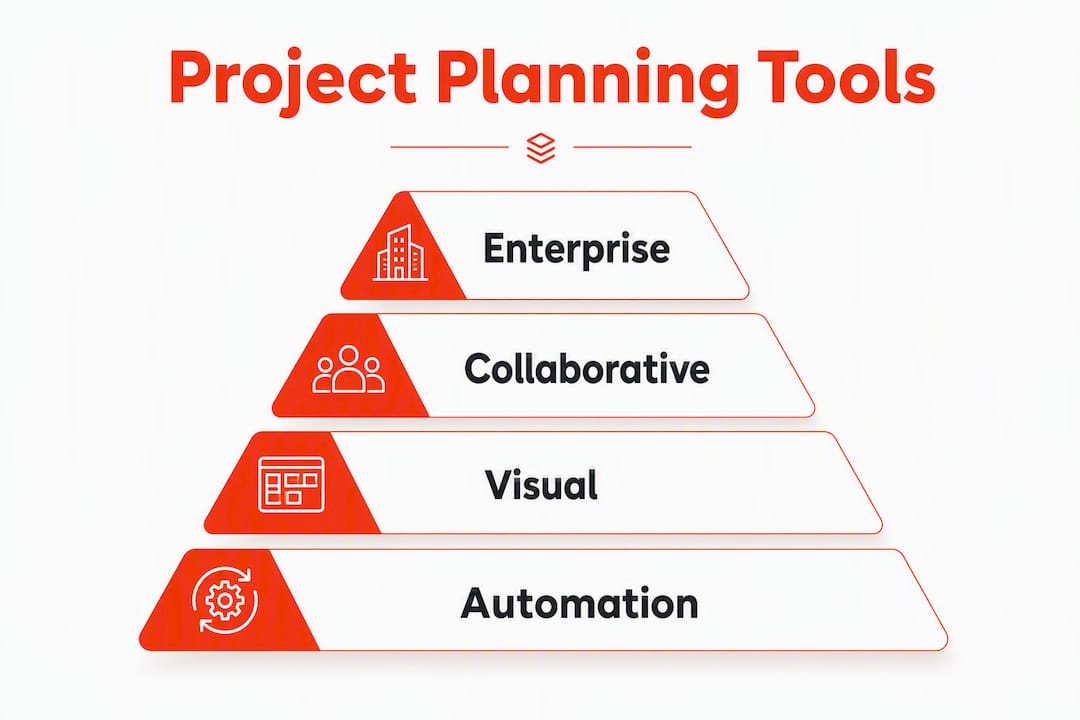
Every tool in this comparison was assessed against a consistent set of criteria, weighted by team type. The goal was to answer the question a buyer actually faces: does this tool fit my planning contracts, governance requirements, and integration targets?
Evaluation criteria:
- Data governance: RBAC, audit logs, schema enforcement, and workspace export quality
- Scheduling features: dependency types (FS, SS, FF, SF), baselines, critical-path support
- Integration and API surface: REST/GraphQL/webhook coverage and event-driven automation
- Automation depth: native rule builders vs. reliance on third-party connectors
- Resource and financial planning: native time tracking, utilization, and billing support
- Collaboration: real-time co-editing, comment threading, and structured review workflows
- Pricing and value: free tier limits, paid starting price, and enterprise tier requirements
- Ease of use and learning curve: onboarding time for a five-person team on a real project
Testing approach: Each tool was trialed with a representative sample project, including a migration test (importing a .mpp file or spreadsheet), an API/automation check, and an integration test against Slack and at least one dev tool. Integration depth and API surface were tested by scripting a dependency-update flow and verifying that planning metadata propagated to execution systems without manual re-entry.
Tools were scored on a three-band scale: Strong (meets the criterion natively with no workarounds), Partial (meets it with configuration or a third-party connector), and Weak (requires significant custom work or the feature is absent). Weights shifted by team type: governance and scheduling received higher weight for enterprise/PMO teams; collaboration and ease of use received higher weight for small cross-functional teams.
Stat to know: Paid project management plans commonly start in a moderate user/month range, with enterprise tiers priced separately. Free tiers exist across most tools but carry meaningful limits on automation, integrations, and governance features.
In-depth reviews: which tool actually fits your team?
SwarmStack: best for collaborative, versioned planning with AI
SwarmStack takes a fundamentally different approach to project planning. Instead of a task board you fill in after the planning conversation is over, it structures the conversation itself. Teams run real-time sessions where human contributors and AI specialists argue positions, surface blind spots, and produce a versioned deliverable, whether that is a project plan, an RFP, or a feedback survey, that is ready to export the moment the session ends.

Best for: Cross-functional teams that need a defensible, versioned plan with clear decision history, especially when the output feeds directly into Jira or GitHub.
Standout features: Real-time human+AI collaborative sessions, versioned deliverables with decision tracking, an integrated marketplace for hiring vetted human experts, and direct export to Jira and GitHub.
Pros:
- Structured sessions reduce the misalignment that causes rework later
- Versioned deliverables give you a full audit trail of how the plan evolved
- Expert marketplace means you can bring in domain knowledge without a separate procurement process
- Export to Jira/GitHub closes the gap between planning and execution
Cons:
- Free tier requires a user-provided AI API key after initial use
- Less suited to teams that only need simple task tracking with no planning complexity
Pricing: Free tier available; Pro and Team plans listed on the SwarmStack pricing page.
Integrations: GitHub, Jira, Slack; web-based.
Migration note: If your current planning lives in a Google Doc or a Notion page, SwarmStack's structured session format will feel like a shift. Budget a session or two to get the team comfortable with the argument-driven workflow before running a high-stakes plan.
ClickUp: best for teams that want one workspace
ClickUp packs tasks, docs, goals, time tracking, and dashboards into a single product. The breadth is genuinely impressive, and the multiple view types (list, board, Gantt, calendar, workload) mean different team members can look at the same project through the lens that suits them.
Pros:
- Free tier is generous; paid plans start at a low monthly rate per user
- Multiple view types reduce the need for separate tools
- Strong native integrations with Slack, GitHub, and Google Workspace
Cons:
- Feature density creates a steep initial setup curve
- Notification volume can overwhelm teams that do not configure it carefully
Pricing: Free tier available; paid plans from approximately $7/user/month. Migration note: Importing from Asana or Trello is straightforward. Migrating from Microsoft Project requires a CSV intermediary and manual dependency reconstruction.

Asana: best for cross-team timeline visibility
Asana earns its place on most shortlists because the timeline view is genuinely clean and the workflow automation builder requires no technical background. Portfolio views let program managers see status across multiple projects without drilling into each one. For teams comparing Asana against similar tools, the Asana alternatives guide covers the tradeoffs in detail.
Pros:
- Clean UI with a short onboarding curve
- Workflow automation builder handles common approval and handoff patterns
- Portfolio view is available on Business and above
Cons:
- Time tracking is native only on higher tiers; most teams rely on integrations
- Advanced reporting requires Business plan or above
Pricing: Limited free tier; paid plans from a moderate monthly rate per user.
Trello: best for fast kanban with minimal setup
Trello is the tool you reach for when the team needs to be up and running in under an hour. Butler automations handle simple recurring rules, and Power-Ups extend the feature set without requiring a platform switch. The tradeoff is depth: once a project grows beyond a few dozen cards, the lack of native dependency tracking becomes a real friction point. Teams outgrowing Trello will find the Trello alternatives comparison useful.
Pricing: Free tier available; paid plans from approximately $7/user/month.
monday.com: best for visual no-code automation
monday.com is built for teams that want to automate repetitive handoffs without writing a line of code. The no-code automation builder covers most common scenarios (status changes, due-date notifications, cross-board updates), and the board/timeline views are among the most polished in this category. Reviews identify it alongside Asana as a leading visual, no-code platform. For teams evaluating alternatives, the monday.com alternatives guide covers the competitive landscape.
Pros:
- No-code automation builder handles complex multi-step rules
- Free tier supports two seats; paid plans from approximately $9/user/month
- Strong integration library including Salesforce and GitHub
Cons:
- Pricing scales quickly for larger teams
- Enterprise governance (RBAC, audit logs) requires the Enterprise tier
Notion: best for docs-centric teams
Notion's linked databases make it genuinely useful for teams whose planning artifacts live alongside their documentation. A product spec, a project tracker, and a meeting log can all reference the same database records. The weakness is structure enforcement: Notion does not stop anyone from editing a "finalized" plan, which matters in regulated or client-facing environments.
Pricing: Free tier available; paid plans from a moderate monthly rate per user.
Wrike: best for agencies and marketing teams
Wrike combines structured request intake, resource planning, and Gantt views in a way that maps well to agency delivery cycles. Purpose-built client-work tools connect profitability and delivery in one workspace, and Wrike's native time tracking and reporting get close to that standard without requiring a separate billing tool.
Pros:
- Custom request forms reduce intake friction for client-facing teams
- Resource planning and time tracking are native, not bolted on
- Good reporting at the Business tier
Cons:
- UI is denser than monday.com or Asana; onboarding takes longer
- Full governance features (audit logs, RBAC) require Enterprise
Pricing: Limited free tier; paid plans from approximately $9.80/user/month.
Jira: best for engineering workflow enforcement
Issue-driven tools like Jira excel at workflow schemes, validators, and RBAC tied to issue states. That means a ticket cannot move from "In Review" to "Done" unless specific conditions are met, which is exactly what engineering teams need to enforce quality gates. The API and webhook ecosystem is deep enough to support almost any CI/CD integration.
Pros:
- Workflow schemes and validators enforce planning transitions
- Deep integration with GitHub, Bitbucket, and Confluence
- Strong API/webhook surface for custom automation
Cons:
- Steep learning curve for non-technical team members
- Project-level reporting requires add-ons or Atlassian Analytics
Pricing: Free tier for up to 10 users; paid plans from approximately $7.75/user/month.
Microsoft Project: best for schedule-governed enterprises
Microsoft Project's scheduling engine handles critical-path analysis, baseline tracking, and variance reporting at a level no other tool in this list matches natively. Some vendors and reviewers flag Project Online retirement as a driver pushing PMOs to evaluate alternatives. Teams in that position should also review the Microsoft Planner alternatives guide for migration options.
Pricing: No free tier; Plan 1 starts at a moderate monthly rate per user; desktop versions priced separately.
Migration note: Exporting .mpp files to other platforms almost always requires manual dependency reconstruction. Test this early in any migration process.
Miro: best for visual ideation and roadmapping
Miro's infinite canvas is the right tool for the early stages of planning, when the team is still arguing about scope and sequence. It is not a substitute for a structured project tracker, but as a whiteboard layer that feeds into Jira or Asana, it fills a real gap.
Pricing: Free tier available; paid plans from a moderate monthly rate per user.
Smartsheet: best for spreadsheet-native teams
Smartsheet eases the transition from Excel-based planning to managed Gantt sheets with automation and dashboards. Teams that have lived in spreadsheets for years find the grid-first interface immediately familiar, which shortens adoption time considerably.
Pricing: Trial only, no permanent free tier; paid plans from a moderate monthly rate per user.
Airtable: best for custom relational data structures
Airtable's relational record model lets teams build planning schemas that match their actual data, not a vendor's opinionated structure. Multiple view types (grid, gallery, kanban, Gantt, calendar) sit on top of the same underlying records. The tradeoff is that building a well-structured base takes real upfront effort.
Pricing: Free tier available; paid plans from a moderate monthly rate per user.
Adobe Workfront: best for large enterprise portfolio planning
Adobe Workfront operates at a different scale than most tools here. Portfolio-level planning, enterprise resource management, and governance controls (SSO, RBAC, audit logs) are native, not add-ons. The pricing reflects that: Workfront is custom-quoted and aimed at organizations with hundreds of users and complex portfolio dependencies.
Zapier: best for cross-tool workflow automation
Zapier is not a project planning tool in the traditional sense. It is the connective tissue between the tools you already use. When a task closes in Asana, Zapier can create a Jira ticket, notify a Slack channel, and log a row in a Google Sheet, without any custom code. Free tier available; paid plans from approximately $19.99/month for the Starter plan.
Pro Tip: Before building complex Zaps, map your planning metadata (dependencies, status fields, custom fields) and confirm that the source tool's API exposes those fields. Many automation failures trace back to fields that exist in the UI but are not accessible via the API.
How to choose the right project planning tool for your team
The single most common mistake teams make is shortlisting tools based on a demo rather than a real data test. Here is a practical checklist to run before committing.
- Map your methodology first. Are you running waterfall, agile sprints, or a hybrid? Tools built around issue states (Jira) behave very differently from schedule-baseline tools (Microsoft Project) or visual boards (Trello, monday.com).
- Audit your current planning artifacts. List every file type you work with today: .mpp files, spreadsheets, Jira exports, Notion pages. Confirm the candidate tool can import them without losing dependencies or custom fields.
- Define your integration targets. Which execution systems must receive planning updates automatically? Confirm the tool's API exposes the fields you need (dependencies, baselines, risk flags) and supports event webhooks.
- Check governance requirements. If your team operates in a regulated environment or handles client data, verify RBAC, audit logs, and workspace export before signing a contract.
- Test resource and financial tracking. If client billing or utilization reporting matters, native time tracking and billing tie project planning to profitability in ways generic task tools do not replicate without significant custom work.
- Evaluate mobile and accessibility needs. Remote and field teams need a mobile experience that is not just a stripped-down version of the desktop app.
- Assess vendor lock-in risk. Can you export your full workspace, including attachments, custom fields, and automation rules, in a portable format? Test this on day one of the trial.
- Confirm enterprise governance if required. RBAC, SSO, and audit logs are often gated behind Enterprise tiers. Get a written confirmation of what is included at your target plan level.
Red flags during trials:
- Hidden per-feature charges that only appear after onboarding
- API documentation that is incomplete or months out of date
- No native workspace export (or export limited to CSV with no metadata)
- Audit logs available only on the most expensive tier
Pro Tip: Run a two-week pilot with a real, in-flight project rather than a demo project. Import your actual data, run your standard reporting, and trigger your most critical automation. Migration friction and reporting gaps surface immediately under real conditions.
Free vs. paid: when does a free tier actually cover your needs?
Free tiers are genuinely useful in specific scenarios. Knowing where they stop is what saves you from a mid-project platform switch.
Free tiers are usually enough when:
- You are a solo contributor or a team of two managing a single project
- The work is a proof-of-concept with no client deliverables or billing requirements
- You need a simple kanban board with no dependency tracking (Trello, ClickUp free)
- You are evaluating a tool before proposing it to your organization
Free tiers break down when:
- You need baseline tracking or variance reporting (almost universally a paid feature)
- Client billing, utilization, or profitability reporting is required
- Your environment requires audit logs, RBAC, or SSO
- You need more than a handful of automations per month
- You are integrating with more than one or two external systems
Paid plans commonly start in the $10–$30/user/month range, with enterprise tiers priced on request. The jump from a standard paid plan to an enterprise tier is often where governance features (audit logs, advanced RBAC, SSO) unlock, so factor that into your budget estimate early.
Practical checklist for trialing a free tier:
- Test the export function on day one. Can you get your data out in a usable format?
- Trigger the automation limit. Most free tiers cap automations at 100–250 actions per month.
- Connect your primary integration (Slack, GitHub, or Google Workspace) and confirm it works within the free plan's limits.
- Check whether guest or external collaborator access is available on the free tier.
Why methodology and governance should drive your tool choice
The research is consistent on this point: teams that match their tool to their planning methodology avoid the long-term friction that comes from forcing a schedule-baseline workflow into an issue-driven tool, or vice versa. Microsoft Project excels at schedule baselines and critical-path tracking. Jira enforces state transitions and workflow validators. Trying to make one do the other's job creates immediate workflow friction, and that friction compounds over time.
Governance requirements follow the same logic. Enterprise teams need audit logging and schema enforcement not because they are bureaucratic, but because planning decisions need to be traceable when a project goes sideways. API-driven automation is the other under-specified requirement: planning metadata (dependencies, baselines, risk flags) must be synchronizable with execution systems to scale without manual re-entry.
Practical recommendations before you shortlist:
- Audit every planning artifact your team currently produces and identify the file types and field schemas involved
- Map your required integrations and confirm each candidate tool's API exposes the fields those integrations need
- Identify whether your governance requirements (RBAC, audit logs, SSO) are met at the plan tier you can afford
- For AI-augmented planning, confirm whether the AI features operate on your actual planning data or only on generic templates
Pro Tip: Small teams can start lightweight, but define the contract for exports and automation early. The cost of migrating a poorly structured workspace six months in is almost always higher than the cost of setting it up correctly at the start.
Key Takeaways
The best project planning tool is the one that matches your methodology, governance requirements, and integration targets — not the one with the most features or the cleanest UI.
| Point | Details |
|---|---|
| Methodology drives fit | Match your tool to your planning model (waterfall, agile, hybrid) before evaluating UI or pricing. |
| Governance is a paid feature | Audit logs, RBAC, and SSO are almost universally gated behind paid or enterprise tiers. |
| Free tiers have real limits | Automation caps, integration limits, and missing export functions make free tiers unsuitable for client-facing or regulated work. |
| Paid plans start at $10–$30/user/month | Standard paid plans fall in this range; enterprise tiers are custom-quoted and unlock full governance features. |
| SwarmStack for collaborative planning | Teams needing versioned, AI-augmented plans with export to Jira or GitHub should trial SwarmStack first. |
What most teams get wrong when picking a planning tool
The conventional wisdom says to pick the tool your team will actually use. That sounds reasonable, and it is not wrong, but it is incomplete in a way that causes real problems.
UI preference is the most seductive selection criterion because it is the easiest to evaluate in a demo. A clean interface feels like a proxy for quality. The problem is that a tool can be genuinely pleasant to use and still be the wrong choice, because the planning object model underneath does not match what your team actually produces.
A marketing team that runs waterfall-style campaign plans with fixed baselines and client sign-off requirements will hit a wall in Jira, even if the team loves the interface. An engineering team that needs enforceable workflow transitions will find monday.com's flexibility working against them: nothing stops a ticket from moving to "Done" when it should not. These are not edge cases. They are the most common reason tool migrations happen 12 months after a confident rollout.
The governance question is the one most teams skip entirely during trials. Audit logs and RBAC feel like enterprise concerns, but they matter the moment a client asks why a deliverable changed or a regulator asks who approved a decision. By the time that question arrives, it is too late to add governance retroactively.
SwarmStack's argument-driven session model addresses this at the source: the decision trail is built into the deliverable, not bolted on afterward. That is a genuinely different approach to the problem, and for teams that produce complex plans or RFPs with multiple stakeholders, it is worth understanding before defaulting to a task board.
SwarmStack belongs on your shortlist for collaborative planning
If your team's planning process involves multiple stakeholders arguing over scope, a procurement cycle that requires a defensible RFP, or a plan that needs to export directly into Jira or GitHub, the tools in this comparison mostly ask you to plan somewhere else and then copy the results in. Swarm-stack does the opposite: the planning conversation and the versioned deliverable happen in the same place, with AI specialists and human experts contributing in real time.
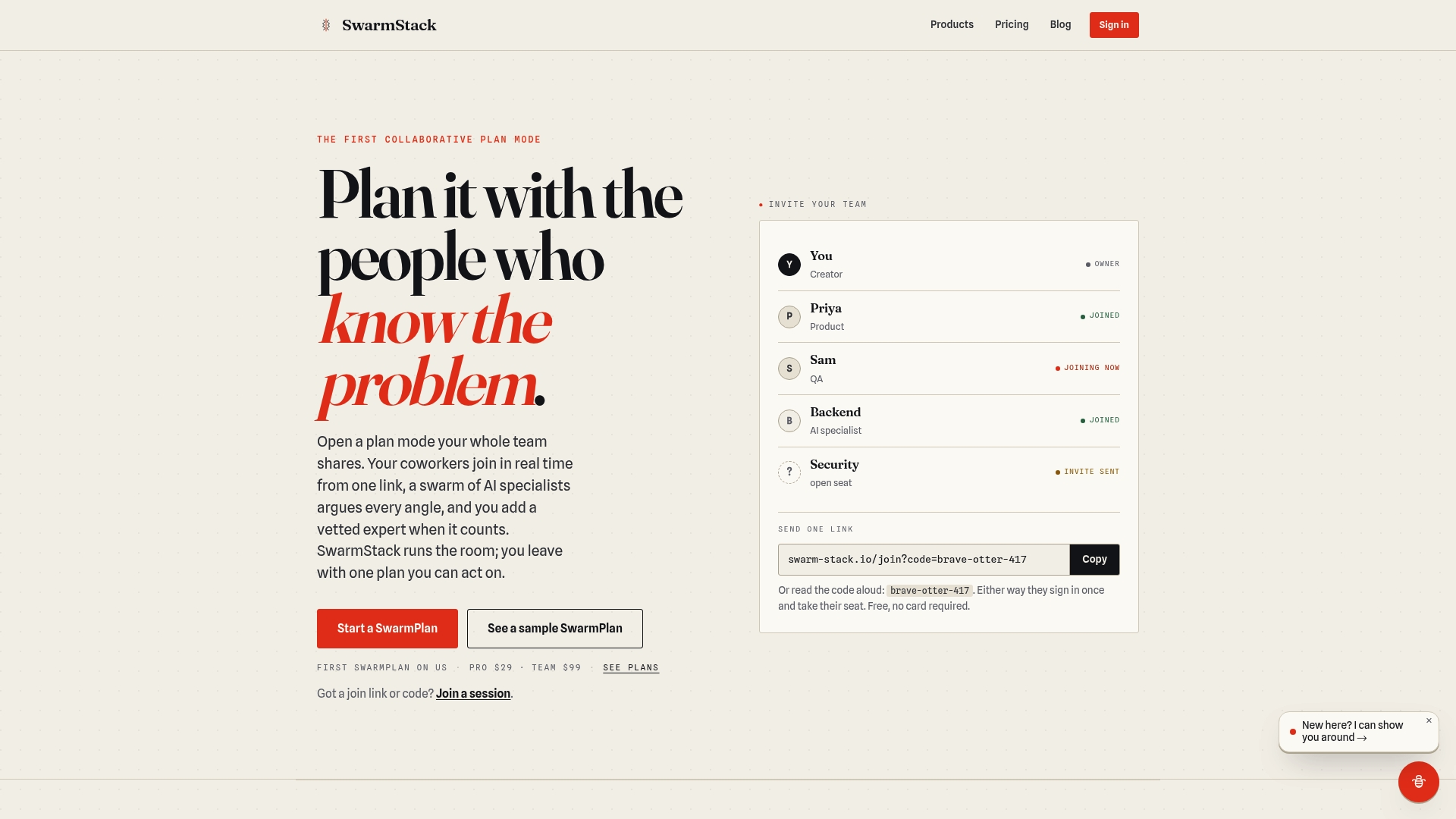
That means less rework from misalignment, a full decision trail baked into every deliverable, and an output that is ready to act on the moment the session closes. The integrated expert marketplace lets you bring in domain knowledge for a single session without a long-term contract. And because Swarm-stack exports directly to Jira and GitHub, the gap between planning and execution closes without a manual handoff.
Teams that should trial it first: cross-functional product teams, B2B procurement teams writing RFPs, and any team that has experienced a planning session where the output document did not match what was actually agreed. Start a session at swarm-stack.io or review plan options on the pricing page.
Useful sources and vendor reference pages
Use these links to verify pricing, check API documentation, and confirm enterprise feature availability before committing to a plan.
- SwarmStack pricing — official plan and pricing details
- SwarmStack trust and data privacy — privacy practices and data governance details