Best Sprint Planning Tools for Agile Teams in 2026
Discover the best sprint planning tools for Agile teams in 2026. Explore Swarm-stack, Jira, and more to optimize your sprint planning process!

For most Agile software teams, Swarm-stack is the strongest pick for sprint planning in 2026. It combines AI-assisted sprint drafting with human expert sessions, produces versioned deliverables, and exports directly to GitHub and Jira. That combination of AI speed and human judgment is what separates it from every other tool on this list.
Short shortlist for teams with different priorities:
- Swarm-stack — AI + human collaborative planning with direct export to developer workflows; best for teams that want execution-ready sprint plans without starting from a blank board
- Jira — deep backlog management and enterprise reporting; best for large engineering organizations that need heavy customization
- Zenhub — GitHub-native sprint planning with two-way sync; best for dev teams who live inside GitHub and want zero context switching
- Teamwork — built-in time tracking tied to project profitability; best for agencies and professional services firms where billable hours drive decisions
- Linear — keyboard-first, minimal admin overhead; best for high-velocity product teams that hate configuration
Quick category guidance: If your organization runs on Microsoft Azure and needs tight CI/CD pipeline alignment, Azure DevOps Boards is the natural fit. If you need enterprise-level portfolio roadmapping across business units, Jira Align is purpose-built for that. For small teams that just need a visual board and nothing else, Trello gets you started in under an hour.
Table of Contents
- What are the best sprint planning tools right now?
- In-depth reviews: what each tool does best and where it falls short
- How to choose the right sprint planning tool for your team
- What core capabilities should every sprint planning tool have?
- How these tools were evaluated
- Editorial recommendations and final pick
- Key Takeaways
- The real trade-off most teams get wrong
- Swarm-stack turns sprint planning from a meeting into a deliverable
- Useful sources and further reading
What are the best sprint planning tools right now?
| Tool | Best for | Key sprint features | Free tier | AI & automation | Integrations |
|---|---|---|---|---|---|
| Swarm-stack | AI-assisted sprint drafting + execution-first planning | AI sprint drafts, versioned deliverables, human expert sessions, GitHub/Jira export | Free tier (API key required after initial use) | AI specialists + human experts co-draft plans; argument-driven refinement | GitHub, Jira, Slack |
| Jira | Large engineering orgs needing deep customization | Backlog, sprint boards, velocity charts, custom workflows, enterprise reporting | Yes (up to 10 users) | Atlassian Intelligence; auto-sprint suggestions | GitHub, GitLab, CI/CD, Slack, 3,000+ apps |
| Zenhub | Dev teams running backlogs inside GitHub | GitHub-native boards, automated workload distribution, velocity reports | Yes | Auto-suggests sprint content from GitHub issues and PR activity | GitHub (native), Slack, Zoom |
| Teamwork | Agencies and professional services with billable-hours needs | Sprint boards, time tracking, capacity planning, profitability reporting | Yes (limited) | Automation rules; AI features on higher tiers | GitHub, Slack, Zoom, QuickBooks |
| Linear | High-velocity product teams, minimal config | Keyboard-first UI, auto-scheduling, cycle analytics, triage views | Yes | Auto-scheduling; cycle time insights | GitHub, GitLab, Slack, Figma |
| monday.com | Cross-functional teams needing visual flexibility | Multi-view boards, timeline, workload, automations | Yes (limited) | AI column suggestions; automation builder | GitHub, Slack, Zoom, — apps |
| Asana | Cross-functional teams with simple sprint tracking | Timeline, board view, goal tracking, backlog-to-sprint conversion | Yes | AI task suggestions; workflow automation | GitHub, Slack, Zoom, Jira |
| ClickUp | Teams wanting tasks, docs, and automation in one tool | Recurring sprints, custom dashboards, docs, automation, multiple views | Yes (generous) | AI writing assistant; sprint automation | GitHub, GitLab, Slack, Zoom |
| Azure DevOps | Microsoft/Azure-centric orgs needing CI/CD alignment | Backlog, sprint boards, pipeline integration, test plans | Yes (up to 5 users) | Pipeline-triggered board updates | Azure Pipelines, GitHub, Slack |
| Shortcut | Startups and early-stage engineering teams | Iteration planning, story points, velocity reports, workflow states | Yes | Workflow automation | GitHub, GitLab, Slack, Figma |
| GitLab | DevOps teams embedding planning in CI/CD lifecycle | Boards, milestones, time tracking, cycle analytics, pipeline integration | Yes | AI code suggestions; pipeline automation | Native Git/CI, Slack, Jira |
| Trello | Small teams prioritizing adoption speed | Kanban boards, Power-Ups, simple card workflow | Yes | Butler automation; AI Power-Ups | GitHub, Slack, Jira, — Power-Ups |
Interpreting the matrix: "AI & automation" here means the tool actively reduces manual planning work, whether by suggesting sprint content from backlog history, auto-distributing workload, or drafting plans from capacity data. "Capacity planning" means the tool accounts for actual team availability, not just story-point totals.
In-depth reviews: what each tool does best and where it falls short
Swarm-stack
Swarm-stack takes a fundamentally different approach to sprint planning. Instead of giving you an empty board and asking you to fill it, it runs a structured session where AI specialists and human experts argue different angles of the plan until the output is production-ready. The result is a versioned sprint plan with decision tracking baked in, exportable directly to GitHub or Jira.
That matters because most sprint planning failures happen before the board is even populated. Teams start from scratch, debate scope in a meeting room, and lose the reasoning behind every decision the moment the meeting ends. Swarm-stack preserves that context as a deliverable artifact.

Where it fits: Teams that want AI-augmented planning without sacrificing human judgment. Also strong for procurement-minded PMs who need structured RFP-style deliverables alongside sprint plans.
Limitations: The free tier requires a user-provided AI API key after initial use. Teams that want a pure Kanban board with no planning layer will find it over-engineered for that use case.
Pricing: Subscription SaaS with Pro and Team plans; free tier available. Per-session expert payments via the integrated marketplace are optional add-ons.
Jira
Jira remains the default choice for large engineering organizations, and for good reason. Its backlog management is genuinely deep: you can configure workflows per project type, set up custom fields for estimation, and generate velocity and burndown reports that hold up in executive reviews. Gartner Peer Insights consistently lists it among the top enterprise agile planning tools.
The trade-off is admin overhead. Jira rewards teams that invest in configuration, but that investment is real. New teams often spend their first sprint configuring the tool rather than shipping work.
Best for: Large engineering organizations with dedicated Scrum Masters or Agile coaches who can own the configuration.
Pricing: Free for up to 10 users; paid plans start at $8.15 per user per month (Standard). Enterprise pricing applies at scale.
Standout integrations: GitHub, GitLab, Bitbucket, Azure DevOps, Slack, and over 3,000 Atlassian Marketplace apps.
Zenhub
Zenhub solves a specific and common problem: dev teams that already manage everything in GitHub don't want to open a second tool to run their sprints. Zenhub lives inside GitHub as a browser extension and web app, syncing issues, PRs, and commits automatically. Its automated workload distribution pulls from actual repo activity, not manual estimates.
The limitation is the same as the strength: if your team doesn't live in GitHub, Zenhub loses most of its value proposition.
Best for: Developer teams running monorepos or multi-repo projects entirely within GitHub.
Pricing: Free tier available; paid plans for larger teams. Check Zenhub's site for current per-user rates.
Teamwork
Teamwork is purpose-built for professional services. Its sprint-style execution connects directly to time tracking and profitability reporting, which means a project manager at an agency can see, in one view, whether the sprint is on track and whether the project is still profitable. That connection is rare among sprint tools.
Best for: Agencies and consulting firms where every sprint hour maps to a client invoice.
Limitations: The profitability features add complexity that pure engineering teams don't need and won't use.
Pricing: Free tier available with limited features; paid plans scale with team size.
Linear
Linear is the tool that product teams reach for when they're tired of configuring Jira. It's opinionated by design: keyboard-first navigation, auto-scheduling based on cycle time data, and a UI that gets out of the way. Sprint setup that takes 30 minutes in Jira takes about 5 in Linear.

The opinionated design is also its ceiling. Teams that need heavy custom workflows or enterprise-level portfolio reporting will hit Linear's limits quickly.
Best for: High-velocity product teams of 5–50 people who value speed over configurability.
Pricing: Free tier available; paid plans start at $8 per user per month.
monday.com
monday.com is a visual work OS, not a sprint-first tool. That distinction matters. Its strength is flexibility: you can build a sprint board, a roadmap, a CRM, and a resource planner in the same workspace. Cross-functional teams that span engineering, marketing, and operations find that flexibility genuinely useful.
Pure engineering teams often find it under-specialized. The sprint reporting is less precise than Jira or Linear, and the automation builder, while powerful, requires setup time.
Pricing: Free tier available (limited); paid plans from $9 per user per month.
Asana
Asana's sprint support comes through its Timeline and Board views, which are clean and easy to adopt. Goal tracking is a genuine differentiator: you can link sprint tasks directly to team or company goals and see progress in real time. For cross-functional teams that need to show sprint work connecting to business outcomes, that's a meaningful feature.
Best for: Cross-functional teams that need simple sprint tracking with clear goal visibility.
Pricing: Free tier available; paid plans from $10.99 per user per month.
ClickUp
ClickUp packs more features into a single tool than almost anything else on this list: recurring sprints, custom dashboards, in-platform docs, time tracking, and an automation builder. For teams that want one tool to replace five, it's compelling.
The downside is the learning curve. ClickUp's feature density can slow adoption, and teams sometimes spend more time configuring views than running sprints.
Pricing: Generous free tier; paid plans from $7 per user per month.
Azure DevOps (Boards)
Azure DevOps Boards is the natural home for organizations already running on Microsoft infrastructure. Sprint boards connect directly to Azure Pipelines, so a build failure can surface as a board update without any manual intervention. For teams where CI/CD and sprint planning need to be tightly coupled, that native integration is hard to replicate with third-party connectors.
Best for: Microsoft/Azure-centric engineering organizations.
Pricing: Free for up to 5 users; additional users at $6 per user per month.
Shortcut (formerly Clubhouse)
Shortcut is built around the iteration, not the project. Story points, velocity reports, and workflow states are first-class citizens. Startups and early-stage engineering teams that want to move fast without the overhead of Jira's configuration find it a natural fit.
Pricing: Free tier available; paid plans from $8.50 per user per month.
GitLab
GitLab embeds sprint planning inside the CI/CD lifecycle. Boards, milestones, time tracking, and cycle analytics all connect to the same repository and pipeline data. For DevOps teams that want planning and delivery in one place, it removes a significant integration burden.
Best for: DevOps teams who want sprint planning embedded in the CI/CD lifecycle.
Pricing: Free tier available; paid plans from $29 per user per month (Premium).
Confluence, Confluence Whiteboards, Jira Service Management, Jira Align, Open DevOps, Atlas, and Loom
These tools are best understood as complements to a primary sprint planning tool rather than replacements.
Confluence provides the documentation layer: planning artifacts, decision logs, and knowledge bases that live alongside Jira sprints. Confluence Whiteboards adds a visual collaboration surface for ideation and planning sessions inside that same environment.
Jira Service Management connects service tickets and incident work to engineering sprints, useful for organizations where ops and engineering share capacity. Jira Align scales strategy-to-execution traceability across portfolios and business units; it's an enterprise product for organizations that need roadmap alignment at program level.
Open DevOps is Atlassian's approach to integrating planning with open CI/CD toolchains, useful for teams prioritizing end-to-end developer workflow integration without locking into a single vendor.
Atlas tracks narrative progress and cross-team alignment, keeping initiative context attached to sprint tasks so retros and post-mortems retain decision evidence. Loom handles async video messaging, letting teams attach rich context and decision rationale to sprint items without scheduling another meeting.
How to choose the right sprint planning tool for your team
The right tool depends on three variables: team type, required integrations, and governance needs. Work through them in order.
| Decision factor | Engineering teams | Professional services / agencies | Enterprise / multi-team |
|---|---|---|---|
| Primary priority | Git/CI/CD integration, velocity reporting | Time tracking, billable-hours reporting | Portfolio alignment, RBAC, roadmap traceability |
| Recommended picks | Swarm-stack, Zenhub, Linear, GitLab | Teamwork, ClickUp | Jira, Jira Align, Azure DevOps |
| Free tier useful? | Yes, for POC | Limited | Rarely — enterprise contracts dominate |
| AI features matter? | High priority | Medium | Medium-high |
| Admin overhead tolerance | Low | Medium | High (dedicated ops teams) |
Questions to ask vendors in demos:
- Does the tool offer two-way sync with our VCS (GitHub, GitLab, Bitbucket), or is it one-directional?
- How does the AI feature generate sprint suggestions — from velocity history, PR activity, or something else? Can it explain its recommendations?
- How does capacity planning handle PTO, public holidays across time zones, and part-time contributors?
- What does migration look like from our current tool, and what data survives the move?
- What RBAC controls exist for enterprise deployments, and how does the tool handle audit logging?
Red flags to watch for: Opaque pricing that requires a sales call to get a number. AI features that present recommendations without showing the underlying reasoning. Capacity planning that uses story-point totals without accounting for actual availability. Any tool that can't connect to your version control system natively or via a maintained integration.
Sprint planning tools are commonly grouped by primary use case: engineering-focused tools emphasize deep workflow customization and development integrations, while professional services tools emphasize time tracking and client visibility. Forcing an engineering tool onto an agency team, or vice versa, creates friction that compounds over every sprint.
What core capabilities should every sprint planning tool have?
Five capabilities define the most effective sprint planning tools in 2026. Evaluate every vendor against all five before committing.
-
Kanban and board visualization. Not just a pretty board, but one that surfaces blocked items, WIP limits, and swimlane-level status at a glance. A board that requires clicking into every card to understand sprint health is a board that slows standups rather than shortening them.
-
Sprint automation. Recurring sprints, backlog auto-population from velocity history, and automated carry-over of incomplete items. Teams using AI-assisted tools report planning rituals shrinking from hours to streamlined 10-minute standups by reducing manual backlog refinement. That time saving compounds across every two-week cycle.
-
AI-assisted planning. The meaningful version of this feature goes beyond auto-tagging. Look for tools that draft an initial sprint from backlog and capacity data, score sprint health on a real scale, and surface workload imbalances before the sprint starts. Products offering sprint health scores, real-time capacity heatmaps, and one-click workload rebalancing shorten planning cycles and prevent missed commitments. When evaluating AI features, test for explainability: can the tool show why it suggested a task for the sprint (velocity data, recent PR activity, blocked status), not just present opaque recommendations?
-
Robust reporting. Velocity charts, burndown and burnup reports, and cycle time analytics. These aren't vanity metrics; they're the feedback loop that makes the next sprint more accurate than the last. Linking strategy to execution requires traceability: tools should keep initiative and epic context attached to sprint tasks so retros and post-mortems retain decision evidence.
-
SCM and CI/CD integrations. Two-way sync with GitHub, GitLab, or Bitbucket means a merged PR updates the board automatically. Native CI/CD connections mean a failed pipeline can surface as a sprint risk without a human manually updating a card. This is the integration layer that separates a developer-grade sprint tool from a generic task manager.
Pro Tip: Three non-obvious capabilities to prioritize: multi-timezone PTO awareness (naive story-point totals without real availability data cause chronic overcommitment), two-way Git sync rather than one-directional webhooks, and retrospective automation that captures action items as backlog items automatically rather than relying on someone to transcribe meeting notes.
True capacity planning must incorporate multi-timezone availability, real-time PTO tracking, and location-aware holidays for remote and hybrid teams. Failing to account for these factors causes over-allocation based on theoretical capacity rather than reality.
How these tools were evaluated
This roundup was researched and published in 2026. The evaluation drew on vendor documentation, independent practitioner reviews, community discussions, and published roundups from Teamwork, Zenhub, FixAgile, and AugmentCode, cross-referenced against Gartner Peer Insights ratings for enterprise agile planning tools.
Evaluation criteria applied to every tool:
- Sprint-specific features: backlog management, board visualization, estimation, capacity planning, and reporting
- AI and automation capabilities: sprint drafting, health scoring, workload balancing, and explainability of recommendations
- Integration depth: native vs. connector-based links to GitHub, GitLab, Azure DevOps, CI/CD pipelines, Slack, and Zoom
- Pricing structure: free tier availability, per-user cost range, and enterprise pricing transparency
- Ease of adoption: onboarding friction, admin overhead, and learning curve for non-technical team members
- Enterprise controls: RBAC, audit logging, SSO, and roadmap alignment features
- Time tracking and billability: relevant for professional services and agency use cases
Limitations to note: SaaS vendors update features frequently. A capability listed as "in beta" at research time may be generally available by the time you read this, or may have been repositioned. Trial every shortlisted tool in your actual workflow before committing. The primary payoff metrics to measure during a trial are planning time saved per sprint and sprint commitment hit rate.
Editorial recommendations and final pick
Swarm-stack is the top pick for Agile software teams that want AI-augmented, execution-first sprint planning. Three reasons stand out:
- It produces a plan, not just a board. Most tools give you an empty sprint and ask your team to fill it. Swarm-stack runs a structured session where AI specialists and human experts co-draft the sprint plan, argue competing priorities, and produce a versioned deliverable with decision tracking. The output is ready to export to GitHub or Jira immediately.
- It preserves decision context. Practitioners consistently separate "tracking" from "planning": using a lightweight tracker plus a sprint-focused layer often outperforms an all-in-one PM tool for sprint commitment and progress. Swarm-stack is the sprint-focused layer, and it keeps the reasoning behind every decision attached to the deliverable.
- It reduces planning overhead without sacrificing human judgment. The AI handles the first draft; human experts and team members refine it. That's a materially different model from tools that either automate everything (losing context) or automate nothing (wasting time).
Second choice for GitHub-native engineering teams: Zenhub. If your team runs its entire backlog inside GitHub and context switching is the primary pain point, Zenhub's native integration and automated workload distribution solve that problem directly.
Third choice for enterprise Microsoft/Azure organizations: Azure DevOps Boards. The native pipeline integration and Microsoft ecosystem alignment are hard to replicate with third-party connectors. For organizations that also need portfolio-level roadmap alignment, add Jira Align or evaluate whether Jira's enterprise tier covers the gap.
For professional services and agencies: Teamwork. The connection between sprint execution and billable-hours reporting is genuinely differentiated and worth the added complexity for teams where project economics drive decisions.
Running a two-week proof of concept: Scope the POC to one sprint cycle. Measure two things: time spent in sprint planning ceremonies (before and after), and the percentage of committed sprint items completed by sprint end. Those two numbers tell you whether the tool is helping or adding overhead. For AI-assisted tools, also check whether the AI's sprint suggestions matched what your team would have chosen manually — that alignment score tells you whether the model has learned your team's patterns.
Key Takeaways
Swarm-stack is the strongest choice for teams that want AI-assisted sprint drafting with human oversight, direct export to developer workflows, and decision-tracked deliverables that survive the sprint.
| Point | Details |
|---|---|
| Match tool to team type | Engineering teams need Git/CI/CD integration; agencies need time tracking; enterprise needs portfolio alignment. |
| AI features require explainability | Test whether the tool shows why it suggested a task, not just what it suggested. |
| Capacity planning must use real availability | Story-point totals without PTO, holidays, and timezone data cause chronic overcommitment. |
| Measure two POC metrics | Track planning time saved per sprint and sprint commitment hit rate to evaluate any new tool. |
| Swarm-stack for execution-first planning | Combines AI sprint drafting with human expert sessions and exports versioned plans directly to GitHub and Jira. |
The real trade-off most teams get wrong
The conventional wisdom in sprint tool selection is to find the most feature-complete platform and configure it to fit your workflow. That logic sounds reasonable and is almost always wrong.
Feature-complete tools reward teams that have the time and expertise to configure them. Most engineering teams don't. They have a sprint starting Monday, a backlog that needs grooming, and a planning meeting that historically runs 90 minutes longer than it should. Dropping a highly configurable tool into that environment doesn't fix the planning problem; it adds a configuration problem on top of it.
The tools that actually improve sprint velocity tend to be opinionated. They make decisions for you: here's how a sprint should be structured, here's what the board should show, here's the first draft of your sprint based on your backlog and capacity. You edit and refine; you don't start from zero. That's the model Linear uses for high-velocity teams, and it's the model Swarm-stack extends with AI and human expert sessions for teams that need a more structured planning artifact.
The other mistake is treating planning and tracking as the same problem. They're not. Tracking is about visibility into work in progress. Planning is about commitment: what does the team agree to deliver, why, and what's the reasoning behind those choices? Tools optimized for tracking (Jira, Azure DevOps) are excellent at the first problem and often mediocre at the second. Tools optimized for planning (Swarm-stack, Linear, Shortcut) flip that priority. Knowing which problem you're actually trying to solve is the most important decision you'll make before evaluating any vendor.
Swarm-stack turns sprint planning from a meeting into a deliverable
Every tool on this list helps you manage a sprint. Swarm-stack is the one that helps you plan it, in the full sense: structured sessions where AI specialists and human experts argue the sprint scope, produce a versioned plan with decision tracking, and export it directly to GitHub or Jira so your team starts executing, not configuring.
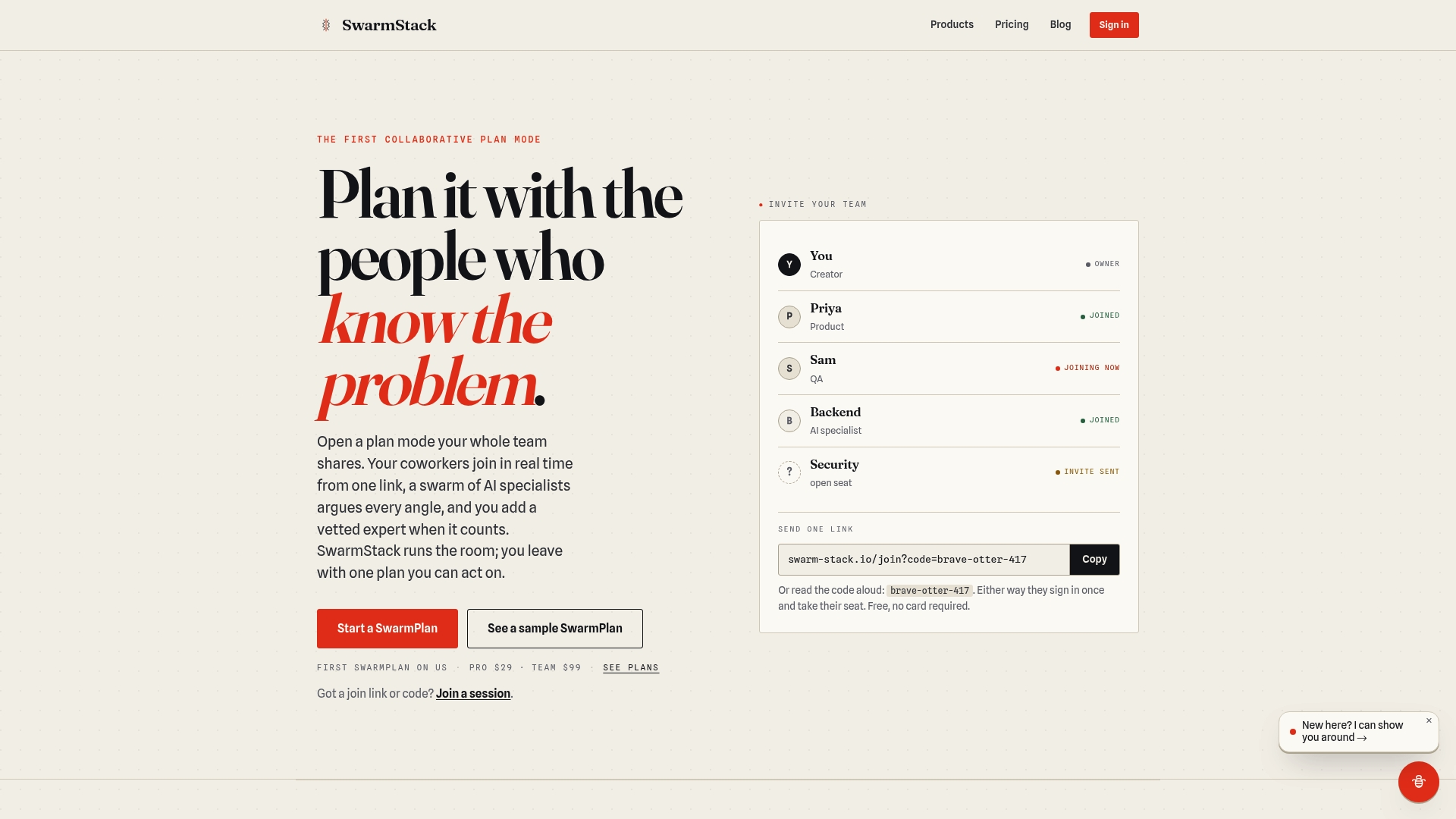
For teams that have tried the "configure a big PM tool and hope for the best" approach, Swarm-stack is the concrete alternative. You get AI-drafted sprint plans built from your backlog and capacity data, human expert oversight to catch what the AI misses, and a deliverable that preserves the reasoning behind every commitment. The pricing includes a free tier to start, with Pro and Team plans for ongoing use. Enterprise teams evaluating data handling can review the trust and privacy page before committing.
Start a session at swarm-stack.io and run your next sprint planning cycle with a first draft already on the table.
Useful sources and further reading
- Top Sprint Planning Software Tools in 2026 | Teamwork.com — Practitioner-focused roundup with emphasis on professional services use cases; researched 2026.
- Sprint Planning Tools: Best Software for Agile Teams in 2026 | FixAgile — Covers AI and automation capabilities across major tools; researched 2026.
- The 10 Best Sprint Planning Tools for Agile Software Teams | Zenhub Blog — GitHub-native perspective on sprint tool selection; useful for dev-centric teams.
- Best Scrum Tools for Agile Engineering Teams | AugmentCode — Engineering-focused evaluation with practitioner commentary.
- Best Enterprise Agile Planning Tools Reviews 2026 | Gartner Peer Insights — Peer reviews of enterprise agile tools including Jira, Azure DevOps, and Jira Align.
- Enterprise Planning | Atlassian — Atlassian's guidance on scaling sprint planning to portfolio and program level.
- Working with Multiple Teams | Atlassian Community — Practitioner discussion on capacity planning for remote and multi-timezone teams.
- Spryn: Execution-First Sprint Planning for Serious Teams — Background on the execution-first planning model and the case for separating tracking from planning.
- AI Project Management Tools for B2B Teams: 2026 Guide | Swarm-stack — Swarm-stack's guide to AI-augmented project workflows and trial metrics.